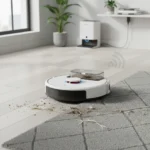
Home Assistant infrared support is finally here, and it changes everything for anyone stuck with older gadgets that refuse to play nice with modern smart homes. The April 2026 release of Home Assistant 2026.4 introduces native infrared control, letting you command your existing TVs, air conditioners, and soundbars directly from the platform—no hardware replacements required.
Key Takeaways
- Home Assistant 2026.4 adds native infrared control via affordable IR blasters like the Xiao Smart IR Mate
- Control legacy TVs, AC units, and soundbars without replacing them
- New area and label-based triggers let you automate entire rooms or device groups
- Dashboard enhancements include customizable section backgrounds and improved tile cards
- Update available now for immediate download
What Home Assistant Infrared Support Actually Does
For years, Home Assistant has controlled smart devices through native integrations—but what about the devices that will never be smart? Your 10-year-old plasma TV. Your window AC unit. Your vintage soundbar. Home Assistant infrared support bridges that gap by letting you plug in an affordable IR blaster and suddenly control all those legacy devices from your automations. The Xiao Smart IR Mate acts as a proxy, translating Home Assistant commands into the infrared signals your old gadgets understand.
This matters because replacing every non-smart device in your home is expensive and wasteful. A single IR blaster costs far less than a new smart TV or air conditioner. You keep what you have, add one piece of hardware, and your entire ecosystem becomes controllable. The setup is plug-and-play—no coding required, no complex configuration needed.
Purpose-Specific Triggers and Area-Based Automations
Beyond infrared control, Home Assistant 2026.4 expands the automation engine with purpose-specific triggers and conditions that target areas and labels rather than individual devices. Instead of writing separate rules for your living room TV, soundbar, and AC, you can now target the entire living room at once. Battery status, door sensors, garage doors, and illuminance readings all get new condition types.


This addresses a real pain point for users with sprawling smart homes. Automations become cleaner, faster to write, and easier to maintain. A lighting scene that triggers when you enter the office now affects every light in that area, not just the ones you manually specified.
Dashboard Refinements and Interface Updates
The visual side of Home Assistant gets attention too. Section background colors now support adjustable opacity, giving your dashboards a more polished, layered appearance. Tile card features expand, and footer customization carries over from the previous 2026.3 release. These are subtle changes, but they matter if you spend time fine-tuning your interface.

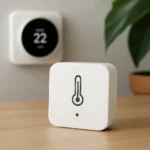

Home Assistant’s dashboard system has always been flexible—this update makes it more expressive without adding complexity.
Breaking Changes and What You Need to Know
The team describes 2026.4 as a bumper update, and that comes with a caveat: there are breaking changes that may impact existing setups. Before upgrading, review the changelog carefully if you have custom automations or heavily modified configurations. Most users should upgrade without issue, but this is not a silent update.
The infrared support itself is additive—it does not break existing integrations. But if you rely on older custom components or deprecated features, 2026.4 may require adjustments.
How Home Assistant Infrared Support Compares to Smart Device Replacement
The obvious alternative to infrared support is replacing your old devices with smart versions. A new smart TV costs hundreds of dollars. A smart AC unit costs thousands. An IR blaster costs a fraction of that and lets you keep your existing gear. For budget-conscious users or anyone who views their current devices as perfectly functional, Home Assistant infrared support is the smarter path.



Prior releases like 2026.3 added Matter lock features and support for specific smart devices like Reolink PTZ cameras and SmartThings ovens. Those integrations serve users who can afford or want new hardware. Home Assistant 2026.4 serves everyone else—the people with drawers full of working remotes and no reason to upgrade.
Do I Need to Upgrade to Home Assistant 2026.4 Right Now?
If you have older devices you want to control from Home Assistant, yes—this is the release you have been waiting for. If your smart home is already fully integrated and working smoothly, upgrading is still worthwhile for the automation improvements and dashboard refinements, but it is not urgent. Check the breaking changes first.
What IR Blaster Should I Buy for Home Assistant?
The research brief does not specify pricing or a comprehensive list of compatible IR blasters, but the Xiao Smart IR Mate is highlighted as an affordable option that works with Home Assistant 2026.4. It acts as the proxy between Home Assistant and your infrared devices. Beyond that, check the Home Assistant documentation for a full list of tested IR blasters and their compatibility.
Will Home Assistant Infrared Support Work With My Old TV?
If your TV has an infrared remote and accepts standard IR signals, yes—Home Assistant infrared support will work. Older TVs, air conditioners, soundbars, and most legacy electronics use infrared as their primary control method, so compatibility is broad. The IR blaster sends the same signals your physical remote would send.
Home Assistant 2026.4 finally lets you stop choosing between modern automation and keeping your older gear. Infrared support is the bridge that makes both possible, and it costs far less than replacing everything. If you have been on the fence about upgrading Home Assistant, this is the release that justifies it.
Where to Buy
Edited by the All Things Geek team.
Source: T3