





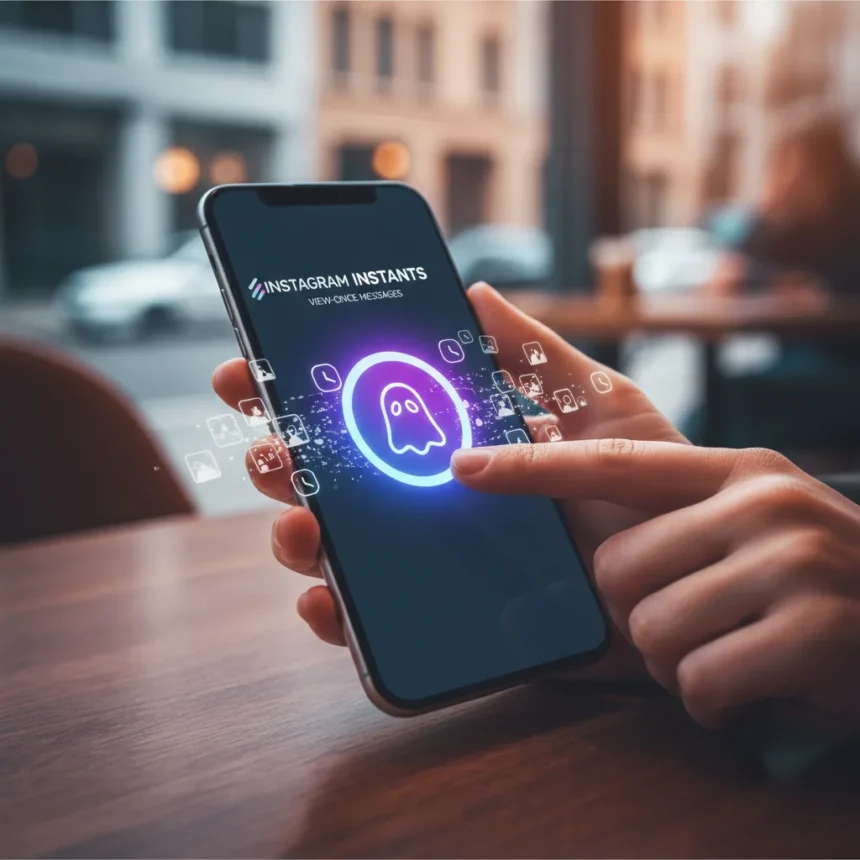
Instagram Instants is a photo-sharing feature built directly into Instagram Direct Messages, allowing users to send photos and videos that disappear after viewing—a direct response to Snapchat’s core appeal. Launched globally in late 2023 and early 2024, Instagram Instants marks Meta’s boldest move yet to capture users seeking ephemeral, fun sharing experiences without leaving the Instagram ecosystem.
Key Takeaways
- Instagram Instants are view-once photos and videos sent through Instagram DMs that delete automatically after viewing.
- Videos can be up to 15 seconds long, matching Instagram’s standard DM video limits.
- The feature is free and available on iOS and Android with the latest Instagram update.
- Instants compete directly with Snapchat’s Snaps, which have dominated disappearing photo sharing since 2011.
- Recipients cannot replay or save Instants after viewing, though senders can save before sending.
What Are Instagram Instants and Why They Matter
Instagram Instants represent a calculated escalation in Meta’s long-running battle with Snapchat. While Instagram Stories, launched in 2016, borrowed the 24-hour disappearing concept, Instants target Snapchat’s real stronghold: private, ephemeral one-to-one messaging. The timing is strategic. Snapchat’s user base has stagnated at roughly 400 million monthly active users, while Instagram commands over 2 billion, giving Meta an enormous distribution advantage for any feature it introduces. Instants leverage this scale by embedding disappearing photos directly into the messaging interface where users already spend time.
What distinguishes Instants from regular Instagram DM photos is the view-once policy. A recipient taps to open the photo or video, watches it play (once, for videos), and then it vanishes. The sender receives a notification confirming the view. This mirrors Snapchat’s mechanics but wraps them in Instagram’s larger social graph and existing DM infrastructure, removing friction for users who may not want to maintain a separate app.
How to Send an Instagram Instant Step by Step
Sending an Instant is straightforward and integrates smoothly into Instagram’s existing DM workflow. The process requires only a few taps and no special permissions beyond what Instagram already requests.


Start by opening Instagram and tapping the paper airplane icon at the top right to access Direct Messages. Select an existing conversation with a friend or group, or tap the new message icon to choose a recipient. Once in the chat, locate the camera or gallery icon in the compose bar at the bottom of the screen. Tap it to either take a fresh photo or video (hold down to record up to 15 seconds) or select an existing image from your phone’s gallery.
After capturing or selecting your media, the critical step follows: look for the Instant toggle or label that appears as a distinct send option, separate from the standard photo send button. This is where you confirm you want to send this content as a disappearing Instant rather than a regular photo. Tap to activate Instant mode. If desired, swipe through available filters or add text, stickers, or drawings—though the editing options are more limited compared to Instagram Stories. Finally, tap the send arrow to deliver the Instant to your recipient.



What Happens When Someone Receives an Instant
When your friend receives an Instant, they see a preview thumbnail in the chat. Tapping the thumbnail opens the full photo or video in a dedicated viewer. For videos, it plays once automatically. Once they close the viewer or the video finishes, the Instant deletes permanently from both their phone and Instagram’s servers. The sender gets a notification showing the Instant was viewed, displayed as a view count of one. Recipients cannot replay, screenshot, or save the Instant after viewing—the ephemeral promise is enforced by design.
One important distinction: if a recipient exits the viewer before the video finishes playing, does it count as viewed? The research indicates a single tap-to-view interaction triggers the deletion, making the experience more forgiving than Snapchat’s stricter playback rules. Senders, however, retain one advantage: they can save an Instant to their camera roll before sending it, preserving a copy for themselves if they choose.
Instagram Instants vs. Snapchat Snaps: Key Differences
Snapchat pioneered disappearing photos in 2011 and built an entire social platform around ephemeral sharing, lenses, and filters. Snapchat Snaps remain the gold standard for creative photo manipulation, with advanced AR lenses and a design language optimized for visual expression. However, Snapchat’s growth has plateaued, and the app requires users to maintain a separate social presence outside their primary networks.
Instagram Instants trade some of Snapchat’s creative depth for convenience and scale. You do not need a separate app; Instants live in DMs alongside your regular conversations with the same people. The editing tools are simpler, but the audience is vastly larger. For casual disappearing photo sharing among friends you already message on Instagram, Instants eliminate friction. For users who love Snapchat’s lens ecosystem and dedicated community, Snapchat remains the richer experience. Instagram’s bet is that most users prioritize simplicity and integration over specialized creative tools.



Frequently Asked Questions
Can I replay an Instagram Instant after I send it?
No. Once a recipient views an Instant, it disappears permanently. Recipients cannot replay or re-open it. However, as the sender, you can save the Instant to your camera roll before sending it, preserving a personal copy if you want to keep it.
What devices support Instagram Instants?
Instagram Instants are available on both iOS (17 and later) and Android (10 and later) through the latest Instagram app update. The feature rolled out globally starting in late 2023 and early 2024, so ensure your app is fully updated to access it.
Do Instagram Instants have end-to-end encryption?
Instagram Instants rely on Instagram’s standard DM security infrastructure. The research brief does not specify end-to-end encryption details, so users should review Instagram’s privacy policy for full security specifications if this is a critical concern.
Instagram Instants represent a pragmatic evolution in how Meta competes for ephemeral sharing. The feature is not revolutionary—it is a straightforward port of Snapchat’s proven mechanics into a larger, more convenient ecosystem. For Instagram’s 2 billion users, that simplicity and integration may prove more valuable than Snapchat’s specialized tools. The real test will be whether casual users adopt Instants as their default disappearing photo method or whether Snapchat’s entrenched creative community keeps the app relevant despite its smaller size.
Edited by the All Things Geek team.
Source: Tom's Guide




