






Ring Familiar Faces is Amazon’s new AI-powered facial recognition feature that identifies up to 50 people in your home’s camera feed, now rolling out to UK premium subscribers. Instead of generic “Person at Front Door” alerts, you get personalized notifications like “Mom at Front Door” or “Chris at Front Door.” It sounds convenient. It also scans every single person who approaches your camera—including postal workers, delivery drivers, neighbors, and strangers—whether they consent or not.
Key Takeaways
- Ring Familiar Faces recognizes up to 50 faces and requires a premium Ring subscription to use
- The feature scans all people near the camera, not just visitors, without requiring consent
- Unidentified faces are deleted after 30-180 days; only the account owner can manage the library
- Optimal camera height is 4 feet (1.2 m) above ground for best recognition range
- Privacy experts warn the feature creates a “daily diary” of home activity and enables neighborhood surveillance
How Ring Familiar Faces Works
Ring Familiar Faces uses AI-powered facial recognition to automatically detect and catalog faces that appear in your doorbell camera’s field of view. When enabled in the Ring app settings, the system scans all approaching people and attempts to match them against your personal library of up to 50 named faces. You build this library manually by reviewing detected faces in your Event History or Timeline and assigning names—family members, friends, neighbors, delivery drivers, or household staff. Once named, the system sends personalized alerts whenever it recognizes that person.
The feature is not enabled by default, which means you must actively turn it on in your Ring app under AI features. Camera placement matters significantly: Ring recommends mounting your doorbell at 4 feet (1.2 meters) above ground for optimal facial recognition range. Higher mounts reduce accuracy and range. Only the account owner can name, edit, merge, or delete faces in the library; shared users see the names in alerts but cannot make changes.
The Scanning Happens to Everyone
Here’s where Ring Familiar Faces diverges sharply from what many users expect. The camera does not only scan your invited guests or known visitors. It scans everyone—postal workers, canvassers, neighbors walking past, sidewalk passersby, and anyone else who comes near or passes the camera. You receive personalized alerts only for the 50 faces you have named, but the AI is analyzing every single person in frame. Unidentified faces are stored for 30 to 180 days before deletion, creating what privacy advocates describe as a “daily diary” of home activity.
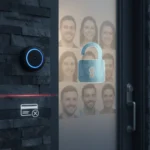


Ring founder Jamie Siminoff has framed this as a security feature: “Equally important is that if someone you don’t recognize is lingering, you’ll know immediately [they’re] unfamiliar”. But that security benefit comes at a cost. The scanning happens without the knowledge or consent of most people captured—the postal worker, the neighbor, the delivery driver. They have no way to opt out or know they are being catalogued by AI facial recognition.
Privacy and Legal Concerns Ring Familiar Faces Raises
Privacy advocates and legal experts have flagged serious concerns about non-consensual facial scanning. The Electronic Frontier Foundation (EFF) and other organizations have raised the prospect of legal challenges, noting that potential illegality exists in some US states and that the feature could enable neighborhood surveillance networks. Ring’s past security lapses—including unauthorized law enforcement access to doorbell footage—add another layer of concern about how this facial data might be used or exposed.



The feature also creates a false sense of security. AI facial recognition is not foolproof, especially with partially obscured faces (masks, sunglasses, helmets). Privacy experts recommend checking live video feeds directly rather than relying on AI labels alone. If you are considering Ring Familiar Faces, weigh the convenience of personalized alerts against the reality that your camera is now running continuous facial analysis on everyone in your neighborhood—with minimal oversight or consent.
Ring Familiar Faces vs. Basic Motion Alerts
Traditional Ring doorbells send generic motion alerts whenever movement is detected. Ring Familiar Faces replaces that with named notifications for people you have registered. Functionally, this reduces notification fatigue if you live in a busy area with frequent foot traffic. But the trade-off is significant: basic motion alerts do not require AI facial scanning of every passerby. You get fewer notifications but at the cost of a persistent surveillance system that catalogs faces 24/7. For users prioritizing privacy over convenience, traditional alerts remain the safer choice.
Compatibility and Rollout
Ring Familiar Faces is available now to premium subscribers in the UK and US. It is compatible with newer Ring doorbells and 2K/4K Ring cameras, with rollout to additional devices planned soon. Premium subscriptions like Ring Home are required; the feature does not work on free or basic Ring accounts.
Does Ring Familiar Faces work with Alexa?
Yes. Ring Familiar Faces integrates with Alexa+ Greetings, allowing your smart speaker to announce when recognized people arrive at the door. The feature also supports lost pet alerts via neighborhood sharing, turning your doorbell into a community surveillance tool.



Can I delete faces from Ring Familiar Faces?
Absolutely. You can rename, merge duplicates, or delete any face from your Familiar Faces library at any time through the Ring app. Unidentified faces are automatically deleted after 30 to 180 days.
Is Ring Familiar Faces available outside the UK and US?
The research brief confirms rollout in the UK and US only at this time, with expansion to more devices planned. No other regions are currently listed.
Ring Familiar Faces is a textbook example of a convenience feature that trades privacy for personalization. The technology works, and for households with frequent visitors or delivery traffic, the personalized alerts are genuinely useful. But the non-consensual scanning of every person who approaches your camera—including people who have no relationship to your home—represents a significant privacy shift. If you value that convenience, enable it knowingly. If you value privacy, the traditional motion alert remains the better choice.
Where to Buy
Edited by the All Things Geek team.
Source: TechRadar