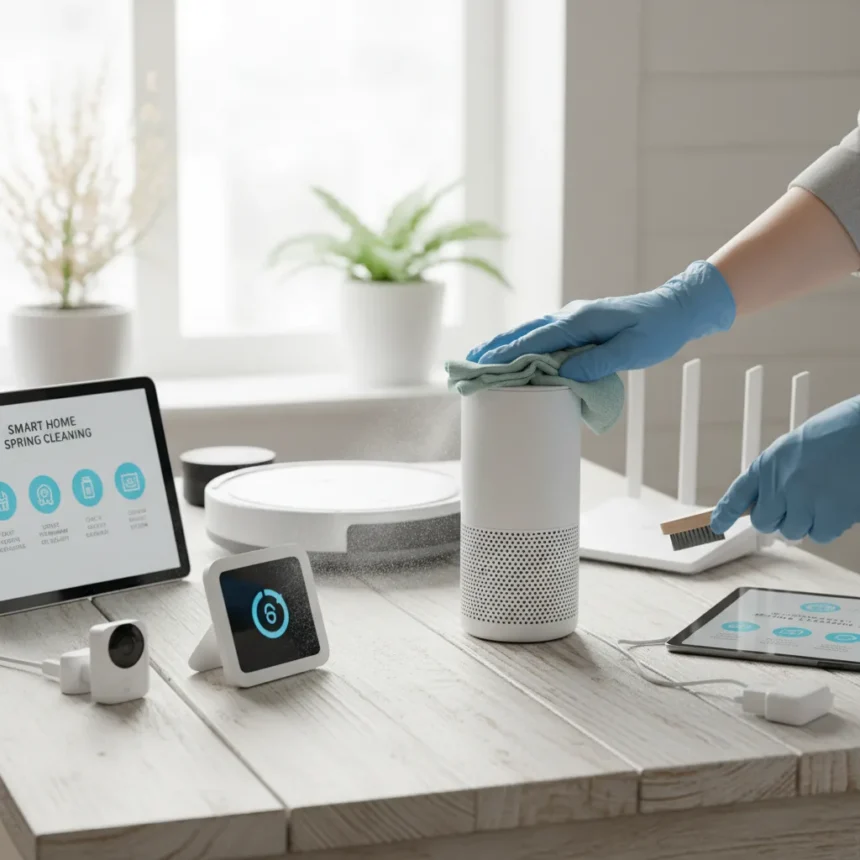
Smart home spring cleaning refers to the seasonal maintenance of connected devices, hubs, and ecosystems to prevent performance degradation, security vulnerabilities, and hygiene issues. As smart home adoption rises, device upkeep has become as critical as cleaning baseboards or washing machines—yet most households skip it entirely.
Key Takeaways
- Smart home devices accumulate dust and grime that reduces efficiency and harbors bacteria.
- Wipe high-touch surfaces like remotes and smart doorbells weekly with disinfectant spray.
- Update firmware across all devices monthly to patch security vulnerabilities.
- Declutter unused devices from apps and hubs to simplify your ecosystem.
- Test battery-powered devices and clean overlooked ports on smart plugs and TVs.
Clean High-Touch Surfaces on Smart Devices
Remotes, light switches, smart doorbells like Ring models, and smart speakers accumulate bacteria and grime from daily handling. Use a microfiber cloth with mild disinfectant spray to wipe these surfaces thoroughly. This task should happen weekly, not just during spring cleaning, to prevent pathogen buildup. Pay special attention to button crevices and speaker grilles where dust settles.
High-touch surfaces on smart devices pose the same hygiene risk as doorknobs or kitchen counters. Unlike traditional appliances, smart devices often sit in living spaces where family members touch them constantly. A quick weekly wipe with a microfiber cloth and disinfectant prevents germ accumulation that spring cleaning alone cannot address.
Dust and Refresh Smart Light Fixtures and Sensors
Dust on light bulbs, fixtures, and motion sensors reduces illumination and sensor accuracy. Use a damp microfiber cloth to gently remove buildup from each component. For ceiling-mounted fixtures and high sensors, use a stepladder and take safety precautions to avoid falls. Obscured lights perform worse, so clearing dust is both a maintenance and performance task.


Motion sensors choked with dust fail to detect movement reliably, forcing you to manually toggle lights or disarm systems. Cleaning these components restores responsiveness and energy efficiency. Philips Hue lights and similar smart bulbs benefit from this maintenance—dust reduces their brightness output and color accuracy.
Update Firmware and Software Across Your Ecosystem
Smart home spring cleaning must include a complete firmware and software audit. Check Google Home, Alexa, SmartThings, Wink, and all device manufacturer apps for pending updates. Reboot routers and smart hubs after applying patches. Enable automatic updates where available to patch security vulnerabilities without manual intervention.


Firmware updates address security gaps that expose your smart home to unauthorized access. A single unpatched device can compromise your entire ecosystem if it sits on the same network as your hub or router. Spring is the ideal time to audit which devices you own, which apps you’ve installed, and which updates are pending. This single task prevents more security breaches than any other smart home maintenance step.
Declutter and Organize Your Smart Hubs and Devices
Most households accumulate unused smart devices over years of upgrades and experiments. Remove abandoned devices from your apps and hubs—unpair them from SmartThings, Wink, or Google Home. Unplug physical hubs and dust them thoroughly. Check all cables for wear or damage before reconnecting.
A cluttered ecosystem slows down automation routines and makes troubleshooting harder. If your hub is trying to communicate with 40 devices and 15 of them are unplugged or unused, response times lag. Spring cleaning your device list is as important as cleaning the physical hub itself.
Test and Deep Clean Overlooked Components
Vacuum ports on smart plugs and TVs where dust accumulates and blocks ventilation. Test battery-powered devices like wireless smart locks and motion sensors to ensure batteries still hold charge. Replace air filters in smart HVAC systems if your setup includes connected thermostats and climate control.



These overlooked tasks prevent device failure mid-season. A smart plug choked with dust can overheat and malfunction. A motion sensor with a dead battery stops working silently, leaving you unaware until you notice your automation failing. Spring cleaning catches these problems before they cascade into larger issues.
Why Spring Cleaning Matters for Smart Homes
Smart devices are not immune to the dust, grime, and bacterial growth that accumulate on traditional appliances. Yet most households treat them as if they are—wiping them occasionally but never deep cleaning ports, sensors, or hubs. Post-pandemic awareness of germ transmission has made this oversight more risky. A smart doorbell handles dozens of fingerprints daily. A light switch touched by every family member harbors pathogens. Spring cleaning addresses this hygiene gap that daily use cannot fix.
Security is equally critical. An unpatched smart device is a security liability. Firmware updates close exploits that hackers actively target. Delaying updates leaves your network vulnerable to unauthorized access, data theft, or device hijacking. Spring cleaning forces you to audit your entire ecosystem and patch everything at once rather than letting vulnerabilities accumulate.
Does smart home spring cleaning require special tools or chemicals?
No. A microfiber cloth, mild disinfectant spray, and household items like vinegar and baking soda are sufficient for most tasks. Avoid harsh chemicals that can damage electronics or leave residue. Always unplug devices before cleaning and let them dry completely before reconnecting.
How often should you clean smart devices beyond spring?
High-touch surfaces like remotes and smart speakers should be wiped weekly with disinfectant to prevent germ buildup. Firmware updates should be checked monthly via manufacturer apps. Dust sensors and light fixtures seasonally or whenever you notice reduced performance.
Can smart home spring cleaning prevent device failures?
Yes. Cleaning ports prevents overheating, updating firmware patches security vulnerabilities that cause crashes, and testing batteries catches failures before they occur. Most device malfunctions stem from neglect rather than manufacturing defects.
Smart home spring cleaning is not optional busywork—it is preventive maintenance that protects your investment, secures your network, and maintains hygiene standards in your home. Set a spring reminder to audit your devices, wipe high-touch surfaces, update firmware, and declutter your ecosystem. The 90 minutes this takes now prevents hours of troubleshooting and security headaches later.
Edited by the All Things Geek team.
Source: Tom's Guide