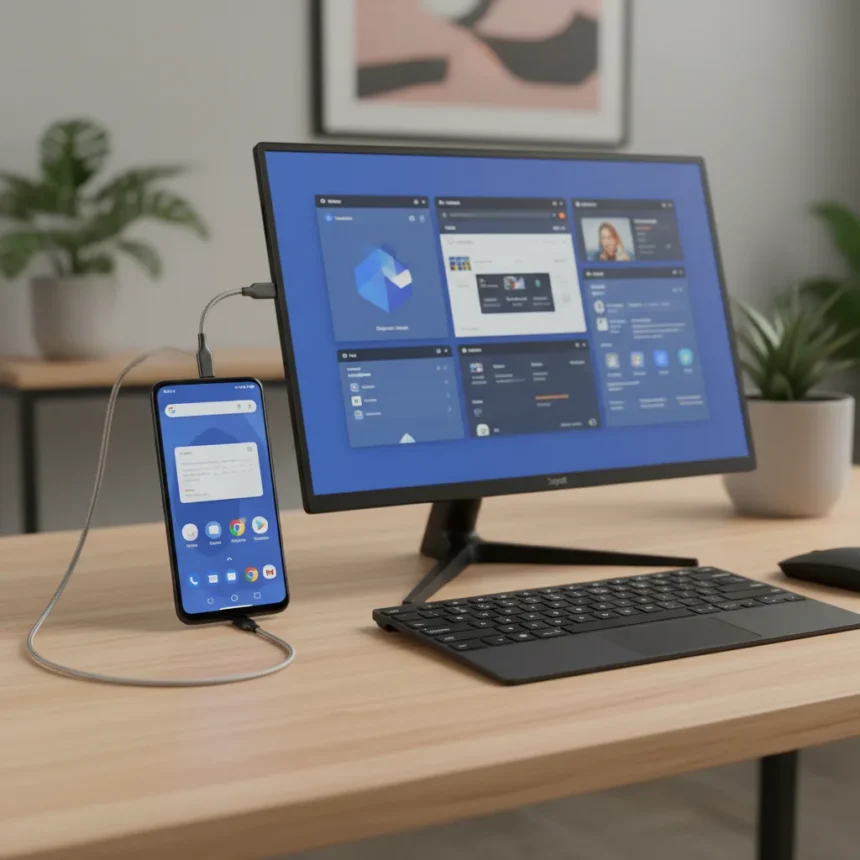
Google Pixel Desktop mode is a productivity feature that transforms your Pixel phone into a desktop-like computing device, surfacing as a surprise addition in March. Most Pixel owners have no idea it exists, let alone that it could serve as the perfect way to let an Android phone pinch-hit as a laptop for everyday tasks.
Key Takeaways
- Google Pixel Desktop mode was introduced as a surprise feature in March, catching many users off guard.
- The feature allows Pixel phones to function as makeshift laptops, expanding the device’s productivity potential.
- Desktop mode remains largely unknown among the general Pixel user base.
- The feature positions Android phones as viable laptop substitutes for certain workflows.
- This hidden capability suggests Google is quietly expanding Pixel’s versatility beyond traditional smartphone use.
What Is Google Pixel Desktop mode?
Google Pixel Desktop mode is a productivity feature that repurposes your Pixel phone as a desktop-class computing device. When activated, the phone’s interface transforms into a laptop-like environment, complete with a desktop layout, taskbar, and window management capabilities. This shift from mobile to desktop paradigm allows users to interact with their phone as they would a traditional computer, making it useful for productivity tasks that typically require a larger screen or keyboard-and-mouse setup.
The feature addresses a gap in Android’s ecosystem. While competing platforms have experimented with desktop modes, Google’s implementation on Pixel devices offers a native, integrated approach. Unlike external solutions that require docking hardware or third-party software, Pixel Desktop mode works directly from the phone itself, making it accessible to any Pixel owner willing to explore the settings menu.
Why Google Pixel Desktop mode Matters for Productivity
Google Pixel Desktop mode transforms how you think about phone-as-computer convergence. The feature lets your Pixel handle tasks you’d normally reserve for a laptop: document editing, spreadsheet work, email management, and web browsing in a windowed environment. For users who travel frequently or work remotely, this eliminates the need to carry multiple devices for basic productivity tasks.


The real value lies in versatility. Your Pixel becomes a two-in-one device without requiring a separate form factor or expensive dock. Connect it to an external monitor and keyboard, and you have a functional desktop setup. Disconnect, and you’re back to a phone. This flexibility appeals to anyone juggling multiple devices or seeking to streamline their tech stack. The feature doesn’t replace a laptop for heavy workloads, but it handles the 80 percent of tasks most people actually do on computers.
How Google Pixel Desktop mode Compares to Traditional Laptop Use
Google Pixel Desktop mode occupies a unique middle ground between smartphone and laptop. Unlike a traditional laptop, it lacks the processing power and screen real estate for video editing, 3D rendering, or other resource-intensive work. However, it excels at the everyday productivity tasks that dominate most people’s computing time: email, browsing, document editing, and communication.



The advantage over a laptop is portability and cost. You already own a Pixel phone; you don’t need to buy, charge, or carry a separate computer. The disadvantage is screen size and input method—you’ll still need to connect external peripherals to work comfortably for extended periods. For occasional productivity work or quick tasks, Pixel Desktop mode wins. For all-day work sessions or specialized applications, a laptop remains superior. The feature doesn’t eliminate the laptop, but it reduces the scenarios where you absolutely need one.
The Hidden Feature Problem
The biggest obstacle to Google Pixel Desktop mode’s adoption is discoverability. The feature exists, but Google hasn’t prominently marketed it or made it easy to find. Most Pixel users never venture into the settings deep enough to stumble upon it. This invisibility suggests Google may still be refining the experience, testing adoption rates, or simply prioritizing other features in its marketing narrative.
This silence is puzzling. If Pixel Desktop mode truly works as intended, it’s a compelling differentiator for the Pixel line. Yet it remains buried in settings, unknown to the vast majority of users. Google’s reluctance to shout about it raises questions: Is the feature still experimental? Are there performance issues or compatibility concerns? Or is Google simply waiting for a future event to formally introduce it to the mainstream? Until the company makes it a headline feature, most people will continue using their Pixels as phones, unaware of the desktop potential sitting in their settings.
Should You Try Google Pixel Desktop mode?
If you own a Pixel phone and spend time on productivity tasks, yes. The feature costs nothing—it’s already on your device. Spend fifteen minutes exploring it. Connect your phone to a monitor if you have one available, pair a Bluetooth keyboard and mouse, and see if it fits your workflow. For students, remote workers, and travelers, it might surprise you. For heavy desktop users, it won’t replace your laptop, but it might reduce how often you need to open one.



The real question is whether Google will commit to this feature long-term. If Pixel Desktop mode matures and becomes a primary selling point for Pixel devices, it could reshape how people think about phone-laptop convergence. If Google lets it languish in obscurity, it remains a neat trick rather than a game-changing feature. For now, it’s worth discovering.
Is Google Pixel Desktop mode available on all Pixel models?
The research brief does not specify which Pixel models support Desktop mode. Google has not publicly detailed hardware or software requirements for the feature. Check your device’s settings or contact Google support to confirm compatibility with your specific Pixel model.
Do I need a dock or external display to use Google Pixel Desktop mode?
No. Google Pixel Desktop mode works on the phone’s built-in display without additional hardware. However, connecting an external monitor, keyboard, and mouse enhances the experience significantly, making it more practical for extended productivity work.
Why hasn’t Google promoted Google Pixel Desktop mode more heavily?
Google introduced the feature as a surprise in March without major marketing fanfare. The company may still be refining the experience, testing user adoption, or planning a formal announcement for a future event. The feature’s low profile remains one of its biggest barriers to mainstream awareness.
Google Pixel Desktop mode represents an interesting bet on the future of mobile computing. It’s not a laptop replacement, and it’s not meant to be. Instead, it’s a practical bridge for people who want more from their phones without carrying extra devices. The fact that it remains hidden suggests Google is still figuring out how to position it—but for those willing to dig into their settings, it’s already there, waiting to be discovered.
Where to Buy
Edited by the All Things Geek team.
Source: TechRadar