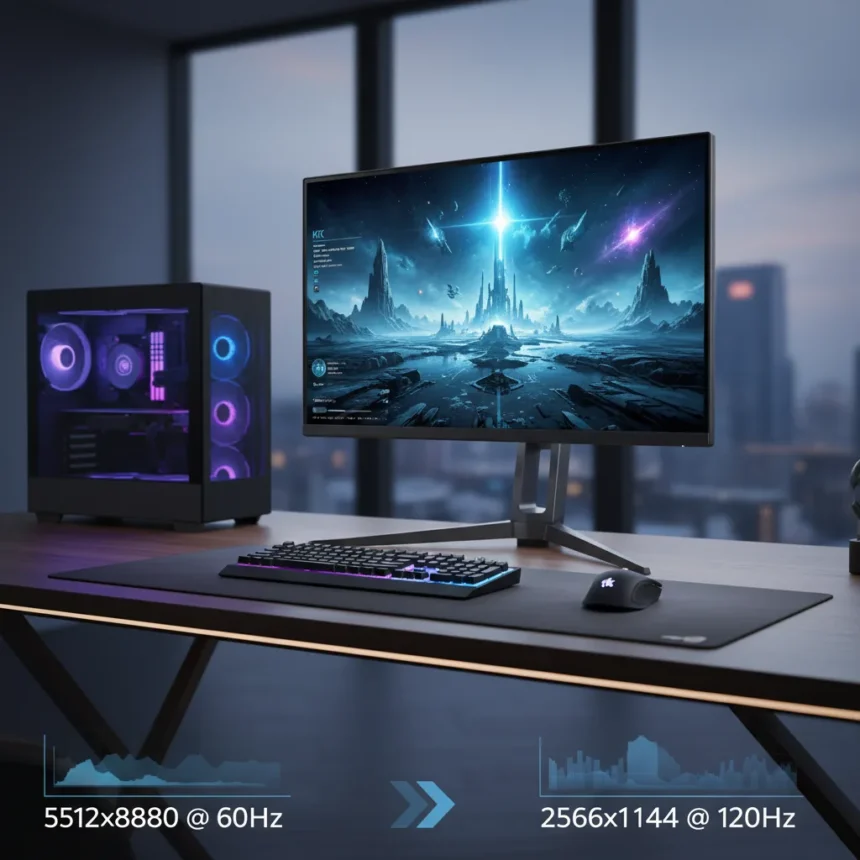
The KTC H27P3 5K gaming monitor is a 27-inch IPS panel that delivers native 5120×2880 resolution at 60Hz, then switches to 2560×1440 at 120Hz for gaming. Few displays offer this kind of flexibility without forcing buyers to choose between crisp work productivity or fast gaming performance. That dual-mode architecture is the real story here.
Key Takeaways
- Native 5K resolution (5120×2880) at 60Hz on a 27-inch IPS panel delivers exceptional pixel density.
- Dual-mode switching drops to QHD (2560×1440) at 120Hz for gaming without buying a second monitor.
- Includes Adaptive-Sync, HDR support, and wide gamut color coverage.
- Color accurate out of the box, eliminating the need for calibration.
- Exceptional value proposition compared to single-mode gaming or productivity monitors.
Why the KTC H27P3 5K Gaming Monitor Stands Out
Most 27-inch gaming monitors max out at QHD resolution. Most 27-inch productivity displays are locked at a single refresh rate. The KTC H27P3 refuses to pick a lane. At 5120×2880, the pixel density is dense enough that individual pixels disappear entirely—text rendering is crisp, UI elements snap into place, and photos display with genuine clarity. When you flip to QHD mode, the refresh rate jumps to 120Hz, giving competitive gamers the responsiveness they need without the visual compromise of scaling up from a lower resolution.
The IPS panel technology means colors remain accurate across wide viewing angles. Pair that with wide gamut color coverage and factory calibration, and you’re looking at a monitor that demands no post-purchase tweaking. For creators who also game, or gamers who spend time editing, that’s a genuine advantage over displays that require hours of calibration work.
How the KTC H27P3 Compares to Single-Purpose Alternatives
The Lepow TriScreen Pro takes a different approach—a 27-inch 4K primary display with two detachable 16-inch side screens for desk space savings. That’s useful for multitasking on a crowded desk, but it fragments your screen real estate across three separate panels. The KTC H27P3 keeps everything unified on one high-density 27-inch surface, which simplifies cable management and window management. You’re not juggling multiple displays; you’re just toggling between two modes on the same panel.


Where the KTC H27P3 pulls ahead is in flexibility without compromise. You get genuine 5K sharpness when you need it, then genuine 120Hz gaming performance when you don’t. Single-mode competitors force you to accept either lower resolution or lower refresh rates. The dual-mode approach eliminates that trade-off entirely.
HDR, Adaptive-Sync, and the Everyday Experience
Adaptive-Sync support means frame tearing disappears whether you’re on Nvidia or AMD hardware. HDR support adds contrast and color depth for compatible games and content. These aren’t exotic features anymore, but their inclusion at this value tier matters. You’re not paying a premium for basics that should be standard.



The real-world impact: Switch to 5K mode and open a spreadsheet, design file, or photo library. Text is effortlessly readable at normal viewing distances. Zoom in on a photo and you see actual detail, not pixelation. Switch to QHD/120Hz and load a game. Motion feels smooth, input lag stays low, and you’re not squinting at aliased edges because the resolution is still respectable even at QHD. Most gamers would be thrilled with a dedicated QHD 120Hz monitor; here it’s just one mode of many.
Is the KTC H27P3 5K Gaming Monitor Right for You?
If you’re a content creator who also plays games, this is a no-brainer. If you’re a competitive gamer who occasionally edits photos or video, the 5K mode gives you professional-grade sharpness when work calls. If you’re a productivity-first person who wants gaming to be an option rather than an afterthought, the 120Hz mode ensures you won’t feel handicapped when you do play.
The only reason not to buy this monitor is if you’re chasing 240Hz+ performance or need multiple independent workspaces. For everyone else—anyone balancing work and play on a single display—the dual-mode design and exceptional pixel density offer flexibility that single-purpose monitors simply cannot match.
What makes the KTC H27P3 different from other 27-inch gaming monitors?
Most 27-inch gaming monitors max out at QHD resolution. The KTC H27P3 goes to native 5K (5120×2880) at 60Hz, then switches to QHD at 120Hz for gaming. That dual-mode flexibility is rare—you get both professional-grade sharpness and gaming-speed refresh rates without buying two displays.



Does the KTC H27P3 need calibration out of the box?
No. The monitor ships color accurate, with wide gamut coverage and factory calibration already applied. You can start working or gaming immediately without spending hours adjusting color profiles or hiring a calibration service.
Can I use the KTC H27P3 for both work and gaming?
That’s exactly what it’s designed for. Run 5K mode for design, photo editing, spreadsheets, and other productivity work where pixel density matters. Switch to QHD/120Hz when you want to game, and the refresh rate jumps without requiring a monitor swap or external hardware change. This is the core appeal—one display, two modes, zero compromise.
The KTC H27P3 5K gaming monitor proves that the best gaming display isn’t always the one with the highest refresh rate. Sometimes it’s the one that refuses to force you to choose. Exceptional pixel density, dual-mode flexibility, and color accuracy out of the box make this a standout value for anyone whose computing life spans both work and play.
Where to Buy
$470.24 at Amazon | $749.99 at Amazon
Edited by the All Things Geek team.
Source: Tom's Hardware