





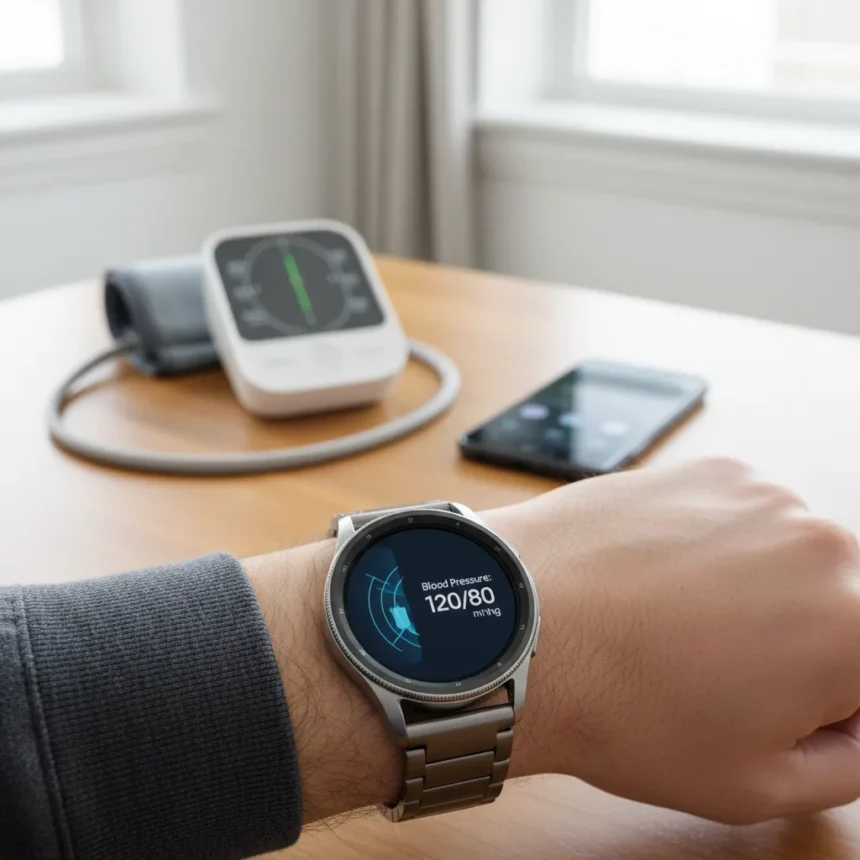
Samsung Galaxy Watch blood pressure tracking is now available to US users on Galaxy Watch 4 and newer models, marking the first official rollout of this feature in America after years of international availability. The feature rolled out starting March 31, 2026, in a phased manner via a software update to the Samsung Health Monitor app, requiring Watch OS 4.0 or higher and Android OS 12 or higher.
Key Takeaways
- Samsung Galaxy Watch blood pressure tracking is free via software update for Galaxy Watch 4+ users in the US starting March 31, 2026
- Feature requires calibration every 28 days using a separate upper-arm blood pressure cuff
- Not FDA-approved for medical use; classified as a general wellness feature
- Provides actual BP readings, unlike Apple’s Hypertension Alerts which only detect patterns
- Measures systolic, diastolic, and pulse using built-in heart rate sensors
This is not a medical device. Samsung explicitly states the blood pressure monitoring feature is not intended for diagnosis, treatment, or prevention of disease. The company aligns the feature with the FDA’s general wellness policy for consumer wearables, meaning it operates outside the medical device approval process entirely. That distinction matters—it’s a wellness tool, not a clinical monitor.
How Samsung Galaxy Watch Blood Pressure Tracking Works
The feature measures systolic blood pressure, diastolic blood pressure, and pulse using the watch’s internal heart rate monitoring sensors. But here’s the catch: it requires initial calibration with a third-party upper-arm blood pressure cuff, sold separately. That calibration process involves taking three measurements within a 30-minute window while wearing the watch on your opposite wrist, then entering the data into the Samsung Health Monitor app.
Once calibrated, taking a measurement on the watch itself is straightforward. Open the Samsung Health Monitor app on your watch, tap Blood Pressure, tap Measure, and sit still without talking while the device does its work. The results appear on both your watch and phone app. But here’s the critical detail: you need to recalibrate every 28 days to maintain accuracy. That recurring requirement is a genuine friction point compared to set-it-and-forget-it health features on other wearables.


Samsung Galaxy Watch Blood Pressure Tracking vs Apple’s Approach
Apple’s Hypertension Alerts, which launched on the Apple Watch in September 2025 and received FDA approval, work fundamentally differently. Apple’s feature detects patterns consistent with high blood pressure over 30 days and sends you an alert—but it doesn’t provide an actual blood pressure reading. Samsung’s approach gives you specific numbers but demands calibration work upfront. Neither feature is intended to replace professional monitoring, but they solve different problems. Apple alerts you to a potential issue; Samsung gives you data to track trends. For someone serious about monitoring blood pressure, combining both approaches—Samsung’s readings with Apple’s pattern detection—would be ideal, though that requires owning watches from both ecosystems.
The calibration requirement also sets Samsung apart. Apple’s alerts require nothing from you except wearing the watch. Samsung demands that you own a separate blood pressure cuff and perform a three-measurement ritual every 28 days. That’s friction, but it’s also transparency—you’re not trusting a wrist-based estimate; you’re anchoring it to a proven device.



Availability and Device Compatibility
The feature is available only in the US for now, despite rolling out internationally years ago. It works on Galaxy Watch 4 and later models, but excludes the Galaxy Fit. The software update is free, but you’ll need to purchase a compatible upper-arm blood pressure cuff separately to actually use it—Samsung doesn’t specify a price or recommended model. Availability started March 31, 2026, in a phased rollout, so not all eligible watches received the update on day one.
What This Means for Galaxy Watch Owners
If you own a compatible Galaxy Watch and care about tracking your cardiovascular health, this is a legitimate addition to the device’s toolkit. It sits alongside ECG monitoring, heart rate tracking, and other heart health features already on the watch. But treat it as a wellness companion, not a medical device. The feature works best for people who already monitor their blood pressure with a traditional cuff and want to track trends on their wrist between professional checks, not as a replacement for clinical measurement.
The 28-day calibration cycle is the real-world constraint most users will feel. If you’re disciplined about health tracking, it’s manageable. If you’re expecting to set it once and forget it, you’ll be frustrated.
Is Samsung Galaxy Watch blood pressure tracking accurate?
Samsung doesn’t publish independent accuracy data, and the feature carries no FDA medical approval. Accuracy depends entirely on proper calibration with your reference blood pressure cuff and consistent use of the watch. Recalibration every 28 days is mandatory to maintain reliability, so accuracy degrades if you skip calibration cycles.



Do I need to buy a separate blood pressure cuff?
Yes. The feature requires calibration using a third-party upper-arm blood pressure cuff, which you must purchase separately. Samsung doesn’t bundle or recommend specific models. This is a genuine cost add-on beyond the watch itself.
Can I use Samsung Galaxy Watch blood pressure tracking instead of a clinical monitor?
No. Samsung explicitly states the feature is not intended for diagnosis or treatment of disease. It’s a wellness tool for tracking trends, not a clinical replacement. If you have hypertension or cardiovascular concerns, continue using professional monitoring and consult your physician about the watch data.
Samsung Galaxy Watch blood pressure tracking represents a meaningful expansion of the watch’s health capabilities, but it’s not a significant shift for US users. It’s a useful addition for people already committed to blood pressure monitoring who want wrist-based convenience—as long as they’re willing to maintain the calibration routine and remember that this is a wellness feature, not a medical device.
Edited by the All Things Geek team.
Source: Tom's Guide




