





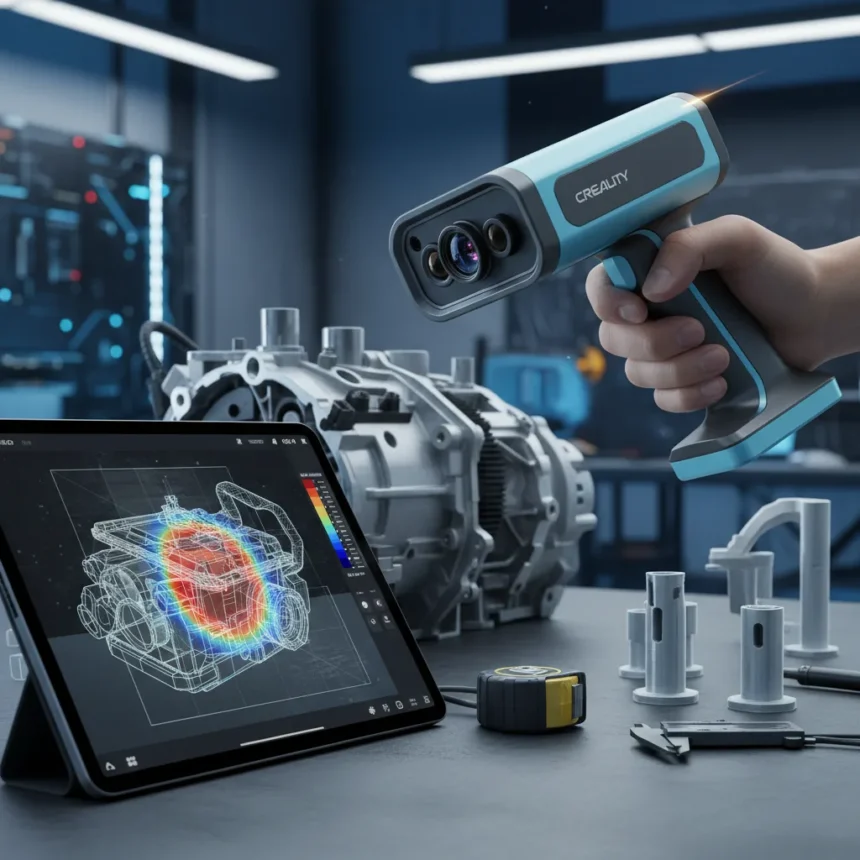
The Creality Sermoon S1 3D scanner combines blue laser lines and infrared structured light in a handheld device weighing 485 grams, designed to capture everything from coins to automotive parts with scanning ranges from 5 × 5 × 5 mm³ up to 4000 × 4000 × 4000 mm³. Launched at 2,699 with current pricing around 2,399, the Sermoon S1 promises to democratize 3D scanning for makers, engineers, and reverse-engineering enthusiasts. But does it deliver on that promise, or does it stumble where it matters most?
Key Takeaways
- Hybrid blue laser and infrared system captures detail at 756,000 measurements per second with parallel scanning lines
- Real-world accuracy averages under 0.4 mm, often under 0.1 mm, falling short of the 0.02 mm lab specification
- Creality Scan 4 software is intuitive but plagued by auto hole-filling bugs and USB detection issues on Windows
- Requires powerful PC hardware (Intel i7 Gen7, NVIDIA 6GB VRAM, 16GB RAM) for smooth operation
- Wireless scanning available with accessories for mobile platforms including Android and iOS
Creality Sermoon S1 3D scanner: What you actually get
Open the heavy-duty waterproof case and you find a compact handheld scanner with a textured grip, rubber pads for stability, and a glass calibration board. The device measures 225 mm long, 53 mm wide, and 76 mm tall—smaller than expected but substantial enough to handle with one hand. The hybrid scanning architecture is the real story here: blue laser lines deliver high-accuracy detail scans, while infrared structured light enables faster acquisition and better texture mapping. The blue laser alone operates at 108,000 measurements per second in single-line mode, jumping to 756,000 measurements per second when using seven parallel lines.
Working distance ranges from 200 to 600 mm for blue laser mode, and the device is eye-safe (Class I/II laser certification). A set of 12 white LEDs provides supplemental color lighting, with additional blue and white LEDs for marker enhancement. This matters for complex geometries where markers help the software track surfaces during scanning.
Accuracy: Lab claims versus real-world performance
Creality advertises 0.02 mm accuracy in laboratory conditions, but that number is misleading for anyone buying this scanner for practical work. Real-world testing shows inaccuracies consistently under 0.4 mm, often clustering below 0.1 mm. The volumetric accuracy specification of 0.02 mm plus 0.08 mm per meter tells a more honest story—precision degrades as objects get larger. For reverse engineering simple parts or creating digital replicas of figurines, this is acceptable. For precision mechanical components requiring tolerance-critical reproductions, the Sermoon S1 falls short of what its marketing suggests.



The single-line blue laser mode eliminates blind spots in deep crevices that plague many structured-light scanners, a genuine advantage for complex organic shapes and mechanical assemblies. But achieving consistent results requires practice. The scanner is not as intuitive as marketing materials claim—users need to understand when to switch between blue laser mode (high detail, requires markers on featureless surfaces) and infrared mode (fast scanning, better for textured objects).
Creality Scan 4 software: Powerful but buggy
The included Creality Scan 4 software opens with an eight-step Quick Start wizard that explains the differences between scanning modes and walks newcomers through the process. Settings include explanations rather than cryptic abbreviations, and the interface is cleaner than competing software. But usability crumbles once you look at post-processing.



Auto hole-filling failed during testing, leaving gaps in the mesh that required manual intervention. USB 3.0 detection issues plague Windows installations, forcing users to troubleshoot driver conflicts. The infrared mode sometimes produces trailing artifacts that users must manually exclude using the ‘Exclude Flat Base’ setting. These are not minor inconveniences—they transform a 30-minute scanning session into a two-hour debugging marathon.
The software demands substantial PC hardware: Intel i7 Gen7 or equivalent, NVIDIA GPU with 6GB VRAM, and 16GB system RAM. Lower-spec machines like an i5 with Intel Iris Xe graphics work but with visible performance limitations. This requirement narrows the device’s accessibility for hobbyists running modest setups.
Creality Sermoon S1 versus competitors
The Creality Raptor Pro, an older entry-level scanner, costs around 1,999 (often on sale for 1,519) but lacks the hybrid laser architecture and scanning speed. The premium Creality Sermoon X1 costs 5,999 and delivers better accuracy plus the Scan Bridge software for advanced workflows. The Sermoon S1 sits in the middle: faster and more capable than the Raptor Pro, more affordable than the X1, but with software rough edges that neither competitor exhibits to the same degree. For newbies comparing handheld scanners, the Sermoon S1’s larger footprint than some alternatives (like the Revopoint MetroYPro) may disappoint those expecting pocket-sized convenience.
Who should buy the Creality Sermoon S1?
The Sermoon S1 excels for makers who pair it with Creality 3D printers for at-home fabrication workflows, reverse engineering complex objects where traditional calipers fail, and creating digital archives of figurines or collectibles. It is not a tool for precision manufacturing or quality control where tolerances matter. The learning curve is real—expect to invest time understanding laser versus infrared modes, marker placement, and post-processing workflows before producing clean scans consistently.


At 2,399, it represents genuine value compared to the X1, but only if you can tolerate software quirks and invest in capable PC hardware. The waterproof case and included accessories suggest Creality expects professional use, yet the software stability does not match that ambition.
Is the Creality Sermoon S1 worth buying?
Yes, if you are a maker or hobbyist willing to learn the scanning process and tolerate software bugs. No, if you expect hassle-free operation or laboratory-grade accuracy in real-world conditions. The hybrid laser system is genuinely innovative, and scanning speed is impressive, but Creality’s marketing overpromises on ease and accuracy.
What PC specs do I need for the Creality Sermoon S1?
You need an Intel i7 Gen7 or equivalent processor, 16GB RAM, and an NVIDIA GPU with 6GB VRAM for smooth operation. Lower-spec systems like an i5 with Iris Xe graphics will function but with performance limitations. This is a meaningful barrier for casual users.
Does the Creality Sermoon S1 work with mobile devices?
Yes, with wireless accessories. The scanner supports Android and iOS via wireless connectivity, though the research brief does not detail which specific accessories are required or their cost. Windows and macOS remain the primary platforms for full-featured scanning and post-processing.
The Creality Sermoon S1 is a capable tool that punches above its price point in speed and scanning range. But it is not the plug-and-play revolution Creality’s marketing suggests. Real accuracy trails lab claims, software stability needs work, and the learning curve is steeper than advertised. For makers serious about reverse engineering and 3D fabrication, it is worth the investment. For casual users expecting instant results, look elsewhere.
Where to Buy
Check Amazon | Inland Grey PLA
Edited by the All Things Geek team.
Source: Tom's Hardware