




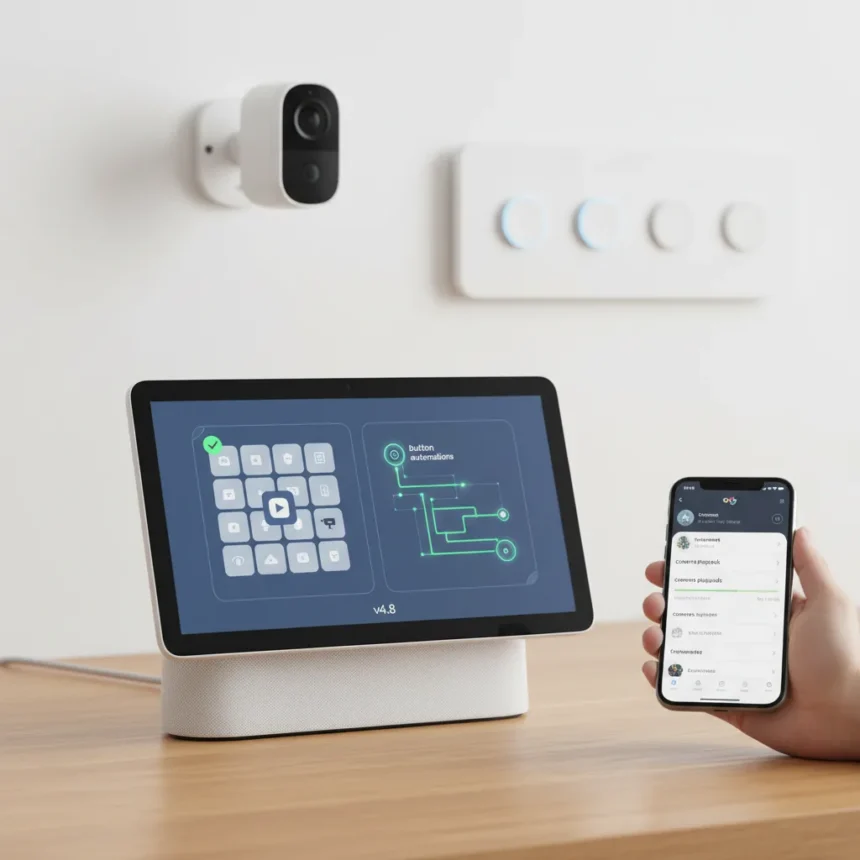
Google Home camera playback reliability has been a frustration point for years, but Google Home v4.8 finally addresses the core problems that made users reach for competing platforms. The update focuses on two critical areas: smarter automations powered by real button triggers, and dramatically improved camera feed stability that eliminates the dreaded “video not available” error that has plagued Nest camera owners.
Key Takeaways
- Google Home v4.8 adds support for tap, double-tap, long-press, and release triggers in automations.
- Camera playback is now more reliable with fewer “video not available” errors when viewing Nest Cam alerts.
- Close-to-live feeds reduce gaps between recording and actual playback, improving responsiveness.
- The update shifts Google Home from a simple remote control to an intelligent smart-home management system.
- Gemini for Home early access indicates these improvements are part of a broader AI-driven smart-home strategy.
Google Home Camera Playback Reliability Gets a Major Overhaul
The most significant improvement in v4.8 is how Google Home now handles camera feeds. When you tap a Nest Cam alert, the app retrieves and displays footage far more consistently than before. The persistent “video not available” messages that frustrated users are now rare, meaning you can actually trust the app to show you what your camera captured. This matters because a smart-home system that fails to deliver real-time or near-real-time footage defeats its core purpose.
What makes this improvement meaningful is the reduction in gaps between when your camera stops recording and when you can view the footage. Close-to-live playback transforms the experience from checking archived clips to monitoring your home as events unfold. For users with multiple Nest cameras, this reliability boost cascades across their entire setup, making the app feel less like a flaky beta and more like a finished product you can depend on.
Smart Button Automations Finally Work as Intended
Google Home v4.8 introduces proper support for physical button triggers within automations. Smart buttons can now respond to tap, double-tap, long-press, and release actions, giving users four distinct trigger types per button instead of just one generic “press” event. This granularity transforms how you can design home routines—a double-tap might dim lights while a long-press turns off all devices in a room.


Previous versions of Google Home treated button automation as an afterthought, limiting the usefulness of physical controls. The v4.8 update changes that calculus. Now, a smart button becomes a legitimate control surface for complex automations, not just a shortcut to a single action. This appeals to users who prefer tactile controls over voice commands or app taps, and it makes Google Home competitive with platforms that have supported granular button triggers for longer.
How Google Home v4.8 Compares to Earlier Versions
Prior iterations of Google Home functioned primarily as a remote control—useful for turning devices on and off, but not for orchestrating sophisticated smart-home behavior. The camera feed reliability was inconsistent enough that many users relied on Nest’s standalone app instead, defeating the purpose of a unified smart-home interface. V4.8 changes this by delivering both reliability and flexibility, moving Google Home into territory where it can actually manage your connected home rather than just control individual devices.



The timing of these improvements matters. Google is rolling out Gemini for Home early access simultaneously, signaling that the company sees reliable camera playback and responsive automations as foundational to its AI-driven smart-home vision. A voice assistant that cannot reliably show you camera feeds or execute button-triggered routines would undermine the entire Gemini for Home experience. These refinements are not cosmetic—they are architectural improvements that enable the next layer of smart-home AI.
Who Benefits Most From Google Home v4.8
Users with multiple Nest cameras will feel the most immediate impact. If you have been frustrated by the app’s unreliability when reviewing alerts or checking live feeds, v4.8 eliminates that friction. The update is especially valuable for households that rely on smart buttons for routine control—people who have invested in physical controls now have a reason to use them more extensively, since the automations they trigger will work consistently.
Households that have considered switching to Apple Home or Amazon Alexa due to Google Home’s limitations may find reason to stay. The v4.8 update does not reshape the platform, but it removes enough friction points that the app becomes genuinely usable for serious smart-home management. For new Google Home users, v4.8 is the version to start with—it represents the app functioning as intended, without the reliability quirks that plagued earlier releases.
Frequently Asked Questions
How do I update Google Home to v4.8?
Open the Google Play Store on your Android device, search for “Google Home,” and tap Update if available. The rollout may take a few days to reach all users, so if you do not see the update immediately, check back within a week. iOS availability was not specified in the update announcement.



Will these improvements work with all Nest cameras?
The research brief does not specify which Nest camera models support the enhanced playback features, so check your camera model in the Google Home app settings. The update is designed to improve reliability across the board, but older Nest camera hardware may have limitations.
Do I need to reconfigure my automations after updating?
Existing automations will continue to work, but you can now edit them to take advantage of the new button trigger types (double-tap, long-press, release). You do not need to rebuild your setup unless you want to add these new trigger options.
Google Home v4.8 represents the kind of incremental but essential update that separates a frustrating app from a genuinely useful one. The improvements to camera playback reliability and button automation support address real pain points that have driven users away from the platform. For anyone managing a Google Home ecosystem, this update is worth installing immediately. It is not flashy, but it makes your smart home feel more responsive and alive—which is exactly what a smart-home app should do.
This article was written with AI assistance and editorially reviewed.
Source: Android Central