







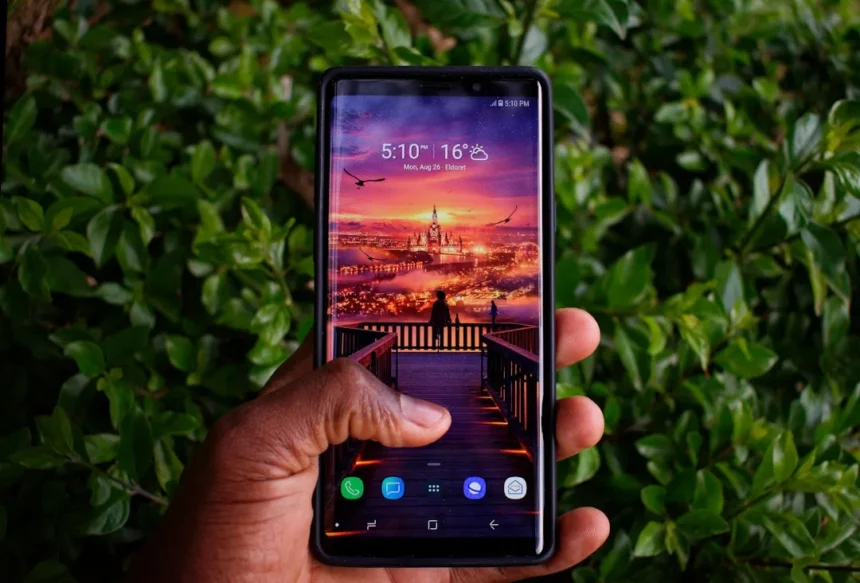
Samsung Galaxy One UI 8.5 is a free software upgrade rolling out to older Samsung devices, beginning in South Korea and expanding to North America and Europe from today. The update brings AI-powered composition and reply tools previously limited to newer Galaxy flagships, narrowing the feature gap between aging handsets and current-generation phones.
Key Takeaways
- One UI 8.5 rollout begins in South Korea; North America and Europe start today
- Chat Assist generates email, social media, and message composition suggestions powered by AI
- Suggested Replies offers quick response options when connected to Samsung smartwatches
- Free upgrade targets older Galaxy devices over a year old
- Staggered global deployment means not all users receive it simultaneously
What Samsung Galaxy One UI 8.5 Actually Delivers
The Samsung Galaxy One UI 8.5 update centers on two AI-driven features designed to streamline daily communication. Chat Assist analyzes context and generates composition suggestions for emails, social media posts, and other text-based communication, reducing the friction of drafting messages from scratch. Suggested Replies automatically surfaces quick response options when your phone is paired with a Samsung-branded smartwatch, letting you reply without typing. These tools represent Samsung’s strategy to distribute Galaxy AI capabilities beyond the S24 series, making older hardware feel more current without requiring a hardware upgrade.
The rollout pattern reflects Samsung’s shift toward faster update deployment. The company has improved from being one of Android’s slowest updaters to delivering patches and major releases more competitively. This Samsung Galaxy One UI 8.5 release extends that momentum, targeting devices that would normally fall out of the active feature development cycle.
Rollout Timeline and What to Expect
Samsung Galaxy One UI 8.5 deployment began in South Korea and expanded to North America and Europe starting today. However, the upgrade does not arrive simultaneously across all devices or regions. Rollouts typically occur over days to weeks, meaning your phone may not receive the notification immediately even if you live in a supported market. Check your device settings periodically for the update notification, or manually trigger a software check in your device settings.


The staggered approach is standard for major Android updates, allowing Samsung to monitor stability across millions of devices before pushing to the next batch. Patience is required—there is no way to force an immediate rollout to your specific device.
Samsung Galaxy One UI 8.5 vs. Competing Update Strategies
Google‘s Pixel update approach offers a useful comparison. Google has delivered free AI features like Gemini Live enhancements to Pixel 6 and newer devices, similarly extending modern capabilities to aging hardware. Both Samsung and Google recognize that keeping older devices competitive with fresh software features improves customer retention and reduces pressure to upgrade annually. Samsung Galaxy One UI 8.5 follows this playbook, though the specific features differ—Samsung emphasizes on-device composition assistance, while Google leans into conversational AI.



The competitive advantage for Samsung lies in the breadth of older devices receiving the update. By targeting devices over a year old rather than limiting upgrades to the last two or three generations, Samsung signals confidence in its software maturity and commitment to device longevity, a direct response to criticism about Android fragmentation and slow update rollouts across the industry.
How to Prepare for Samsung Galaxy One UI 8.5
Before the update arrives on your Samsung Galaxy device, ensure your phone has sufficient storage space—major updates typically require 2-4 GB free. Connect to a stable Wi-Fi network and plug in your device, as the installation process can take 30 minutes or longer. Back up your data through Samsung Cloud or Google Drive as a precaution, though One UI updates rarely cause data loss.
Once you receive the notification, the installation is straightforward: tap the update prompt and allow the process to complete. Your device will restart during installation, and you should not interrupt the process. After the update finishes, your device will reboot into One UI 8.5 with Chat Assist and Suggested Replies ready to use.
Is Samsung Galaxy One UI 8.5 worth installing immediately?
Yes. The update is free, and the new AI features directly improve messaging and email workflows without adding bloat or complexity. Chat Assist alone saves time on routine communication, while Suggested Replies adds convenience for smartwatch users. There is no downside to installing the update once it arrives on your device.



Which Samsung Galaxy devices qualify for One UI 8.5?
Samsung Galaxy One UI 8.5 targets older Samsung handsets, though the company has not published a comprehensive model list. Based on Samsung’s prior rollout patterns, devices like the Galaxy S23 series, S21, Z Flip 3, and Tab S8 are expected to receive the update. Check Samsung’s official support page or your device settings to confirm eligibility, as specific model availability varies by region.
Can I get Samsung Galaxy One UI 8.5 outside North America and Europe?
Yes, but timing varies. The rollout will eventually reach other regions including Asia-Pacific, Latin America, and the Middle East, though exact dates have not been announced. Samsung typically completes global rollouts within 4-6 weeks from the initial launch. If you are outside the supported regions, your update notification should arrive within this window. For the most current information, check Samsung’s regional support website.
Samsung Galaxy One UI 8.5 represents a meaningful shift in how the company supports aging devices. By bundling practical AI features into a free update, Samsung gives older phones a genuine reason to stay relevant, reducing the pressure to upgrade and competing directly with Google’s approach to long-term device support. If your Galaxy device qualifies, this update is worth installing the moment it arrives.
This article was written with AI assistance and editorially reviewed.
Source: T3


