



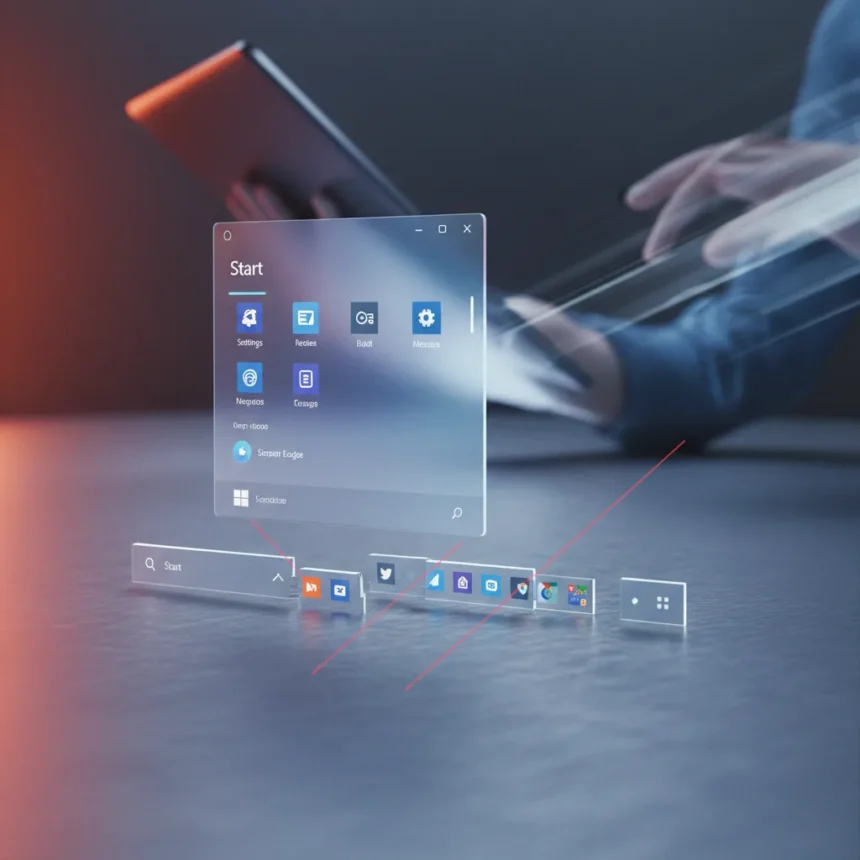
Windows 11 taskbar flexibility remains the most glaring omission from Microsoft’s operating system, even as the company rolls out incremental improvements to the Start menu and taskbar interface. Microsoft is clearly serious about making Windows 11 better, but the updates announced and in testing focus on cosmetic refinements rather than the structural change that power users have been demanding since Windows 11 launched.
Key Takeaways
- Microsoft is adding improvements to Windows 11’s Start menu and taskbar, addressing user feedback on interface design.
- Windows 11 still does not allow users to relocate the taskbar from the bottom of the screen, a feature Windows 10 supported.
- The author argues that Start menu tweaks, while welcome, do not solve the bigger problem: taskbar customization limitations.
- Third-party tools like PowerToys offer partial workarounds, but native Windows 11 taskbar flexibility remains absent.
- Microsoft has prioritized minor interface refinements over the structural taskbar changes users have requested.
What Windows 11 Taskbar Flexibility Really Means
Windows 11 taskbar flexibility refers to the ability to move, resize, and customize the taskbar’s position and behavior on screen. Windows 10 allowed users to dock the taskbar on the left, right, or top of the screen—a feature that many professionals and power users relied on for workflow optimization. Windows 11 stripped this away, locking the taskbar to the bottom and offering only minor cosmetic adjustments. This is not a minor convenience; it is a fundamental usability regression that Microsoft has refused to address directly.
The gap between what Microsoft is delivering and what users actually want has only widened. While the company celebrates new Start menu refinements and taskbar visual updates, the core architectural limitation remains unchanged. For users who spent years organizing their workflow around a movable taskbar, Windows 11 feels unnecessarily restrictive.
Why Start Menu Improvements Don’t Fix the Real Problem
Microsoft’s recent focus on Start menu and taskbar cosmetics represents a misalignment between what the company thinks users want and what they actually need. Yes, streamlined menus and cleaner visual design matter. But they are surface-level fixes applied to an operating system that fundamentally limits how users can organize their workspace. A prettier Start menu does not restore the taskbar flexibility that Windows 10 users lost.
The disconnect is telling. Microsoft has invested engineering effort into making the taskbar look better and function more smoothly across multiple monitors—legitimate improvements, but ones that sidestep the bigger ask. Users are not asking for a redesigned Start menu; they are asking for the ability to move their taskbar to the side of the screen without resorting to third-party workarounds. The company’s roadmap suggests this request remains lower priority than UI polish.
The Workaround Problem and Why It Is Not a Solution
Third-party tools like PowerToys have emerged as a band-aid solution, offering limited taskbar customization options for users willing to install additional software. But relying on third-party tools to restore functionality that existed in the previous Windows version is not a strategy—it is an admission of defeat. Native Windows 11 taskbar flexibility should not require users to hunt for external applications or accept incomplete solutions.



The fact that Microsoft acknowledges the demand (through continued user feedback and third-party tool adoption) yet refuses to prioritize it in the operating system itself suggests a deeper issue. Either the company does not believe taskbar flexibility matters enough to justify development resources, or internal constraints prevent the change from happening. Either way, users lose.
What Users Actually Want from Windows 11
Power users, developers, and professionals who depend on precise workspace configuration have made their position clear: Windows 11 taskbar flexibility is not a nice-to-have feature. It is a usability necessity that Microsoft removed without offering a replacement. The Start menu improvements are appreciated, but they feel like a distraction from the real problem.
The author’s frustration is not with incremental progress—it is with the misdirected effort. Microsoft could have used the same engineering resources to restore taskbar relocation and customization, delivering a change that would actually improve the daily experience for millions of users. Instead, the company continues to polish interfaces while ignoring structural limitations that power users encounter every single day.
Will Microsoft Ever Deliver Windows 11 Taskbar Flexibility?
There is no indication that native Windows 11 taskbar flexibility is on Microsoft’s roadmap. The company has invested heavily in other improvements—multi-monitor support enhancements, visual refinements, and Start menu redesigns—but taskbar relocation remains absent. Without a clear signal from Microsoft that this feature is coming, users are left hoping for a future update that may never arrive.


Is Windows 11 worth upgrading to without taskbar flexibility?
For casual users and those who never relied on taskbar customization, Windows 11 is a solid upgrade with modern design and improved performance. For power users accustomed to Windows 10’s taskbar flexibility, the answer is more complicated. The operating system works well, but it imposes constraints that feel unnecessary and outdated compared to its predecessor.
Can PowerToys fill the gap left by missing Windows 11 taskbar flexibility?
PowerToys offers partial solutions, but it is not a true replacement for native taskbar relocation. Third-party tools add complexity, require manual configuration, and may not receive the same level of support or integration as built-in Windows features. They are a workaround, not a fix.
Microsoft’s approach to Windows 11 improvement reveals a company more interested in incremental cosmetic updates than in addressing fundamental usability gaps. The Start menu improvements are welcome, but they obscure a larger truth: Windows 11 taskbar flexibility remains missing, and users are still waiting for the change that actually matters.
Edited by the All Things Geek team.
Source: TechRadar