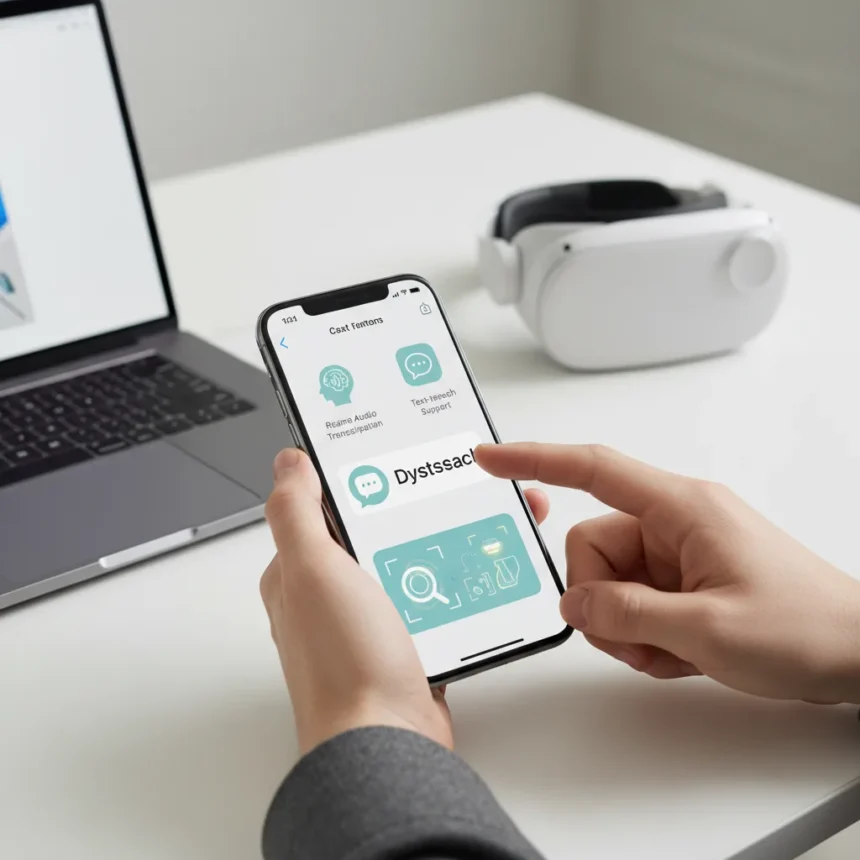
Apple’s AI accessibility features represent a significant shift in how the company approaches inclusive design across its entire ecosystem. Apple announced 20 new accessibility tools powered by artificial intelligence, arriving later this year across iPhone, Mac, Apple Watch, Vision Pro, Apple TV, and the App Store. These features target users with low vision, dyslexia, hearing loss, and speech disabilities, embedding machine learning directly into the operating system rather than relying solely on third-party developers.
Key Takeaways
- Apple revealed 20 new AI-powered accessibility features spanning six platforms and services.
- Magnifier arrives on Mac with Continuity Camera support, enabling users to zoom in on physical objects.
- Accessibility Reader simplifies text system-wide for users with dyslexia and low vision.
- App Store will highlight accessibility features, helping users identify apps that meet their needs.
- Live Captions and improved VoiceOver bring real-time hearing and vision support to Apple Watch and across devices.
What Apple’s AI Accessibility Features Actually Do
Apple’s new accessibility suite moves beyond traditional assistive tools by embedding AI directly into the operating system. Rather than treating accessibility as an afterthought, Apple is positioning these features as core platform functionality. The Magnifier on Mac connects to a user’s camera—whether via an iPhone through Continuity Camera or a USB camera—allowing users with low vision to zoom in on physical objects and view them enlarged on the Mac display. This approach bridges the gap between digital and physical accessibility, something most platforms still struggle with.
The Accessibility Reader is a system-wide reading mode designed to simplify text across any app on iPhone, iPad, Mac, and Vision Pro. Apple specifically targets users with dyslexia and low vision, using on-device machine learning to reformat content for easier comprehension. Unlike browser-based readers or app-specific tools, this system-level approach means the feature works consistently across Apple’s ecosystem, eliminating the fragmentation users typically encounter when switching between applications.
App Store Accessibility Discovery and Braille Input Expansion
One of the most practical additions is the App Store’s new accessibility feature highlighting. Apple acknowledges it cannot control how third-party developers implement accessibility, so the company is surfacing that information directly in the App Store. Users can now see whether apps include accessibility features before downloading, eliminating the guesswork that currently forces users to install and test apps blindly.


Apple is also overhauling braille experiences across iPhone, iPad, Mac, and Vision Pro. Users can now open any app by typing with Braille Screen Input or a connected braille device. This expansion moves braille support beyond reading into navigation and input, making the entire operating system accessible to braille users rather than just specific Apple apps. The change signals Apple’s commitment to making accessibility a universal feature, not a specialized mode.
Hearing and Speech Support Powered by Machine Learning
Live Listen controls are coming to Apple Watch, with real-time Live Captions enabling users to follow conversations without audio. An iPhone is still required to generate the captions, while the Apple Watch displays the results in real time. This pairing leverages Apple’s ecosystem strength—the ability to distribute processing across devices—to deliver accessibility features that standalone devices cannot match.



Perhaps the most emotionally resonant feature targets users who risk losing their ability to speak. Apple is using on-device machine learning to create a smoother, more natural-sounding voice so users can maintain communication with friends and loved ones. This represents a meaningful shift from robotic text-to-speech toward expressive, personalized speech synthesis. The feature runs entirely on-device, protecting user privacy while delivering quality that cloud-based alternatives often cannot match.
VoiceOver and Vision Pro Accessibility Advances
VoiceOver, Apple’s screen reader, is receiving improvements across platforms, though the research brief does not specify the exact nature of these enhancements. On Vision Pro, visionOS Live Recognition uses on-device machine learning to describe surroundings, find objects, read documents, and perform other tasks. This feature transforms Vision Pro from a device that requires sight into one that serves users with low vision or blindness, expanding Apple’s spatial computing platform beyond its original market.
The breadth of these features across six separate platforms—iPhone, Mac, Apple Watch, Vision Pro, Apple TV, and the App Store—demonstrates Apple’s commitment to accessibility as a system-wide priority rather than an isolated feature set. Competing platforms typically scatter accessibility tools across different apps and settings. Apple’s approach of embedding these features into the core operating system means users get consistent, reliable accessibility regardless of which Apple device they use.
How Apple’s Approach Differs From Third-Party Solutions
Third-party accessibility apps exist, but they often require users to switch contexts, learn new interfaces, and trust external developers with sensitive data. Apple’s system-level approach eliminates these friction points. Magnifier on Mac, for example, integrates directly with the Mac’s camera system and iPhone’s Continuity Camera, something no third-party developer could replicate without special permissions. Accessibility Reader works across every app automatically, whereas third-party reading tools typically require manual activation in each application.



The App Store accessibility highlighting also addresses a gap that third-party solutions cannot fill. Users currently have no reliable way to discover which apps include accessibility features until they download and test them. By surfacing this information directly in the App Store, Apple is solving a discovery problem that affects millions of users with disabilities.
When Will These Features Arrive?
Apple’s AI accessibility features are scheduled to arrive later this year, though the company has not announced a specific release date. The rollout will span multiple operating systems—iOS, macOS, watchOS, visionOS, and tvOS—meaning staggered availability is likely. Users should expect these features to arrive in the fall alongside Apple’s typical annual software updates, though some features may roll out incrementally throughout the year.
Will these features work on older Apple devices?
The research brief does not specify which Apple devices will support each feature. Magnifier on Mac, for instance, may require newer hardware with compatible cameras, while Accessibility Reader might work on older iPhones and Macs. Users with older devices should wait for Apple’s official system requirements before upgrading expectations.
Do I need an iPhone to use all these accessibility features?
No, but some features require iPhone integration. Live Captions on Apple Watch, for example, require an iPhone to generate the captions, though the Watch displays them. Magnifier on Mac works with an iPhone via Continuity Camera or a standalone USB camera. Other features like Accessibility Reader and braille input work independently on their respective devices.
Is there a cost to using these accessibility features?
The research brief does not mention pricing, suggesting these features will be included as part of Apple’s standard operating system updates. Apple typically does not charge separately for accessibility features, treating them as core platform functionality rather than premium add-ons.
Apple’s AI accessibility features represent a meaningful commitment to inclusive design, moving beyond buzzwords into practical tools that address real gaps in how people with disabilities interact with technology. By embedding these features into the operating system, integrating them across six platforms, and prioritizing on-device processing for privacy, Apple is setting a standard that other tech companies will struggle to match. The real test comes later this year when these features actually ship—until then, accessibility advocates should watch closely to see whether Apple delivers on this ambitious promise.
Edited by the All Things Geek team.
Source: Tom's Guide