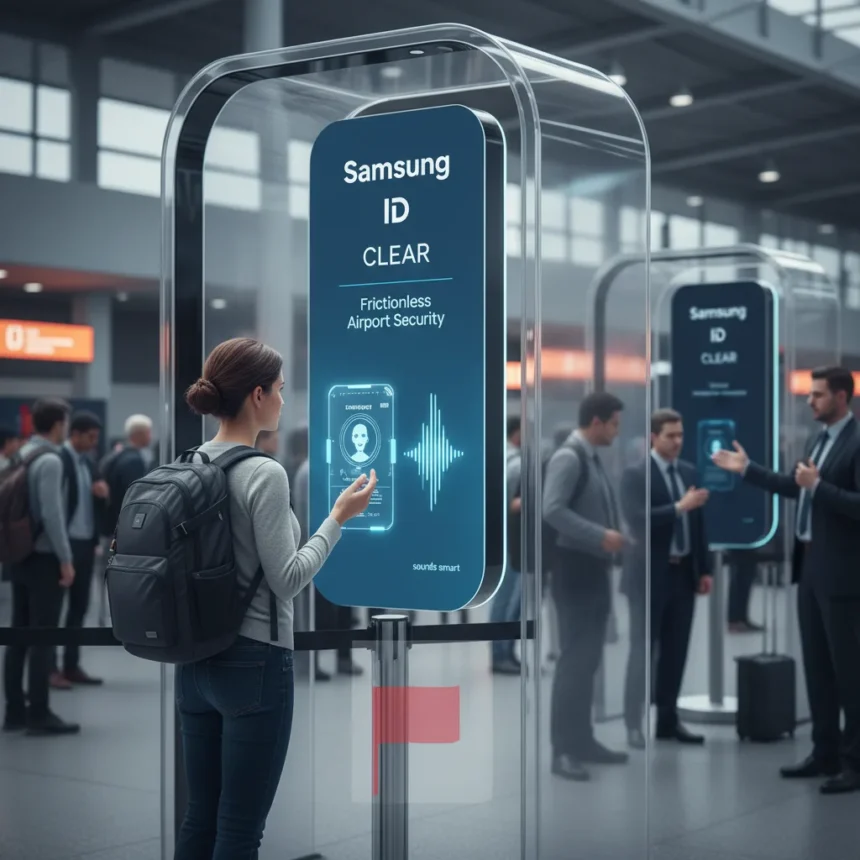
Samsung ID with CLEAR is a digital identity feature integrated into Samsung Wallet that lets U.S. passport holders verify their identity at airport security checkpoints using their phone instead of physical documents. Samsung Electronics America announced the partnership with CLEAR to address a gap in its digital wallet—Apple and Google had already launched passport-backed ID features, and Samsung was trailing behind. The feature is designed for domestic travel only and works at more than 250 TSA checkpoints where compatible readers are installed. Yet despite Samsung’s pitch that the feature is safe, secure, and free, the internet’s reaction has been decidedly cool, with travellers raising legitimate questions about privacy, airport compatibility, and whether CLEAR’s involvement is a dealbreaker.
Key Takeaways
- Samsung ID with CLEAR uses your U.S. passport data verified by CLEAR and stored encrypted on your phone.
- The feature works at 250+ TSA checkpoints for domestic travel only, not international flights.
- Identity verification happens via phone tap or QR code scan at airport security.
- Samsung Wallet has faced Galaxy Store reviews criticizing buggy performance and unreliability.
- Online backlash centres on privacy concerns, limited airport support, and scepticism about CLEAR’s involvement.
How Samsung ID with CLEAR Actually Works
Setting up Samsung ID with CLEAR requires a valid U.S. passport and takes just a few taps inside Samsung Wallet. Open the Quick Access tab, tap the plus icon, select Digital IDs, then choose Samsung ID with CLEAR and tap Get Card. You’ll follow prompts to verify your identity—CLEAR handles the passport verification on the backend, and your information is encrypted directly on your device using Samsung Knox security. Authentication is protected by fingerprint or PIN, so a thief with your phone cannot simply unlock your digital ID. Once approved, you’re ready to use it at participating airports. At TSA checkpoints, you present your digital ID by tapping your phone near an NFC reader or scanning a QR code, and the agent can verify your identity without touching your physical passport.
The setup process mirrors how Samsung Wallet already handles Mobile Driver’s License in select U.S. states—a feature that has been available for domestic TSA verification since Samsung expanded beyond Apple and Google’s earlier state-ID offerings. However, the passport-backed Samsung ID with CLEAR is the first time Samsung has tied its wallet directly to federal passport data, which is why the privacy implications matter so much to users.
Why the Internet Is Sceptical About Samsung ID with CLEAR
The backlash boils down to three interconnected concerns: privacy, reliability, and CLEAR fatigue. First, linking your federal passport data to a commercial company’s identity verification service raises legitimate questions about data handling and government oversight. Samsung and CLEAR describe the feature as secure and encrypted on-device, but those are promotional claims from the companies themselves, not independent security audits. Users on tech forums and social media are asking whether TSA data flows through CLEAR’s servers, how long it is retained, and what happens if Samsung Wallet gets breached—questions that Samsung’s marketing materials do not fully address.


Second, Samsung Wallet’s track record on reliability is poor. The app has accumulated numerous negative Galaxy Store reviews citing crashes, bugs, and inconsistent performance, especially on older Samsung devices. If Samsung Wallet is already unreliable for loyalty cards and boarding passes, why would travellers trust it with their federal identity at an airport checkpoint where a software glitch could cause a security hold? Google Wallet faces criticism too, but is described as more stable overall. The third concern is CLEAR itself. CLEAR is a biometric airport security service that charges a subscription fee for expedited TSA PreCheck-like lanes. Many travellers resent CLEAR’s business model and view it as a way to monetise security convenience. Samsung ID with CLEAR feels like a free version of CLEAR’s core service, and that partnership makes some users uncomfortable.
Samsung ID with CLEAR vs. Apple and Google’s Digital IDs
Apple Wallet and Google Wallet both support digital driver’s licenses and state IDs for TSA verification, and both have been expanding into passport-backed identity features. Samsung Wallet started later in the digital ID space but has been catching up. The key difference is ecosystem maturity: Apple and Google have spent years refining their digital ID experiences, whereas Samsung Wallet remains newer and less stable. Google Wallet in particular offers loyalty cards, boarding passes, digital car keys, and digital IDs all in one interface, and Samsung Wallet mirrors that feature set—but Samsung is playing catch-up on polish and reliability.



Samsung ID with CLEAR does offer one advantage: it is free and does not require a separate biometric subscription service like CLEAR’s paid lanes. Apple and Google do not have an equivalent free passport-based ID feature baked into their wallets yet, so Samsung’s announcement is genuinely novel. However, that advantage evaporates if Samsung Wallet crashes at the airport or if TSA checkpoints lack compatible readers. The feature only works at select TSA checkpoints where participating airports have installed compatible hardware, and that fragmentation is a real friction point. You cannot assume your local airport supports it.
What You Actually Need to Know Before Using It
Samsung ID with CLEAR is U.S.-only and for domestic travel exclusively. If you are flying internationally, you still need your physical passport, and TSA agents may ask to see it anyway even on domestic flights. The feature is not a passport replacement—it is a convenience layer on top of your existing travel documents. Availability is also limited: the feature works at more than 250 TSA checkpoints, but that does not mean every airport has compatible readers. Check with your local airport before relying on Samsung ID with CLEAR for your next trip. Samsung Wallet also supports Mobile Driver’s License in select states like Arizona and Maryland for additional ID verification options, but that feature is equally fragmented.
If you decide to set it up, you will need a valid U.S. passport and a Samsung device with Knox security. The feature is free, and Samsung says the data is encrypted on-device and protected by biometric or PIN authentication. That is better than nothing, but it is not the same as independent security certification. If privacy is your primary concern, storing your passport data on any smartphone—even an encrypted one—carries inherent risk that a physical passport does not.
Is Samsung ID with CLEAR worth setting up?
If you travel frequently through major U.S. airports and your airport supports the feature, Samsung ID with CLEAR is worth trying. It is free, it does not require a subscription, and shaving seconds off TSA lines is genuinely useful. However, check your airport’s compatibility first—limited reader availability makes this feature unreliable as a primary travel ID. If Samsung Wallet has been unstable on your device, skip it for now. The app needs to mature before you should trust it with your federal identity at an airport checkpoint.



Does Samsung ID with CLEAR replace your physical passport?
No. You must carry your physical U.S. passport for domestic flights and absolutely for international travel. TSA agents may ask to see your physical passport even when you present Samsung ID with CLEAR digitally, so the digital version is a convenience tool, not a replacement.
Which airports support Samsung ID with CLEAR?
The feature works at more than 250 TSA checkpoints, but availability depends on whether that specific airport has installed compatible NFC or QR code readers. Check the TSA’s website or call your airport directly before assuming your local checkpoint supports it.
Samsung ID with CLEAR is a genuinely useful feature that closes a gap in Samsung Wallet’s digital ID ecosystem. But it is not a silver bullet for airport security, and the scepticism online is justified. Limited airport support, Samsung Wallet’s reliability issues, and privacy questions about CLEAR’s involvement mean this feature works best as a bonus convenience for frequent travellers at major hubs—not as a primary travel document. Samsung needs to prove that Samsung Wallet is stable enough to handle federal identity data before most users will feel comfortable relying on it at airport security.
Edited by the All Things Geek team.
Source: Android Central