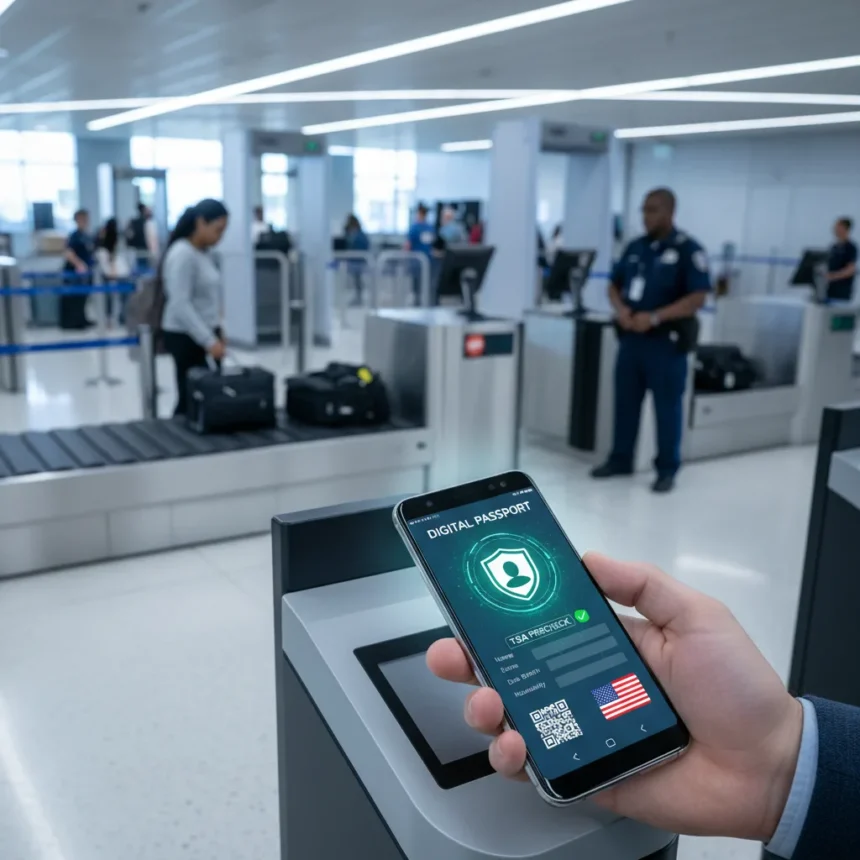
The Samsung Galaxy digital passport is a mobile identity feature that lets Galaxy phone owners store a U.S. passport in Samsung Wallet and use it for security screening at TSA checkpoints across the United States. The feature leverages CLEAR verification technology and Samsung’s Knox security framework to create a digital alternative to carrying a physical passport for domestic air travel. Over 250 TSA checkpoints now support this capability, making it one of the largest rollouts of mobile identity verification at U.S. airports.
Key Takeaways
- Samsung Galaxy digital passport works at over 250 TSA checkpoints and selected sporting venues in the U.S.
- The feature requires a Galaxy phone running Android 9.0 or higher and a valid U.S. passport.
- Setup takes just a few minutes through Samsung Wallet’s Quick Access section using CLEAR verification.
- Digital passports do not support international travel; they are for domestic TSA use only.
- Google Wallet offers a competing solution, though Samsung’s CLEAR partnership enables broader checkpoint coverage.
What Is the Samsung Galaxy Digital Passport?
A digital passport stored on a Samsung Galaxy phone is a verified identity credential that replaces the need to physically hand over your passport at domestic airport security checkpoints. Unlike state ID features available in Google Wallet and other wallet apps, the Samsung Galaxy digital passport specifically handles U.S. passport information and integrates with CLEAR’s identity verification system. The feature is part of Samsung’s broader push toward mobile identity verification, reducing friction at security screening while maintaining encryption and biometric protection through Knox.
The distinction between this feature and traditional digital wallet functions matters. You are not just storing a photo or PDF of your passport—you are creating a verified digital credential that TSA agents can authenticate directly through their scanners. This requires backend integration with CLEAR and TSA systems, which is why rollout has been limited to specific checkpoints rather than all airports nationwide.
How to Add Your Passport to Samsung Wallet
Adding a Samsung Galaxy digital passport takes four main steps. First, open Samsung Wallet on your Galaxy phone and navigate to the Quick Access section. Tap the plus button to add a new digital credential. Next, look for the Digital IDs section and select Samsung ID with CLEAR. You will then follow on-screen verification steps, which involve confirming your identity through CLEAR’s system using your passport details. Once verified, your digital passport appears in Samsung Wallet and is ready to use at supported TSA checkpoints.


The verification process is straightforward but requires you to have your physical U.S. passport nearby during setup. The system will ask you to provide passport information and may request a photo for identity confirmation. This one-time verification ensures that only you can use the digital credential on your phone, protecting against unauthorized access even if someone gains temporary possession of your device.
Using Your Digital Passport at TSA Checkpoints
At supported TSA checkpoints, using your Samsung Galaxy digital passport is simple. When you reach the security checkpoint, instead of handing over your physical passport, you can either tap your phone against the TSA agent’s scanner or present a QR code displayed on your screen for scanning. The agent’s system will verify your identity instantly, and you move through screening without the delay of manual document inspection.



The rollout across over 250 U.S. airports and selected sporting venues represents a significant expansion of mobile identity infrastructure. However, acceptance is not universal—only checkpoints marked as supporting digital IDs will process your Samsung Galaxy digital passport. It is worth checking the TSA’s official website or Samsung’s support resources to confirm that your departure airport is part of the supported network before relying entirely on digital verification for your trip.
Key Limitations You Should Know
The Samsung Galaxy digital passport is strictly for domestic U.S. travel. It does not support international flights or border crossings, so you will still need to carry your physical passport if you are traveling outside the United States. The feature is also currently available only to U.S. residents with valid U.S. passports and requires a Galaxy phone running Android 9.0 or higher. If your phone is older or you use a different Android brand, you cannot use this feature.
Additionally, while the rollout is extensive, not every TSA checkpoint in the country supports digital passport scanning yet. Acceptance depends on whether your specific departure airport has been equipped with the necessary verification infrastructure. This makes the digital passport a convenience tool for frequent travelers at major hubs rather than a universal replacement for physical documents.
How Samsung Wallet Compares to Google Wallet
Google Wallet also supports digital passport storage for domestic TSA use, making it the primary competitor to Samsung’s offering. Both services allow you to store U.S. passport information and use it at supported checkpoints. However, Google Wallet’s digital ID ecosystem is broader in some ways—it supports state IDs in six states including Arizona, California, Colorado, Georgia, Maryland, and New Mexico. Samsung Wallet’s advantage is its CLEAR partnership, which appears to have enabled faster and broader TSA checkpoint integration compared to Google’s rollout. If you prefer Samsung’s ecosystem or use a Galaxy phone exclusively, Samsung Wallet’s implementation offers a seamless experience without switching apps.



The choice between the two often comes down to your phone brand and which wallet app you already use regularly. Galaxy users will find Samsung Wallet integration most natural, while Pixel or other Android users may prefer Google Wallet’s broader state ID support, even if TSA checkpoint coverage is comparable.
Is Your Phone Compatible With Samsung Galaxy Digital Passport?
Your Galaxy phone must run Android 9.0 or higher to support the digital passport feature. Most Galaxy phones from the last five years meet this requirement, but it is worth checking your device’s settings if you are unsure. Older Galaxy models or phones running outdated Android versions will not have access to this feature. Additionally, you must have a valid, non-expired U.S. passport to set up the credential.
Can You Use a Digital Passport for International Travel?
No. The Samsung Galaxy digital passport is designed exclusively for domestic TSA checkpoint screening within the United States. If you are traveling internationally, you must carry your physical passport. Digital passports do not replace physical documents for customs, immigration, or border control purposes.
What Happens If You Lose Your Phone?
Your digital passport is encrypted and protected by your phone’s biometric security and Knox framework, so unauthorized users cannot access it without your fingerprint or face recognition. If you lose your phone, you can remove the credential remotely through Samsung’s account management tools or simply deactivate it when you recover your device. You will still have your physical passport as a backup, and the digital credential can be re-added to a new phone by completing the verification process again.
The Samsung Galaxy digital passport represents a meaningful step toward reducing reliance on physical documents for routine domestic travel. For frequent fliers at supported airports, it eliminates the friction of fumbling for a passport at security. However, it is not a universal replacement—you still need your physical passport for international travel and as a backup at checkpoints that do not yet support digital verification. If you travel domestically through major U.S. airports and own a recent Galaxy phone, setting up this feature takes minutes and saves time on every trip.
Where to Buy
Edited by the All Things Geek team.
Source: Android Central