






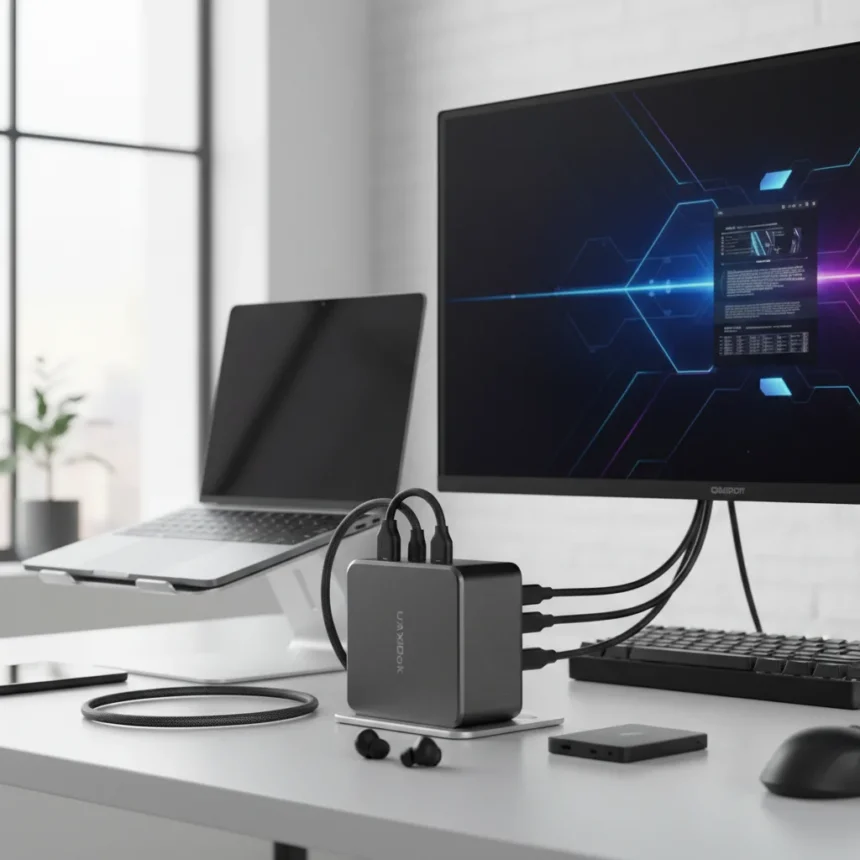
The Ugreen Maxidok 10-in-1 Thunderbolt 5 Docking Station is an entry-level Thunderbolt 5 dock designed for users with TB5 or USB4 v2 ports who want modern connectivity without bulk. Released as part of Ugreen’s new dock lineup in March 2026, it targets high-end laptop users and those on a limited budget seeking a minimalist desk setup. The compact, all-metal chassis promises durability in a footprint that won’t dominate your workspace.
Key Takeaways
- Compact all-metal design makes it ideal for mobile professionals and desk-constrained setups
- Supports dual 8K displays on Windows and dual 6K on macOS for creative workflows
- 100W power delivery is adequate but not exceptional for larger workloads
- Non-detachable host cable creates a potential point of failure over time
- Missing native HDMI limits compatibility with legacy displays and projectors
Thunderbolt 5 Docking Station Performance and Display Support
The Maxidok delivers solid display performance for a dock in this category. It supports dual 8K output on Windows and dual 6K on macOS, which covers the needs of photographers, videographers, and creative professionals moving large files between systems. That capability alone sets it apart from basic USB-C docks that max out at single 4K. The dual-display support makes it a genuine productivity tool for anyone editing video or managing photo libraries across multiple monitors.
The catch is that the dock lacks a native HDMI port, a real limitation if you’re working in environments with legacy display infrastructure. You’ll need adapters or USB-C-to-HDMI converters to connect to older projectors or conference room displays, adding friction to an otherwise clean setup. For professionals locked into modern USB-C and Thunderbolt ecosystems, this is less of a problem. For hybrid workflows, it’s a genuine compromise.
Power Delivery and Connectivity Trade-offs
At 100W power delivery, the dock can charge most laptops, but it’s not exceptional. TechRadar notes this is good but not excellent for power-hungry systems or simultaneous charging of multiple devices. If you’re running a 16-inch MacBook Pro and need to charge an external SSD while working, you’ll notice the ceiling. This is the price of portability—larger docks pack 140W or more, but they’re also desk anchors.


The non-detachable host cable is a design choice that worries us. Fixed cables fail eventually, and when yours does, the entire dock is unusable. Replaceable cables add bulk, but they also mean your dock survives longer than a single cable’s lifespan. This is a real trade-off between compactness and longevity.
Who Should Buy the Ugreen Maxidok Thunderbolt 5 Dock
This dock makes sense for photographers and videographers who travel between locations and need to consolidate multiple displays at each stop. It’s also a solid fit for anyone with a Thunderbolt 5 or USB4 v2 laptop who wants to avoid the bulk and cost of a full-featured, stationary docking station. If your workflow is purely single-display and you don’t need maximum power delivery, the compact form factor is genuinely valuable.



If you need native HDMI, maximum power delivery, or the widest port variety, look elsewhere. Larger Thunderbolt 5 docks from the same Ugreen lineup—such as the 17-in-1 Maxidok—add features and capacity but sacrifice portability. Your choice depends on whether you prioritize desk real estate or feature completeness.
Is the Ugreen Maxidok worth buying for Thunderbolt 5 users?
Yes, if you have TB5 or USB4 v2 and value portability. The compact design, dual high-resolution display support, and reasonable port selection make it a legitimate productivity tool. No, if you need native HDMI, maximum power delivery, or plan to keep the dock permanently anchored to one desk.
What are the main limitations of this Thunderbolt 5 docking station?
The three biggest compromises are the missing native HDMI port (requiring adapters for legacy displays), 100W power delivery (adequate but not generous), and a non-detachable host cable (a potential durability liability). These reflect the dock’s design philosophy: compactness and affordability over feature completeness.
How does dual 8K support on Windows compare to the macOS 6K limit?
Windows gets higher resolution output—dual 8K versus dual 6K on macOS. This reflects different OS requirements and GPU capabilities rather than a dock limitation. For most creative work, both exceed what you’ll actually use in practice, so the difference matters less than it sounds.



The Ugreen Maxidok 10-in-1 Thunderbolt 5 Docking Station succeeds at what it sets out to do: bring Thunderbolt 5 connectivity to users who won’t pay for a bulky, feature-loaded alternative. Its compact metal chassis and dual-display support make it a genuine option for mobile professionals. The missing HDMI, moderate power delivery, and fixed cable are real trade-offs, not oversights. Buy it if portability and price matter more than maximum features. Skip it if you need a permanent desk anchor with every bell and whistle.
Where to Buy
$229.98 at Amazon | $229.98 | UK Amazon pricing
Edited by the All Things Geek team.
Source: TechRadar




