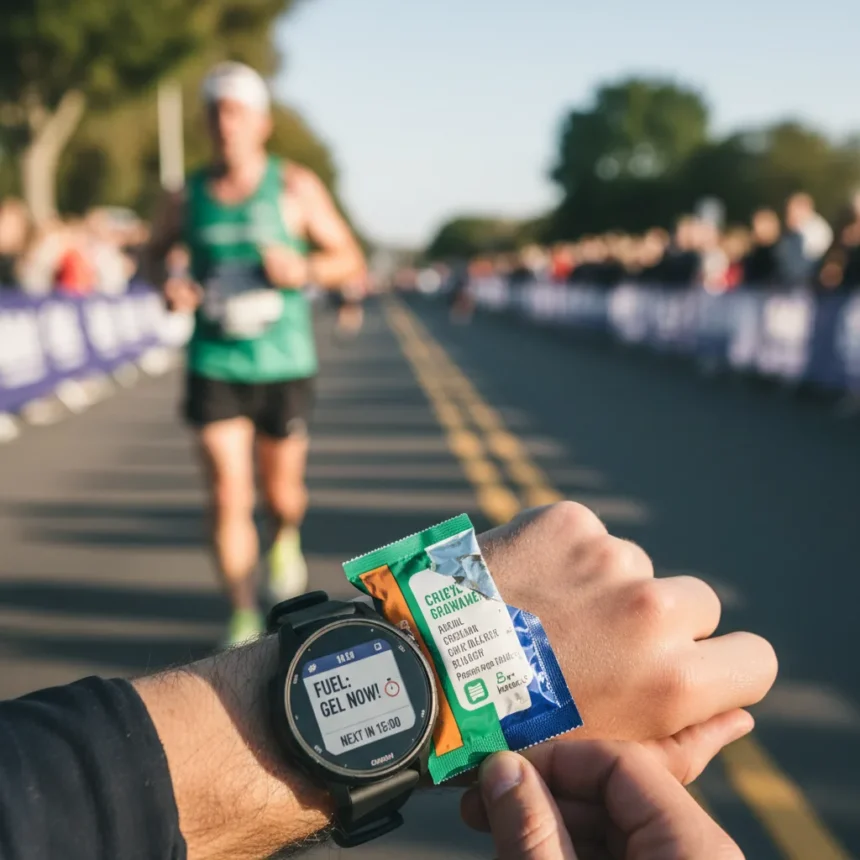
Running watch energy gel reminders are a built-in feature on compatible Garmin watches that prompt you to consume fuel at set intervals during long workouts, eliminating the mental burden of manual tracking.
Key Takeaways
- Garmin watches support custom “Eat” alerts based on time, distance, or calories burned during runs.
- The rule of thumb for long runs is one gel every 30 to 40 minutes, but runners frequently lose track without reminders.
- Garmin alerts prevent “hitting the wall” by automating fueling schedules during marathon training.
- Setup requires accessing run settings, creating a custom alert, and selecting your preferred interval type.
- Feature works on all Garmin models that support alerts with recent software updates.
Why Running Watch Energy Gel Reminders Matter
Long-distance runners face a persistent problem: they know they need fuel, but forget to take it. Fueling will look different from one runner to another, but as a rule of thumb, taking one gel every 30 to 40 minutes on long runs is standard practice. Yet runners rarely stick to this schedule without external prompts. Running watch energy gel reminders solve this by automating the process. Instead of calculating elapsed time mid-run or relying on willpower, your watch buzzes and tells you exactly when to consume your next gel. This feature is particularly valuable during marathon training, when fatigue and tunnel vision make it easy to skip crucial nutrition windows and risk bonking.
It’s a straightforward feature but one that can save you from hitting the wall on your long runs. The psychological relief alone—knowing your watch has your fueling schedule handled—reduces cognitive load during the hardest part of your training.
How to Set Up Running Watch Energy Gel Reminders on Garmin
Garmin watches allow running watch energy gel reminders through a custom alert system accessible directly from your activity settings. The process takes under two minutes and works on all Garmin models that support alerts, including the Fenix 7S Solar. Here’s the exact setup path: Press the start/stop button and select the Run activity. Instead of pressing start, hold down the middle button and click into run settings. Scroll down and select Alerts, then select Add New, then select Custom. Scroll down to select Eat. Now choose whether you want the reminder according to time or distance. Choose how frequently you want the alerts, and click Confirm (the green tick). You can optionally give it a custom name like “Gel Time.” Exit and double-check that the alert status is turned on by heading back in.


Garmin also allows running watch energy gel reminders based on energy expended rather than time or distance. If you have heart rate data or a power meter connected, you can set alerts to trigger every 100 to 200 calories burned, based on an average expenditure of approximately 500 calories per hour during intense exercise. This approach adapts to your individual effort level—if you’re running faster and burning more calories, you’ll receive alerts sooner.
Customizing Alert Intervals for Your Running Style
Not all runners need gels at the same frequency. Some prefer a gel every 30 minutes; others stretch to 45 minutes depending on their stomach tolerance and the intensity of their run. Garmin’s running watch energy gel reminders let you test different intervals without reprogramming your watch each time. Set your first interval conservatively—say, every 30 minutes—and observe how you feel. If you’re comfortable and not experiencing stomach distress, you can adjust upward in future runs. The time-based alert is simplest for most runners because it doesn’t require heart rate data or external sensors. Distance-based alerts work well if you’re training on a measured course and want fuel tied to mileage rather than elapsed time. The calorie-based approach suits runners with power meters or those training at highly variable intensities, where a single time interval would be inappropriate.



Once you’ve configured your running watch energy gel reminders, verify the alert is active by returning to your alerts menu and confirming the toggle is on. Test the alert during a short run before relying on it during a marathon to ensure the notification style (buzz, tone, or vibration) is noticeable and not intrusive.
Running Watch Energy Gel Reminders vs. Manual Fueling
Without running watch energy gel reminders, runners rely on memory, pre-set timers on their phones, or physical markers along their route. Each approach has drawbacks. Memory fails when fatigue sets in. Phone timers require carrying an extra device and checking it frequently. Route markers only work on familiar courses. A running watch integrates fueling prompts into the same device displaying your pace, heart rate, and distance—the information you’re already checking. This eliminates the need for external aids and keeps your fueling schedule synchronized with your actual performance data. Garmin’s system is particularly effective because it ties alerts to measurable metrics (time, distance, or calories) rather than relying on feel or guesswork.
FAQ
Do all Garmin watches support running watch energy gel reminders?
Running watch energy gel reminders are available on all Garmin models that allow for alerts, though you may need to update your watch’s software if the feature is not visible in your alerts menu. Check your device’s settings or Garmin’s support documentation to confirm compatibility.
Can you set running watch energy gel reminders by distance instead of time?
Yes. Garmin’s running watch energy gel reminders can be configured by time intervals, distance in kilometers or miles, or calories burned. Choose the option that best matches your training approach and fueling strategy.



How often should you take energy gels during a long run?
The standard guideline is one gel every 30 to 40 minutes during long runs, though individual tolerance varies. Running watch energy gel reminders let you test different intervals and adjust based on your comfort and performance.
Running watch energy gel reminders transform marathon training from a mental chess match into an automated system. By removing the burden of remembering when to fuel, they let you focus entirely on running strong and finishing healthy. If you’re training for a half-marathon or longer, setting up this feature on your Garmin is one of the highest-return optimizations available.
Where to Buy
SPIbelt Running Belt $26shop now | Stance Performance Crew Socks 3-Pack$54shop now
Edited by the All Things Geek team.
Source: Tom's Guide