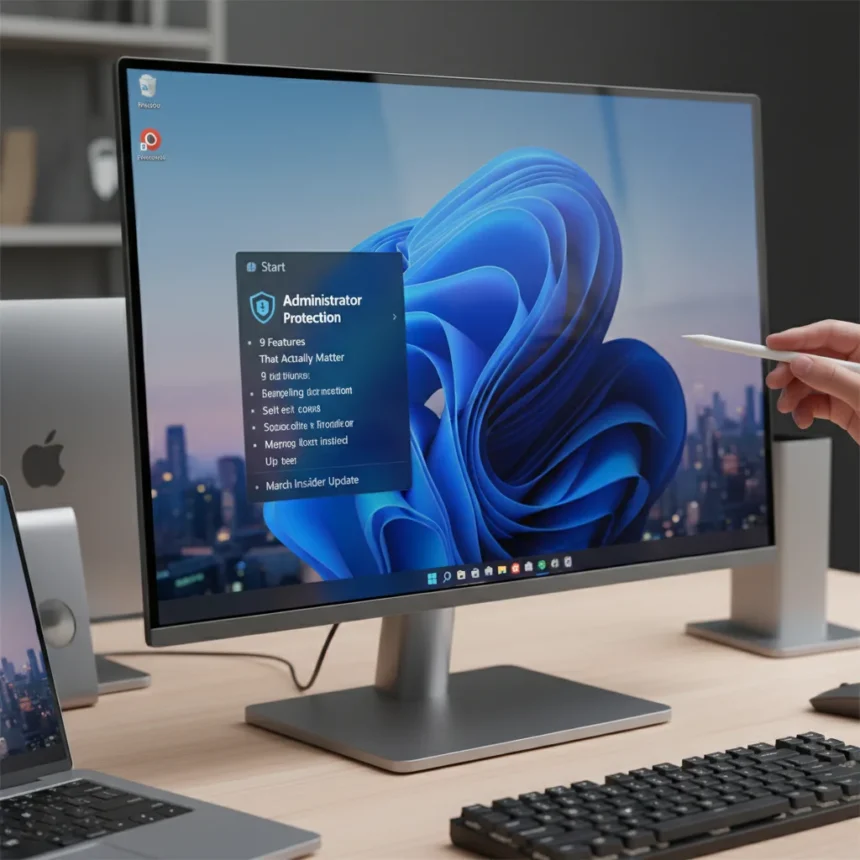
The Windows 11 March Insider Update rolls out 9 fresh features and improvements that shift how users approach system security and daily workflows. Administrator Protection leads the charge, fundamentally changing how Windows handles privilege escalation and unauthorized access attempts. This update matters now because it addresses long-standing security gaps that have frustrated enterprise admins and individual users alike.
Key Takeaways
- Administrator Protection is the headline feature, blocking unauthorized privilege escalation attempts across the system
- The March Insider Update includes 8 additional improvements beyond Administrator Protection
- Administrator Protection works by intercepting elevation requests and verifying user intent before granting admin rights
- The feature is available in Windows 11 25H2 and can be enabled through Settings or Group Policy
- Enterprise organizations benefit most from centralized Administrator Protection deployment
What Administrator Protection Does for Windows 11
Administrator Protection is a security feature that prevents unauthorized applications from escalating to administrator privileges without explicit user consent. The system intercepts elevation requests, displays a confirmation prompt, and blocks any attempt to bypass this verification layer. This single feature addresses a critical vulnerability window where malware and rogue processes could historically gain admin access through social engineering or exploited elevation paths.
The mechanism works by creating a protected execution environment that validates every privilege escalation request. When an application attempts to run with elevated rights, Administrator Protection forces a user confirmation dialog that cannot be suppressed or automated by malicious code. This means even if malware successfully compromises a user account, it cannot silently escalate itself to administrator level without that user actively clicking approval.
Administrator Protection represents a shift in Windows security philosophy, moving from reactive threat detection to proactive privilege management. Rather than waiting for antivirus software to identify malicious behavior after escalation occurs, the system prevents the escalation from happening in the first place. For organizations managing hundreds or thousands of devices, this feature dramatically reduces the attack surface available to adversaries.


How to Enable Administrator Protection in Windows 11
Administrator Protection can be enabled through two primary methods depending on your deployment context: individual Settings configuration for personal machines, or Group Policy for enterprise environments. For individual users, the feature appears in Windows Security settings under App & browser control, where a toggle switch activates the protection layer. Once enabled, every application attempting to run with elevated privileges triggers a user confirmation prompt.
Enterprise administrators can deploy Administrator Protection at scale using Group Policy Objects (GPOs), allowing centralized control across domain-joined devices. This approach enables IT teams to enforce consistent privilege escalation policies without requiring end-user configuration. The deployment method also allows administrators to customize which applications receive exemptions or modified elevation behavior, balancing security with legitimate business application requirements.



The feature requires Windows 11 25H2 or later to function. Users running earlier versions of Windows 11 will not see Administrator Protection options in their Settings menu, making an update to the current build necessary before deployment. Installation is straightforward—the feature activates immediately upon enabling, with no system restart required.
Why This Matters Beyond Administrator Protection
The Windows 11 March Insider Update bundles Administrator Protection alongside 8 additional improvements, creating a comprehensive refresh that addresses both security and usability concerns. While the research brief does not specify the individual names of all 9 features, the update reflects Microsoft’s commitment to incremental security hardening rather than waiting for major annual releases. This approach keeps Windows 11 relevant for users who cannot afford extended downtime for major version upgrades.
Insider Preview builds serve as testing grounds before features roll out to the general public. The March update reaching Insider channels means these 9 features will likely appear in a future stable Windows 11 release, typically within 2-3 months. Organizations and individual users who test features in Insider Preview can provide feedback that shapes the final implementation, making early adoption strategically valuable for those who want influence over how Windows evolves.
Administrator Protection vs. Traditional UAC Prompts
Administrator Protection differs fundamentally from User Account Control (UAC), the elevation system Windows has used since Windows Vista. Traditional UAC prompts appear after an application requests elevation, but the request itself has already been processed by the system. Administrator Protection intercepts the request before processing occurs, creating an earlier checkpoint in the privilege escalation pipeline. This distinction matters because it prevents certain classes of malware from leveraging timing vulnerabilities between request submission and user confirmation.



UAC also allows administrators to suppress or customize prompts through Group Policy, a flexibility that inadvertently enables security misconfigurations in enterprise environments. Administrator Protection enforces mandatory confirmation without bypass options, eliminating the configuration debt that has accumulated in organizations managing legacy UAC policies. For security teams, this means fewer variables to audit and fewer misconfigurations to remediate.
Deployment Considerations for Organizations
IT teams evaluating Administrator Protection should test the feature in pilot environments before broad rollout, particularly for organizations running legacy line-of-business applications that may not expect privilege elevation to require user confirmation. Some older software assumes elevation requests will succeed silently, and Administrator Protection will block these applications until they are updated or exempted through Group Policy. Testing identifies these compatibility issues before they impact production users.
The feature also interacts with credential management systems and passwordless sign-in implementations. Organizations using Windows Hello for Business or FIDO2 security keys should verify that Administrator Protection prompts remain accessible to users who authenticate without passwords. Early testing in Insider Preview channels allows IT teams to document these interactions and adjust deployment timelines accordingly.
Is Administrator Protection enabled by default?
No, Administrator Protection is disabled by default in Windows 11 25H2. Users and administrators must explicitly enable the feature through Settings or Group Policy. This default-off approach gives organizations time to test compatibility before activation, reducing the risk of unexpected application failures immediately after updating to a build that includes the feature.
Can Administrator Protection be bypassed?
Administrator Protection cannot be bypassed by applications or malware without explicit user interaction. The confirmation prompt cannot be suppressed, automated, or dismissed programmatically. A user must actively click approval, making social engineering the only practical bypass method—and even then, only if the user is deceived into approving an elevation request they would not normally authorize.
Does Administrator Protection slow down Windows 11?
Administrator Protection introduces minimal performance overhead because it operates at the privilege escalation layer, intercepting requests only when applications attempt elevation. Since most applications run without administrator privileges, the feature remains dormant for typical user workflows. Performance impact occurs only when elevation requests are triggered, and even then, the delay is limited to the time required for the confirmation dialog to appear and the user to respond.
The Windows 11 March Insider Update demonstrates Microsoft’s focus on incremental security hardening rather than waiting for major version releases. Administrator Protection, combined with 8 additional improvements, gives users and organizations concrete reasons to stay current with Windows 11 builds. For security-conscious users and IT teams managing multiple devices, testing these features in Insider Preview channels now ensures smooth deployment when they reach stable releases.
Edited by the All Things Geek team.
Source: Windows Central