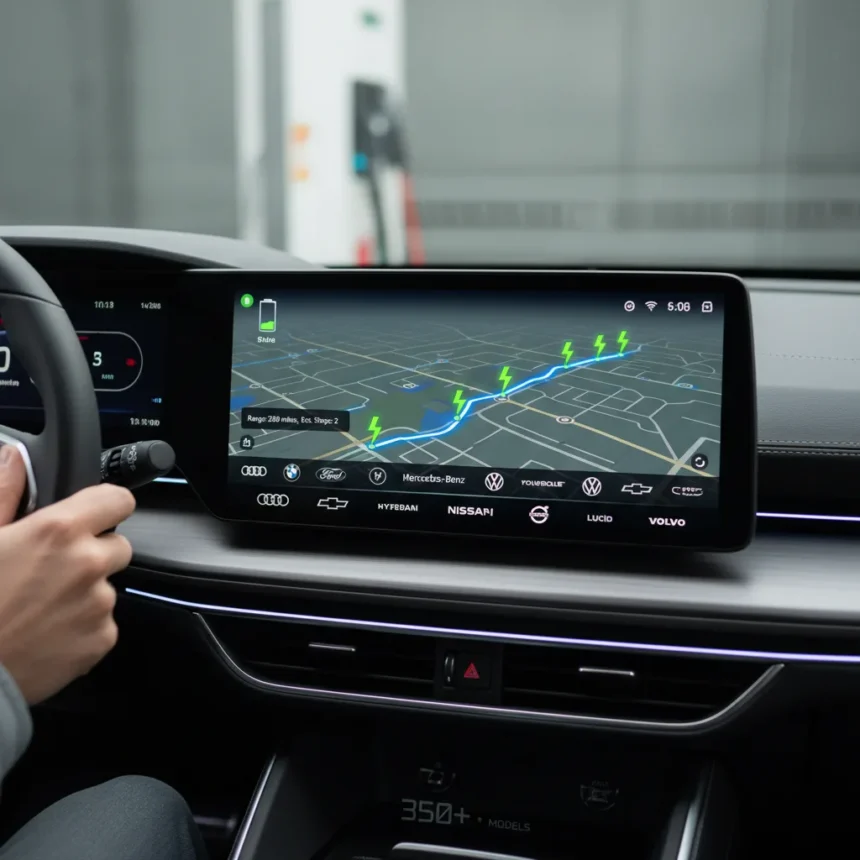
Android Auto EV route planning just expanded dramatically, bringing AI-powered charging predictions to over 350 electric vehicle models from 16 brands across the US. Rolling out starting March 30, 2026, the feature integrates directly into Google Maps on Android Auto, eliminating the friction of switching between apps to check battery levels, find chargers, and estimate arrival times. For EV owners tired of range anxiety, this is a genuine quality-of-life upgrade.
Key Takeaways
- Android Auto EV route planning now supports over 350 models from 16 brands including Tesla, BMW, Chevrolet, Hyundai, Kia, Mercedes-Benz, Nissan, Porsche, and Volkswagen.
- Google Maps AI analyzes vehicle weight, battery size, traffic, terrain elevation, and weather to predict battery usage and recommend charging stops.
- Feature requires Google Maps version 25.44 or newer and EV details entered in Settings > Your vehicles > Electric.
- Ford-specific: Mustang Mach-E and F-150 Lightning gain EV routing with software update 10.X, including vehicle preconditioning for DC fast chargers.
- The expansion covers hundreds of thousands more drivers than previous limited EV support, reducing the need for third-party charging apps.
How Android Auto EV route planning works
The system combines three layers of intelligence: your vehicle’s specs, real-world driving conditions, and Google’s AI models. When you set a destination in Google Maps via Android Auto, the feature predicts how much battery you’ll use based on your EV’s make, model, year, and trim. It then layers in live traffic data, road elevation changes, and weather conditions to refine that prediction. The result is a charging strategy that feels almost personal—Google Maps suggests exactly where to stop, how long to charge, and what your battery level will be when you arrive.
Setup takes under a minute. On Android, navigate to Settings > Your vehicles > Electric and add your EV details. Input your current charge level before planning a trip, and Google Maps displays recommended charging stops along your route, estimated battery at each stop, and an updated ETA that includes charging time. If you want to arrive with more charge than the default, you can adjust the desired arrival battery level to trigger additional charging stops.
The underlying technology is substantial. Google’s AI analyzes vehicle weight, battery capacity, and efficiency curves specific to your model, then cross-references that against real-time Maps data on traffic congestion, terrain gradients, and weather patterns. This isn’t a simple range calculator—it’s a predictive model that adapts to conditions as you drive.


Which EVs get Android Auto EV route planning support
The feature launches with support for over 350 models from 16 brands: Audi, BMW, Chevrolet, FIAT, Genesis, Hyundai, Jaguar, Kia, Lexus, Lucid, Mercedes-Benz, Nissan, Porsche, Subaru, Toyota, and Volkswagen. That’s a massive expansion from the previous limited set of supported vehicles. More models and brands are coming soon, according to Google’s announcement.
Ford has already integrated EV routing directly into its vehicles. The Mustang Mach-E and F-150 Lightning gain native EV routing features when owners update to software version 10.X. These vehicles can access charging information and vehicle preconditioning (warming or cooling the battery before DC fast charging) directly through Android Auto without needing to manually set up Google Maps. This integration suggests that other automakers may follow a similar path, embedding the feature deeper into their infotainment systems rather than relying solely on the Google Maps app.



Android Auto EV route planning vs. third-party charging apps
Before this update, EV owners typically juggled Google Maps for navigation, PlugShare or ChargePoint for charger locations, and their vehicle’s native app for battery predictions. Android Auto EV route planning consolidates all three functions into one interface. You no longer need to exit navigation to check whether a charger is available or estimate charging duration—Google Maps handles it all. The feature also adapts in real time, so if traffic delays you, the ETA and charging recommendations update automatically.
The main limitation is that the feature requires compatible vehicles and Google Maps version 25.44 or newer. Owners of older EVs or vehicles from brands not yet supported will still need fallback apps. But for the 16 brands now included, the integration removes a significant source of trip-planning friction.
How to set up Android Auto EV route planning
Start by updating Google Maps to version 25.44 or newer. Open the Google Maps app on your Android phone and navigate to Settings > Your vehicles > Electric. Tap the plus icon and enter your vehicle’s make, model, year, and trim. Then, before planning a trip, input your current battery charge level. When you set a destination, Google Maps will calculate the route with charging stops included, showing estimated battery levels at each stop and the total ETA with charging time factored in.
If you own a Ford Mustang Mach-E or F-150 Lightning, ensure your vehicle’s software is updated to version 10.X and that Google Maps is fully updated on your phone. Connect your phone via Android Auto, set your destination, and the system will display charging recommendations and enable vehicle preconditioning automatically when you approach a DC fast charger.



Does Android Auto EV route planning work offline?
The feature requires real-time data from Google Maps, including traffic, weather, and charger availability, so it does not function offline. You’ll need an active internet connection on your phone via cellular or WiFi to access EV route planning.
Will my EV model get Android Auto EV route planning support?
Google’s announcement covers over 350 models from 16 brands as of March 30, 2026, with more coming soon. Check Google’s support page for a full compatibility list, or try entering your vehicle details in the Google Maps app to see if your model is supported. If your brand or model isn’t listed yet, Google has indicated that expansion is ongoing.
Can I use Android Auto EV route planning with non-Android devices?
The feature integrates with Android Auto, so you’ll need an Android phone running Google Maps version 25.44 or newer. iPhone users can access Google Maps’ EV features through the standard app, but the Android Auto integration—which allows hands-free access while driving—is Android-only.
Android Auto EV route planning represents a meaningful step forward for EV adoption. By moving battery predictions and charging logistics into the primary navigation interface, Google has removed a friction point that deterred some drivers from taking longer trips. The feature won’t eliminate range anxiety entirely, but it transforms the emotion from dread into informed planning. For the millions of EV owners now covered by this expansion, that’s a significant quality-of-life improvement.
Where to Buy
Google Pixel 10 Pro | Samsung Galaxy S26 Ultra | Google Pixel 10a
Edited by the All Things Geek team.
Source: TechRadar