





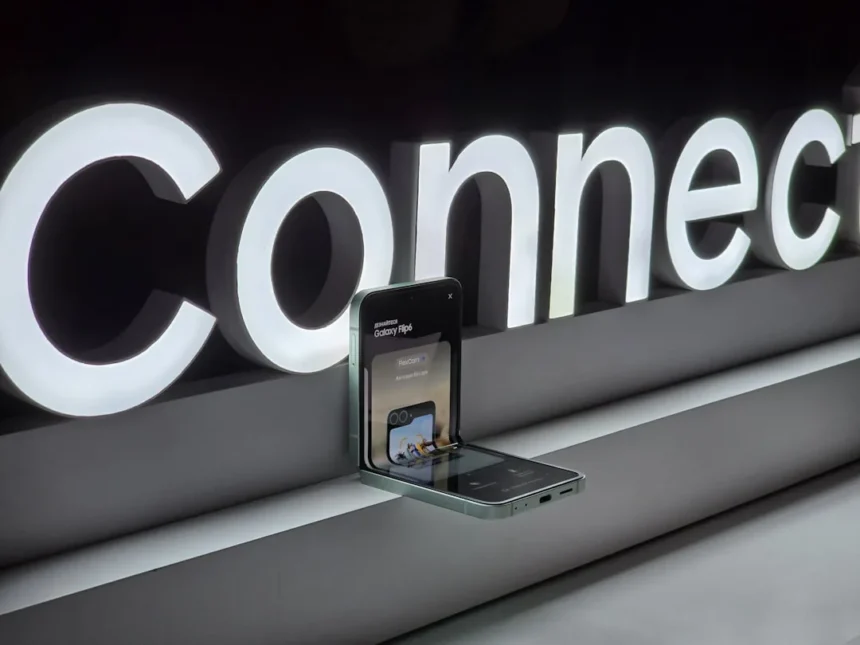
Samsung Galaxy Connect, the company’s cross-device continuity platform, now works with any Windows 11 PC running Intel or AMD x64 architecture, ending a major restriction that previously limited the app to Samsung Galaxy Book devices. Version 2.1.6.0 of the app, available as a free download from the Microsoft Store, marks a significant shift in how Samsung positions itself against Apple’s tightly integrated ecosystem.
Key Takeaways
- Samsung Galaxy Connect version 2.1.6.0 now supports non-Samsung Windows 11 PCs with Intel or AMD x64 processors.
- Previously restricted to Samsung Galaxy Book devices paired with Galaxy phones and tablets.
- Features include copy/paste sync, file sharing, second screen display, multi-control, and webpage continuity.
- Available free from Microsoft Store; ARM-based Windows devices not supported.
- Removes a major barrier Samsung created by limiting ecosystem features to its own hardware.
What Samsung Galaxy Connect Does Now
Samsung Galaxy Connect enables seamless data synchronization and device continuity between a Galaxy phone or tablet and any compatible Windows 11 PC. The app supports copy/paste between devices, allowing users to cut text or images on their phone and paste them into a desktop application. Storage share lets users access phone files directly through PC File Explorer, eliminating the need for separate file transfer apps. Second screen turns a Galaxy tablet into an extended monitor for the PC, while multi-control allows a single mouse and keyboard to operate both the PC and a nearby Galaxy phone simultaneously. Webpage continuity via Samsung Internet Browser lets users start browsing on their phone and resume on the desktop.
These features directly mirror Apple’s ecosystem advantages—the reason many users stick with iPhones and Macs. By removing the Galaxy Book requirement, Samsung eliminates a costly barrier to entry. Previously, users wanting Samsung’s continuity features had to purchase both a Galaxy device and a Samsung laptop, a lock-in strategy that frustrated many. Now, anyone with a Windows 11 PC and a Galaxy phone can access these capabilities.
How Samsung Galaxy Connect Compares to Microsoft’s Alternative
Microsoft’s Phone Link and Link to Windows offer broader device compatibility, supporting both Windows 10 and Windows 11, and work with any Galaxy phone that has the feature enabled. These preinstalled or easily downloadable tools provide screen mirroring, notification syncing, call and message access, file transfer, and limited app access (up to five apps at once). However, Phone Link lacks the multi-control and second screen features that Samsung Galaxy Connect provides, making Samsung’s offering more ambitious in scope.


The distinction matters: Microsoft’s solution focuses on notifications and quick access, while Samsung Galaxy Connect aims for true device continuity. A user who wants to control their phone with a PC keyboard will need Samsung’s app; someone who just wants to see notifications on their desktop can use Phone Link. Samsung’s expansion to non-Samsung PCs narrows the advantage Microsoft once held through broader hardware compatibility.
The Real Shift: Samsung Stops Gatekeeping Its Own Ecosystem
For years, Samsung restricted Galaxy Connect to Galaxy Book devices, forcing users into an either-or choice: buy Samsung’s expensive laptops or lose continuity features. That strategy reflected a company desperate to compete with Apple’s ecosystem lock-in. But it backfired. Most Windows users already own non-Samsung PCs—Dell, HP, Lenovo, ASUS—and Samsung’s exclusivity simply pushed them toward Apple instead. By opening Galaxy Connect to any Windows 11 PC, Samsung acknowledges that gatekeeping its own features was counterproductive. The company now prioritizes adoption over hardware sales, a pragmatic shift that could actually make its ecosystem competitive.



The limitation to Windows 11 and x64 architecture (no ARM-based devices) suggests Samsung is being cautious about support scope, but this covers the vast majority of Windows PCs in use today. As Windows 11 adoption grows, this restriction becomes less relevant.
Does Samsung Galaxy Connect Work on Your PC?
To use Samsung Galaxy Connect, your Windows 11 PC must have an Intel or AMD x64 processor—essentially any mainstream PC built in the last decade. ARM-based Windows devices, including some newer Microsoft Surface models, are not supported. The app is free and installs from the Microsoft Store, so there is no licensing or subscription cost. You will also need a compatible Galaxy phone or tablet running recent Samsung software.
Should You Switch From Phone Link to Samsung Galaxy Connect?
If you own a Galaxy phone and want multi-control or second screen features, Samsung Galaxy Connect is worth trying since it is free. Phone Link remains a solid all-in-one solution if you use notifications and quick file access, and it works on Windows 10 as well. Power users who frequently move between phone and PC will find Samsung’s approach more fluid; casual users might not notice a difference.
When Did Samsung Galaxy Connect Support Windows 11 Non-Samsung PCs?
Version 2.1.6.0 of Samsung Galaxy Connect introduced support for non-Samsung Windows 11 PCs, representing a recent expansion from its previous Galaxy Book-only limitation. The update removes what was arguably Samsung’s biggest self-imposed barrier to ecosystem adoption, finally allowing the company to compete on feature parity rather than hardware exclusivity.



Samsung’s decision to open Galaxy Connect to any Windows 11 PC is a tacit admission that ecosystem lock-in through hardware restrictions does not work in a Windows-dominated market. By making continuity features freely available to anyone with a compatible PC and Galaxy phone, Samsung removes one more reason for users to stick with Apple. Whether this shift comes too late to meaningfully impact Samsung’s ecosystem adoption remains to be seen, but it is the right move strategically.
Edited by the All Things Geek team.
Source: Android Central




