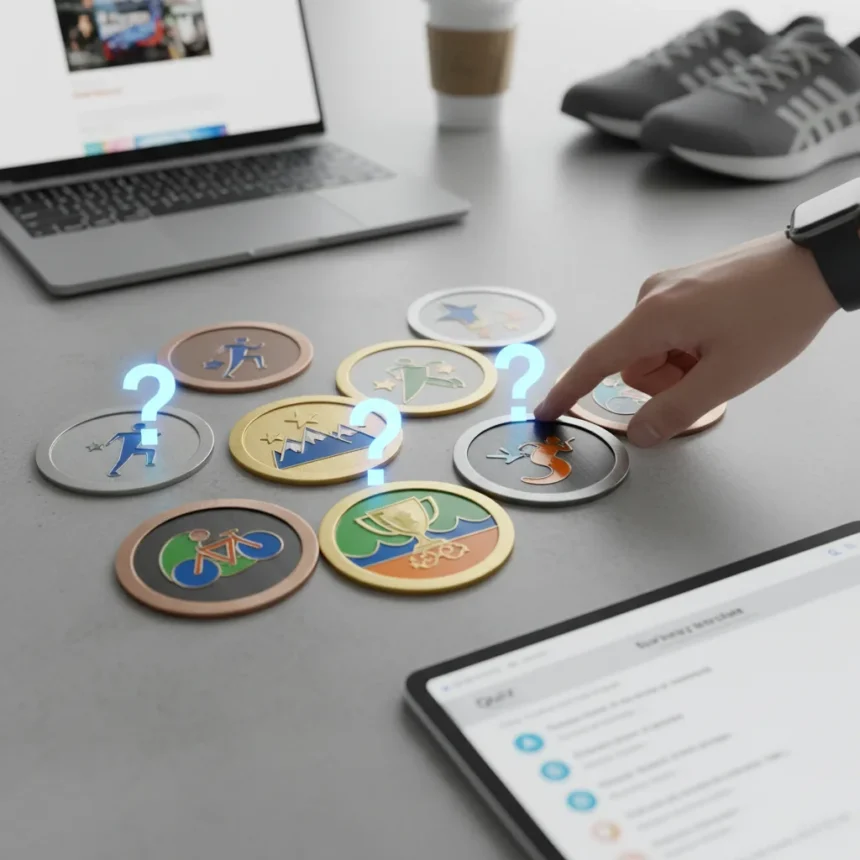
Garmin Connect badges are digital achievements that reward fitness milestones and training consistency, part of Garmin’s gamification strategy for its fitness tracking ecosystem. A recent quiz from Tom’s Guide challenges readers to identify multiple Garmin Connect badges, with one entry designed to trip up even experienced users. The quiz taps into a surprisingly deep community knowledge around these virtual rewards, which span running, cycling, swimming, and general activity categories.
Key Takeaways
- Garmin Connect badges reward specific fitness milestones and achievement thresholds across multiple sports.
- The badge system includes both common achievements and obscure badges that challenge even dedicated Garmin users.
- Quiz difficulty escalates, with intermediate badges easier to identify than rare or specialized ones.
- Badge databases and community forums maintain comprehensive lists for users tracking their collections.
- Naming badges correctly requires familiarity with Garmin’s specific achievement criteria and naming conventions.
What Are Garmin Connect Badges?
Garmin Connect badges function as digital rewards tied to fitness achievements within Garmin’s mobile app and web platform. These badges unlock when users hit specific activity thresholds—completing a certain distance, duration, elevation gain, or frequency milestone. Unlike generic achievement systems, Garmin Connect badges carry detailed criteria tied to individual sports and training modes, making them both motivational and technically specific.
The badge ecosystem extends across running, cycling, swimming, strength training, and general cardio activities. Some badges reward consistency over time, others celebrate single-session peaks. This layered approach means the complete badge collection represents a detailed map of an athlete’s training history rather than a simple completion checklist. Dedicated Garmin users often track their badge progress across multiple devices, comparing collections with friends through Garmin Connect’s social features.
Why the Quiz Challenges Even Experienced Users
The Tom’s Guide quiz deliberately mixes common, instantly recognizable badges with obscure ones that require deeper ecosystem knowledge. Badge number 4, which the headline flags as a potential deceiver, likely plays on naming conventions that sound similar to other achievements or feature misleading visual cues. This design principle—burying a trick question in the middle of a quiz—tests whether respondents truly recognize badge identities or simply guess based on partial knowledge.


The challenge intensifies because Garmin’s badge naming sometimes uses counterintuitive terminology. A badge might reference a specific distance threshold, elevation milestone, or activity frequency that does not match what casual users assume. Community forums and badge databases have documented these naming quirks extensively, revealing which badges consistently fool newcomers. The quiz format forces rapid identification without the luxury of cross-referencing support pages or community guides, replicating real-world recognition challenges.
Garmin Connect Badges vs. Other Fitness Tracker Reward Systems
Garmin’s badge approach differs from competitors in both specificity and depth. While other fitness platforms offer generic achievement badges (steps reached, workouts completed), Garmin Connect badges drill into sport-specific metrics—cycling cadence milestones, running pace achievements, swim stroke distances. This granularity appeals to serious athletes but also creates a steeper learning curve for casual users unfamiliar with Garmin’s terminology.



The quiz format itself reflects how Garmin users engage with their ecosystem. Unlike platform-agnostic fitness apps, Garmin’s community maintains dedicated badge databases and forums where users catalog, discuss, and strategize around badge unlocks. This level of engagement suggests that Garmin Connect badges carry genuine social currency within the Garmin ecosystem—earning rare badges becomes a status marker, not just a gamification gimmick. The Tom’s Guide quiz capitalizes on this community knowledge, assuming readers have invested enough time in Garmin’s platform to recognize visual badge identities.
How to Prepare for a Garmin Connect Badges Challenge
Readers serious about acing a Garmin Connect badges quiz should familiarize themselves with the official badge documentation and community resources. Garmin’s support pages outline badge criteria and naming conventions, though they require active searching rather than casual browsing. Community-maintained badge databases catalog the complete collection with images, unlock requirements, and user comments—invaluable for rapid visual recognition training.
The most effective preparation strategy involves reviewing badge images repeatedly while noting the specific metrics tied to each one. A badge depicting a runner crossing a finish line might reward a half-marathon distance, while a similar-looking badge could instead celebrate weekly running consistency. Paying attention to visual details—colors, icons, text labels—separates confident quiz-takers from guessers. Users who have actively hunted specific badges in their own training history gain natural recognition advantages, as lived experience with badge unlock criteria creates stronger memory anchors than passive study.
Why Garmin Users Care About Badge Collections
For Garmin users, badge collections represent more than aesthetic achievements. They function as training documentation, proof of consistency, and social proof within fitness communities. Sharing badge milestones on Garmin Connect’s social feed creates friendly competition and accountability—friends see when you unlock a badge they have not yet earned, sparking motivation to chase the same milestone.



This social dimension explains why a quiz about badge recognition resonates with Garmin’s audience. Users do not just want to earn badges; they want to understand the complete badge ecosystem, anticipate future unlocks, and recognize when peers achieve rare or impressive badges. The Tom’s Guide quiz taps directly into this knowledge gap, offering a fun way to test expertise while exposing gaps in understanding. For newer Garmin users, the quiz serves as a learning tool—identifying badges they have not yet encountered and understanding what achievements they should target next.
Can You Name All the Garmin Connect Badges?
The honest answer: most users cannot name every badge without reference materials. The Garmin Connect badge system includes dozens of achievements across multiple sport categories, and Garmin occasionally adds new badges or retires outdated ones. Even dedicated users who have unlocked hundreds of badges sometimes struggle with obscure ones they have not personally earned. This is why the Tom’s Guide quiz gains traction—it acknowledges that badge expertise exists on a spectrum, and even experienced Garmin athletes have blind spots.
The quiz format itself—presenting badge images and asking for identification—mirrors how badge recognition actually works in the Garmin ecosystem. When you scroll through Garmin Connect’s badge gallery or view a friend’s achievement list, visual recognition matters more than recall. You see the badge and instantly know what it represents, or you do not. The quiz replicates this real-world skill, making it a legitimate test of Garmin ecosystem fluency rather than trivia memorization.
What Badge Categories Does Garmin Recognize?
Garmin organizes badges across clear sport and activity categories. Running badges reward distance, pace, elevation, and frequency milestones. Cycling badges celebrate distance, elevation gain, speed, and multi-day streaks. Swimming badges focus on distance and stroke-specific achievements. Strength training and cardio badges round out the system, covering cross-training activities that complement primary sports.
Within each category, badge tiers typically progress from accessible entry-level achievements to rare, elite-level unlocks. A runner might earn a 5K badge relatively early in their Garmin journey, then chase progressively harder distance badges—10K, half-marathon, marathon, ultramarathon. This progression system keeps the badge ecosystem engaging across all experience levels. The Tom’s Guide quiz likely samples badges from multiple categories, testing whether respondents understand this organizational structure or confuse badges across sports.
FAQ
How do you unlock Garmin Connect badges?
Garmin Connect badges unlock automatically when you meet specific achievement criteria—completing a certain distance, duration, elevation gain, or activity frequency with a compatible Garmin device. The app notifies you when a badge unlocks, and you can view it in your Garmin Connect badge gallery. Different badges have different unlock requirements; some reward single-session peaks while others require sustained consistency over weeks or months.
Are Garmin Connect badges visible to other users?
Yes. Garmin Connect’s social features allow you to share your badge achievements with friends and the broader Garmin community. Your badge collection appears on your Garmin Connect profile, visible to anyone you have connected with on the platform. This social visibility drives much of the badge system’s motivational appeal—earning impressive badges generates recognition and friendly competition within your Garmin network.
What makes the Tom’s Guide quiz difficult?
The quiz mixes common, instantly recognizable badges with obscure ones that require deeper ecosystem knowledge. Badge number 4 reportedly uses a trick element—possibly a misleading visual cue or counterintuitive naming convention—that catches users who rely on partial recognition rather than genuine familiarity. Casual Garmin users might guess correctly on obvious badges but stumble on specialized ones tied to specific sports or rare achievement thresholds.
The Tom’s Guide quiz ultimately reveals that Garmin Connect badges represent a surprisingly rich achievement ecosystem. While casual fitness trackers offer generic reward systems, Garmin’s sport-specific, threshold-based badges create genuine knowledge depth within the user community. Testing your badge recognition is not just a fun challenge—it is a legitimate way to measure your fluency within Garmin’s fitness ecosystem and identify achievement gaps worth chasing next.
Where to Buy
Amazon Big Spring Sale | 20% OFFGarminForerunner 165$199.99$249.99shop now | 5% OFFGarminLily 2 Active$284.99$299.99shop now | GarminGarmin Forerunner 55$163shop now | GarminForerunner 570$549.99shop now
Edited by the All Things Geek team.
Source: Tom's Guide