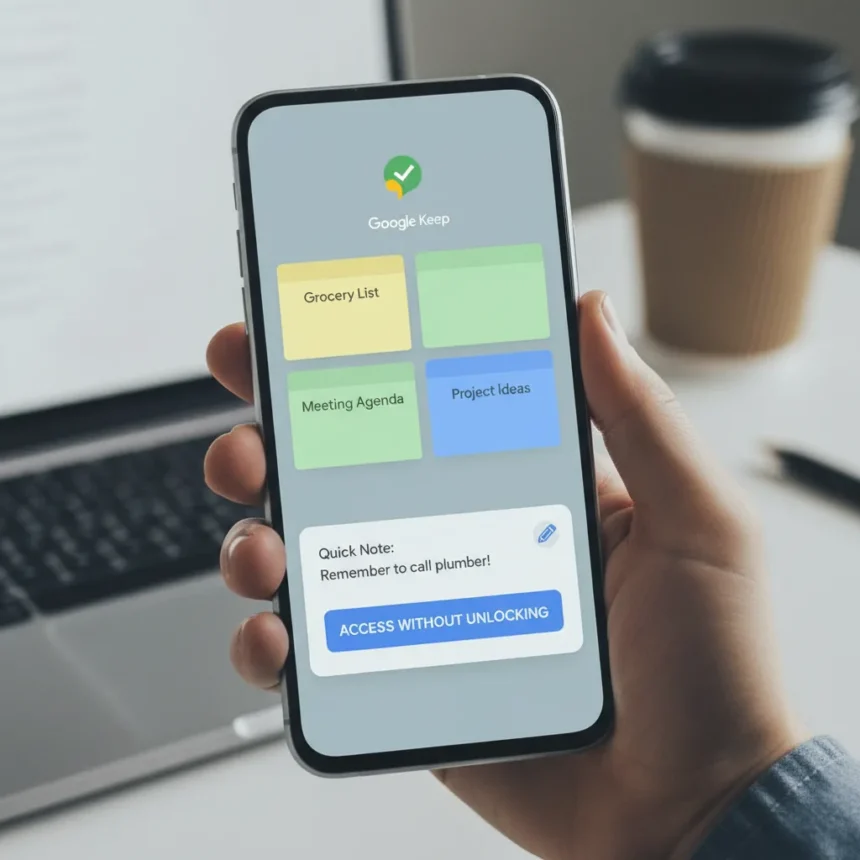
Google Keep lock screen notes represent the upgrade that should have shipped years ago. The free note-taking app, available across Android, iOS, web, and as a Chrome extension, remains essential for millions of daily users—but it forces an unnecessary friction point that competitors have already solved. A leaked Android feature would let you add notes directly from your lock screen, eliminating the need to unlock your phone first.
Key Takeaways
- Google Keep lock screen notes would enable faster note capture without unlocking your device.
- The feature is rumored for Android; no official release date or confirmation from Google yet.
- Recent updates include floating action buttons (November 2024) and audio shortcuts, building toward this capability.
- Google Keep remains free across all platforms despite ongoing feature development.
- Lock screen access addresses a usability gap that competing note apps already provide.
Why Google Keep Lock Screen Notes Matter Right Now
Speed matters when capturing thoughts. Google Keep lock screen notes would let you jot down an idea the moment it arrives—during a meeting, while driving, or when your hands are full—without the delay of unlocking your device first. This single feature closes a gap that has existed since Keep launched. Competitors with quick-access lock screen integration have already demonstrated the value; Google’s delay in adding this capability feels like oversight rather than design choice.
The timing aligns with Google’s broader momentum on Keep. Recent months brought the floating action button redesign in November 2024, along with shortcuts for audio recording on Android. These incremental updates suggest Google is actively modernizing the app after years of relative stagnation. Lock screen notes would be the logical next step—not revolutionary, but overdue.
What the Leaked Feature Actually Does
According to the leak, Google Keep lock screen notes would function as a quick-capture tool accessible directly from your Android lock screen. You would tap an icon or widget, compose a note without unlocking, and the entry would sync to your Keep account. This differs from traditional Keep access, which requires opening the app itself or using the widget on your home screen.


The feature remains unconfirmed by Google and carries no official release date. Leaks suggest it is in development but not yet live. Android Authority’s APK teardown analysis has uncovered related toolbar and image attachment changes coming to Keep, though lock screen notes appear to be a separate addition under development.
How This Stacks Against Rivals
Apple’s Notes app integrates with iOS lock screen widgets, letting iPhone users create notes without unlocking. Samsung Notes offers similar quick access on Samsung devices. Microsoft OneNote, while more feature-heavy, also provides faster capture options than traditional Keep workflows. Google Keep has long been the simplest, fastest note-taking app for basic tasks—but that advantage shrinks when you have to unlock your phone first.



Lock screen notes would restore Keep’s speed advantage. The app’s strength has always been its minimalism: no folders, no organizational complexity, just quick capture and sync. Adding lock screen access preserves that philosophy while matching what users expect from a modern note-taking tool.
When to Expect Google Keep Lock Screen Notes
No confirmed timeline exists. The feature is rumored, not officially announced. Google’s recent update cadence suggests the company is willing to ship smaller improvements regularly rather than waiting for major overhauls. If development continues on schedule, lock screen notes could arrive within the next few months—but this remains speculation based on leak patterns, not official roadmap information.
Google has a history of testing features in beta before wider rollout. Android users may see this feature appear in beta first, with a gradual expansion to the stable app. iOS users will likely wait longer, as Google typically prioritizes Android for new features.
Should You Switch to Google Keep Now?
If you already use Keep, the lock screen notes upgrade makes it even more essential. If you are evaluating note-taking apps and lock screen access is critical, consider competitors briefly—but Keep’s free tier, cross-platform availability, and simplicity remain unmatched. The leaked feature is not confirmed, so do not choose an app based solely on an unannounced upgrade. However, Keep’s trajectory suggests this is coming.



Is Google Keep lock screen notes confirmed for iOS?
No. The rumored feature appears limited to Android at this stage. iOS integration would likely follow later, but no timeline or confirmation exists. Apple’s own Notes app already offers lock screen capabilities, so iOS users have alternatives.
Can I use Google Keep lock screen notes right now?
Not yet. The feature is leaked but not live. You can use Keep’s existing lock screen widget on Android for quick access, but direct note creation from the lock screen is not yet available.
Does Google Keep lock screen notes cost extra?
Google Keep remains completely free across all platforms, including web, Android, iOS, and Chrome extension. Any new features, including lock screen notes, will be free when they arrive.
Google Keep lock screen notes represent a small but meaningful upgrade to an app that billions rely on daily. The feature is not groundbreaking—rivals have offered it for years—but its arrival would finally close a gap that has made Keep feel incomplete despite its simplicity. Until Google officially announces the feature, treat it as a welcome improvement on the horizon rather than a reason to switch apps today. For existing Keep users, it is another reason to stick with what works.
Where to Buy
Edited by the All Things Geek team.
Source: TechRadar