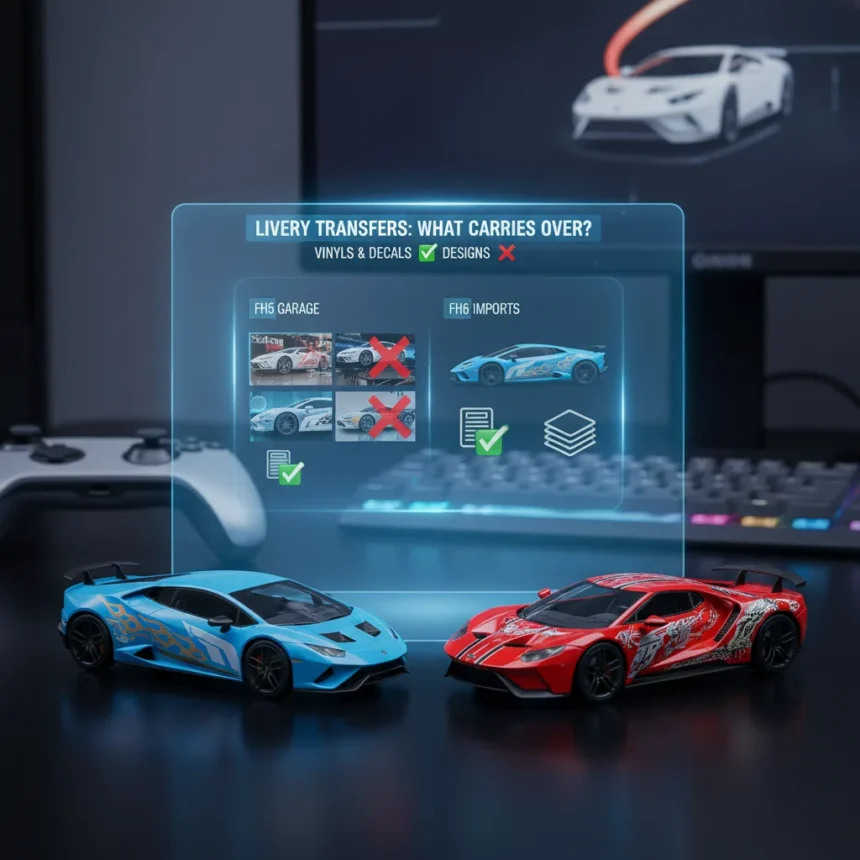
Forza Horizon 6 livery transfers are more nuanced than you might expect. While vinyls and decals from previous Forza titles can move into Forza Horizon 6, complete livery designs cannot. This distinction matters because it changes how you approach bringing your custom paint jobs into the new game.
Key Takeaways
- Vinyl groups and decals transfer to Forza Horizon 6; full liveries do not due to technical vehicle changes
- Window liveries and decals are new to FH6 after every vehicle received a complete rework
- EventLab creations and custom tuning setups do not transfer due to map and balance changes
- Grouping vinyls into installments lets you recreate designs piecemeal in Forza Horizon 6
- Over 100 new rims, paint favoriting, and engine swaps expand FH6 customization beyond FH5
What Actually Transfers to Forza Horizon 6
Vinyls and decals transfer to Forza Horizon 6, but the method requires work. You cannot simply import a finished livery design from Forza Horizon 5 and apply it directly to an FH6 car. Instead, you group individual design elements—stickers, shapes, logos—into vinyl installments in your previous game, then transfer those groups to Forza Horizon 6. Once imported, you adjust and reposition each vinyl group to fit the new vehicle geometry. This approach mirrors how vinyl transfers worked between Forza Horizon 5 and Forza Motorsport, so experienced players will recognize the workflow.
The reason full liveries cannot transfer is straightforward: Forza Horizon 6 reworked every vehicle in the game. Cars now support livery painting on windows and sunshades, a feature that required fundamental changes to how each vehicle’s paint layers work. These technical upgrades mean that a livery designed for Forza Horizon 5’s vehicle model simply will not align properly on an FH6 car. Rather than force an incompatible transfer system, Playground Games opted to let players rebuild designs using transferable vinyl components.
Forza Horizon 6 Livery Editor Upgrades You Get
The new livery editor in Forza Horizon 6 makes the vinyl transfer workflow worthwhile. Window and sunshade painting is the headline feature—players have requested this for years, and it is finally here. Beyond windows, Forza Horizon 6 ships with over 100 new pre-made vinyls featuring in-world branding like PI Class logos and Wristband icons. These designs can be applied directly to windows or used as base layers for custom liveries. Additional decals unlock through the Collection Journal as progression rewards, giving you more visual options without requiring transfer work.


Paint favoriting is another quality-of-life addition that saves time during design sessions. You can now save color palettes and access them quickly, eliminating the tedious search through every color option when iterating on a design. Combined with the ability to choose different rim styles for the front and rear—and the addition of over 100 new rim designs—Forza Horizon 6 customization goes deeper than Forza Horizon 5 in raw options.
What Does Not Transfer to Forza Horizon 6
EventLab creations will not carry over to Forza Horizon 6. The new game’s world map differs significantly from Forza Horizon 5, and EventLab itself underwent substantial changes. Custom race events and challenges you built in FH5 simply will not function in FH6’s environment. Similarly, custom tuning setups do not transfer. Playground Games rebalanced all car classes for Forza Horizon 6, which means tuning values that worked perfectly in FH5 no longer apply. You will need to rebuild your favorite setups from scratch or use the new in-game tuning suggestions as a starting point.



Full liveries, as mentioned, are off the table. However, this limitation is not a design flaw—it is the cost of the vehicle rework that enables window painting and other visual enhancements. If you have a livery you love, the vinyl grouping method lets you preserve the core design elements and reassemble them in FH6, even if the process takes patience.
How to Transfer Vinyls and Decals Step by Step
Start in your previous Forza game—typically Forza Horizon 5. Open the livery editor and identify the design you want to transfer. Group related design elements into single vinyls. For example, if your livery has three stickers on the driver’s side, select all three and group them into one vinyl installment. Repeat this process for other sections of the car: passenger side, hood, roof, and so on. The goal is to break your complete design into transferable chunks.
Once grouped, these vinyl installments sync to your Forza account. Launch Forza Horizon 6 and navigate to the livery editor. Your vinyl groups appear in your library. Apply them to a car in FH6, then adjust positioning and scale as needed to fit the new vehicle geometry. Some vinyls may need tweaking—a stripe that wrapped perfectly around a Forza Horizon 5 car might need repositioning on an FH6 version of the same car due to subtle model differences. This adjustment step is where patience pays off. Once you have repositioned all your vinyl groups, save the new livery to your FH6 collection.
Engine Swaps and Other Customization Options
Forza Horizon 6 introduces engine swaps that push customization beyond what FH5 offered. You can now drop a V10 twin-turbo engine into Kei cars or swap motorcycle engines into unexpected vehicles. These swaps are not just cosmetic—they fundamentally change how a car drives, opening up new tuning possibilities and playstyles. Combined with the expanded rim selection and window livery options, the customization depth in Forza Horizon 6 rewards players who invest time in building unique machines.


Should You Worry About Your FH5 Designs?
No. While EventLab creations and tuning setups are gone, your vinyl library is safe. The transfer process is straightforward once you understand the grouping method. If you have invested heavily in custom liveries in Forza Horizon 5, set aside time to group and transfer your favorite designs before moving fully to FH6. The vinyl grouping workflow is the same method used for transfers between Forza Horizon 5 and Forza Motorsport, so if you have done this before, you already know the process.
Can I transfer my entire Forza Horizon 5 livery to Forza Horizon 6 as-is?
No. Complete liveries cannot transfer directly due to vehicle reworks in Forza Horizon 6. However, you can group the vinyl elements that make up your design and transfer those groups, then reassemble them in FH6.
What happens to my EventLab creations and custom tuning setups?
EventLab races do not transfer because Forza Horizon 6’s map is different and EventLab has changed significantly. Custom tuning setups also do not carry over due to car class rebalancing in FH6. You will need to create new events and rebuild tuning setups in the new game.
Are the new window liveries worth the effort to transfer vinyls?
Yes. Window and sunshade painting, combined with over 100 new pre-made vinyls and expanded rim options, makes Forza Horizon 6’s livery editor substantially more capable than Forza Horizon 5. The vinyl transfer process is a one-time investment that unlocks access to these new features across all your imported designs.
Forza Horizon 6 livery transfers require planning, but they are absolutely worth doing. Your vinyl library is portable, the editor offers genuine new tools like window painting, and the workflow is familiar to anyone who has transferred designs between Forza games before. Set aside an afternoon to group your favorite FH5 designs, import them to FH6, and you will unlock access to the deepest customization toolset the franchise has ever offered.
Where to Buy
Microsoft Xbox Game Pass Ultimate | Microsoft Xbox Game Pass Ultimate 3
Edited by the All Things Geek team.
Source: Windows Central