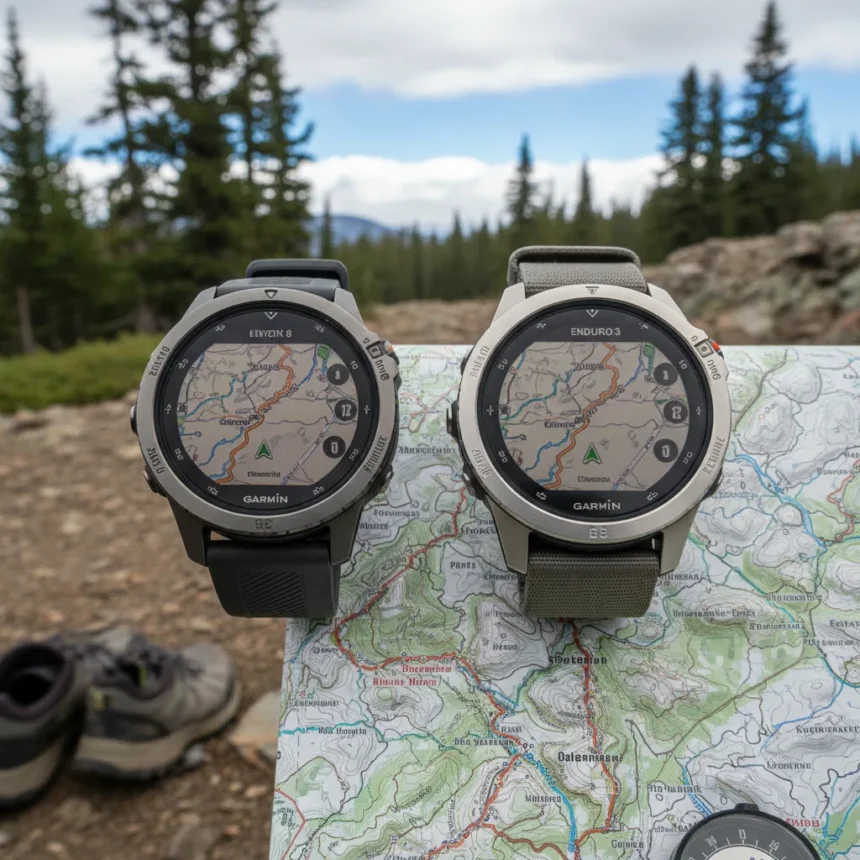
Garmin Fenix 8 navigation fix has finally arrived, though most users won’t notice it landed quietly in beta firmware version 22.29. The update addresses one of the most annoying usability problems on Garmin’s flagship outdoor watches: map panning and zooming that felt sluggish and unresponsive during critical moments on the trail.
Key Takeaways
- Beta 22.29 fixes laggy map panning and zooming on Fenix 8, Fenix E, Enduro 3, Tactix 8, and Quatix 8 models
- Navigation interactions now feel snappier and more reliable for hikers and runners
- Install via Settings > System > Software Update > Check for Updates after enrolling in Garmin’s beta program
- Stable release expected weeks or months after beta testing completes
- ECG and dive functionality remain disabled in beta versions
The Garmin Fenix 8 navigation fix targets a problem that has plagued users for months. When zooming into a map or panning across terrain during a hike, the watch would stall or lag, creating frustration when you need quick, responsive control. Beta 22.29 makes these interactions snappier and more reliable, which matters far more than flashy new features for outdoor athletes who rely on navigation in remote areas.
What Beta 22.29 Actually Changes
This update is not about adding bells and whistles. Garmin rolled out version 22.29 with a tight focus: resolve the navigation responsiveness issue and apply general stability enhancements. There are no new training modes, no redesigned menus, no AI-powered features. Just a watch that responds when you touch the screen to adjust your map view.
The Garmin Fenix 8 navigation fix applies across multiple models in the lineup. Fenix 8 owners with AMOLED, Solar, or Pro variants in 43mm, 47mm, or 51mm sizes can install it. So can users of the Fenix E, Enduro 3, Tactix 8, and Quatix 8. This breadth suggests the underlying navigation code was a shared problem across Garmin’s entire flagship ecosystem.


One important caveat: ECG and dive functionality remain disabled in beta versions. Garmin disables these features until the firmware reaches stable release, likely because they require more rigorous testing before rolling out to all users. If you rely on ECG or diving features, you will need to wait for the stable version or stay on your current firmware.
How to Install Beta 22.29 on Your Watch
Installing the Garmin Fenix 8 navigation fix requires enrollment in Garmin’s public beta program first. Once enrolled, the process is straightforward. On your watch, navigate to Settings, then System, then Software Update, then select Check for Updates. The watch will download the new firmware over-the-air and prompt you to restart once installation completes.



The entire process takes minutes, and there is no risk of bricking your device—Garmin’s beta rollout is stable enough for daily use. However, beta software by definition means you are testing unreleased code. If you prefer rock-solid reliability over early access to fixes, wait for the stable release, which typically arrives weeks or months after beta testing concludes.
Why This Matters Now
Summer outdoor season is ramping up in the Northern Hemisphere, and hikers are heading into trails where responsive navigation becomes critical. A laggy map interface is not just annoying—it can slow you down when you need to check your route quickly or adjust your bearing. The Garmin Fenix 8 navigation fix removes that friction point, making the watch feel more polished and trustworthy when you are miles from civilization.
Garmin’s decision to roll this out quietly, without fanfare or marketing announcements, is telling. The company knows this is not a headline-grabbing feature. It is a boring, essential fix that makes the product work better. That is the kind of engineering that separates reliable outdoor watches from flashy gadgets.
When Will the Stable Version Arrive?
Beta 22.29 is available now to enrolled users, but the stable public release typically takes weeks or months. Garmin tests beta versions extensively before pushing them to all users, so there is no fixed timeline. If you are not enrolled in the beta program and want the Garmin Fenix 8 navigation fix without the risk, patience is your only option right now.



Is the Garmin Fenix 8 navigation fix worth installing the beta?
If map panning lag frustrates you on every hike, yes. The responsiveness improvement is noticeable enough to make daily navigation feel better. If you rarely use map panning or zooming, the benefit is minimal. Weigh your tolerance for beta software against your need for snappier navigation.
Do I need to enroll in Garmin’s beta program to get this fix?
Yes, beta 22.29 is only available through Garmin’s public beta program. You cannot download it directly from Garmin’s website or through the standard update path. Enrollment is free and reversible—you can unenroll and wait for the stable release anytime.
The Garmin Fenix 8 navigation fix proves that sometimes the most valuable updates are the quietest ones. A watch that responds immediately when you touch the screen is not revolutionary, but it is essential. As Garmin’s flagship outdoor watches compete with Coros and Apple for serious athletes, these kinds of responsive, reliable interactions matter more than ever.
Where to Buy
Garmin Fenix 7S | Garmin Fenix 7 Solar | Garmin Fenix 7 | Garmin Fenix 6 | Garmin Fenix 6 Pro
Edited by the All Things Geek team.
Source: T3