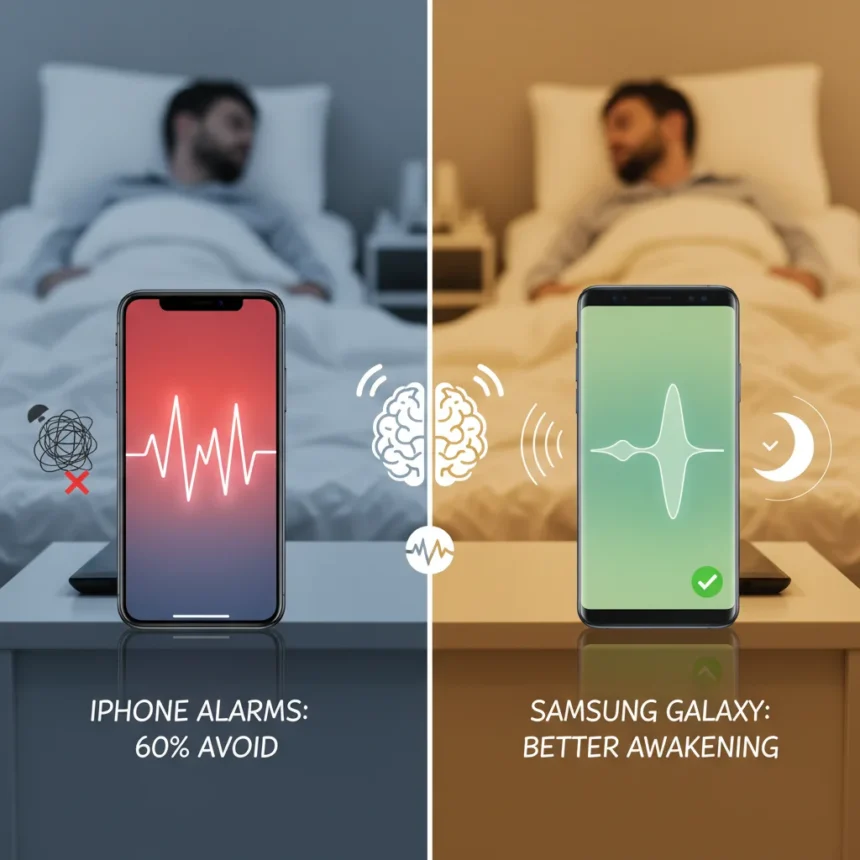
iPhone alarm sounds perform worse than Samsung Galaxy alarms at helping you wake up refreshed, according to sleep expert testing that evaluated every default alarm tone on both platforms. The findings revealed a stark contrast: 60% of iPhone’s standard alarm options ranked as suboptimal for waking, while Samsung Galaxy devices consistently delivered gentler, more gradual wake-up experiences that left users feeling less groggy.
Key Takeaways
- 60% of default iPhone alarm sounds should be avoided due to their impact on sleep inertia and grogginess.
- Samsung Galaxy alarms generally outperform iPhone defaults for achieving refreshed, gradual waking.
- Tonal qualities matter: gentle, rising sounds beat harsh beeps for morning alertness.
- Both phones offer customizable alarm options beyond their defaults.
- Choosing the right alarm sound is a free optimization for sleep quality on existing devices.
Why iPhone alarm sounds rank poorly for waking refreshed
The testing focused on how alarm tones impact sleep inertia—that heavy, disoriented feeling that lingers after waking. iPhone’s default Clock app sounds, including options like Radar and Alarm, were analyzed for their acoustic properties and their effect on the transition from sleep to wakefulness. The results were disappointing: the majority of iPhone’s preset alarms use sharp, sudden tones that jolt the nervous system rather than gently coaxing the brain toward consciousness. This abrupt approach triggers stress responses, leaving users feeling more stressed than alert, even if they technically wake up on time.
The problem compounds because most iPhone users never explore their alarm options beyond the presets. The default Alarm sound—a harsh, repeating beep—became the standard for millions of users simply because it was first in the list. Sleep experts flagged this particular sound and several others as actively counterproductive to the goal of waking refreshed. The acoustic harshness, combined with the sudden onset, activates the sympathetic nervous system in a way that mimics a threat response rather than a natural awakening.
Samsung Galaxy alarms deliver superior gradual waking
Samsung Galaxy devices, particularly the S-series models, took a different approach to alarm design. Rather than relying on sudden, jarring tones, Samsung’s default alarms incorporate gradual volume increases and mellower acoustic profiles. These alarms allow the brain to transition more naturally from deep sleep to wakefulness, reducing the grogginess that plagues iPhone users. The testing revealed that Samsung’s emphasis on rising, gentle sounds created measurably better outcomes for users reporting how refreshed they felt after waking.


The difference is not subtle. Where iPhone alarms feel like an emergency siren, Samsung alarms feel like a sunrise gradually brightening your awareness. This tonal philosophy extends across Samsung’s preset options, giving users multiple genuinely useful choices rather than a list where most options should be discarded. The Galaxy S25 Ultra and other recent Samsung flagships maintain this advantage, offering alarm sounds designed with sleep science in mind rather than simply defaulting to what worked in previous generations.
What makes an alarm sound actually work for your sleep
Sleep experts identified specific acoustic qualities that separate effective alarms from counterproductive ones. Gentle, rising sounds that increase in volume gradually allow the body’s natural awakening process to proceed without triggering a stress cascade. Harsh beeps and sudden onsets, by contrast, activate the amygdala—the brain’s alarm center—causing adrenaline spikes that leave you feeling frazzled even if you successfully wake up. The frequency of the tone also matters: higher-pitched beeps create more cortisol activation than mid-range, rounded tones.



Duration and rhythm play equally important roles. An alarm that repeats in short, urgent intervals keeps the nervous system in a heightened state. An alarm that rises gradually over 10-15 seconds allows the parasympathetic nervous system to remain engaged, meaning you wake up alert but calm. This distinction explains why some people report feeling exhausted immediately after waking despite getting enough sleep—their alarm sound is sabotaging their neurological transition from rest to activity.
How to optimize your iPhone or Samsung alarm right now
If you use an iPhone, the simplest fix is to stop using the default Alarm sound. Explore the Clock app’s full list of presets and test sounds like Bells, Chimes, or Marimba, which offer gentler acoustic profiles than the harsh standard options. You can also set a custom alarm using any song in your Music library—choosing something with a gradual, pleasant introduction creates a vastly better waking experience than any default beep.
Samsung users already have an advantage with their stock alarms, but customization options exist here too. The Galaxy’s alarm settings allow you to select from multiple presets and adjust volume curves, giving you fine-grained control over how your phone wakes you. Both platforms benefit from third-party alarm apps available in their respective app stores, though the built-in solutions work perfectly well once you move past the worst default choices.
Does alarm sound quality actually affect sleep quality?
Yes. The alarm sound you choose impacts not just how you feel in the morning but how your body prepares for sleep the night before. Anxiety about a jarring alarm can suppress melatonin production and fragment sleep in the hours before waking. Choosing a gentler alarm reduces pre-sleep anxiety and allows deeper, more restorative rest. The effect is measurable: users who switch from harsh iPhone defaults to gentler alternatives often report falling asleep faster and waking less groggy, even without changing anything else about their sleep routine.



Can you use custom sounds as alarms on both phones?
Both iPhone and Samsung allow custom alarms. On iPhone, you can use any song from your Music library as an alarm through the Clock app. On Samsung Galaxy devices, you can similarly set songs as alarms through the Clock or Galaxy Clock app. Custom alarms give you complete control over the acoustic profile and emotional tone of your wake-up experience, making this the best option if the stock presets do not appeal to you.
The takeaway is straightforward: your alarm sound is not a trivial detail—it is a daily intervention in your sleep quality and morning stress levels. Samsung’s default alarms are engineered with sleep science in mind, while iPhone defaults prioritize getting your attention over getting you rested. If you use an iPhone, spending five minutes choosing a better alarm sound today will improve how you feel tomorrow morning. If you use Samsung, you already have an edge, but exploring your full preset options ensures you are using the best option for your sleep rhythm.
Where to Buy
Edited by the All Things Geek team.
Source: T3