





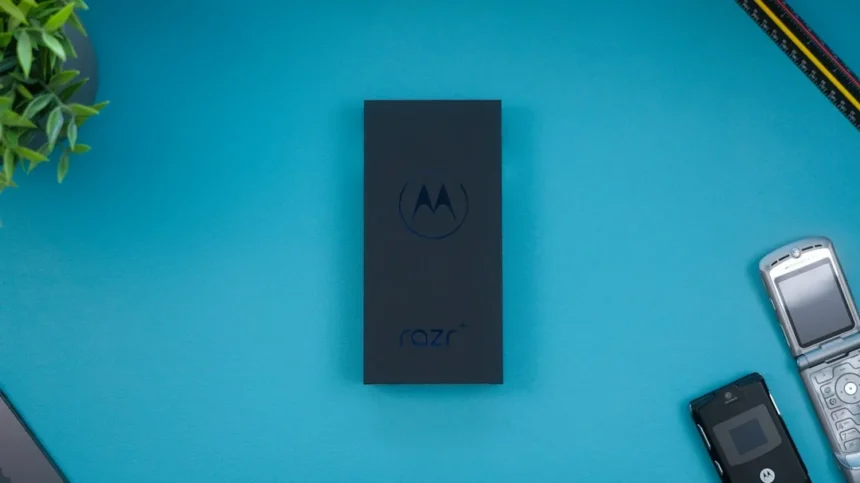
The Motorola Razr Fold’s Smart Connect feature is reshaping how we think about foldable productivity. For years, Samsung DeX has owned the conversation around turning a phone into a desktop-class machine. But Motorola’s approach to multitasking and window management on the Razr Fold suggests the game has shifted.
Key Takeaways
- Smart Connect transforms the Razr Fold’s display into a digital trackpad for enhanced control
- The phone supports up to four simultaneous apps with customizable window layouts
- Users can save app combinations for instant launching, boosting workflow efficiency
- Multiple user profiles enable seamless switching between work and personal accounts
- Motorola’s approach challenges Samsung DeX as the productivity gold standard for foldables
What Makes Motorola Razr Fold Smart Connect Different
Smart Connect on the Motorola Razr Fold isn’t just another multitasking overlay. The feature converts the phone’s display into a functional digital trackpad, enabling side-by-side window management that feels intuitive and responsive. This is the core differentiator—while competitors offer split-screen modes, Motorola’s implementation gives you actual trackpad control, turning the device into something closer to a laptop experience than a phone.
The notebook-style form factor of the Razr Fold works in Smart Connect’s favor. When folded, the device becomes a compact productivity hub. You can run two apps side by side on the larger screen, then use the outer display as a precision input device. That’s a workflow Samsung DeX users simply cannot replicate in the same way.
Multitasking Flexibility Beyond Standard Split-Screen
The Razr Fold supports up to four apps running simultaneously, with the ability to save app combinations for instant launching later. Need a specific setup for email, calendar, notes, and a browser? Save it once, then open it with a single tap whenever you want. A fourth app can float in a window overlay, giving you flexibility that static split-screen modes don’t offer.

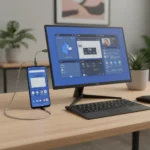

This approach mirrors some of what OnePlus Open delivers, though Motorola’s implementation is described as less dynamic in its window-snapping behavior. Still, the saved combinations feature is a genuine productivity win. It acknowledges that real work involves recurring setups—not random app pairs you assemble on the fly.
Multiple User Profiles for Work and Personal Separation
Beyond Smart Connect itself, the Razr Fold supports multiple user profiles, allowing you to switch between work and personal accounts without logging out of apps or resetting your preferences. This is the kind of feature that enterprise users and freelancers will immediately recognize as valuable. You stay logged into work Slack in your work profile and personal Discord in your personal profile. Switch profiles, and your entire ecosystem changes.
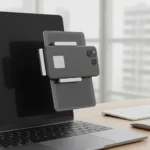


Samsung DeX doesn’t offer this level of account separation. It’s a subtle but significant advantage for anyone juggling professional and personal responsibilities on the same device.
How Motorola Razr Fold Smart Connect Compares to Competitors
Samsung DeX has held the productivity crown for years, but it requires a monitor or TV connection to shine. The Razr Fold’s Smart Connect works on the device itself, no accessories needed. That’s a fundamental architectural difference. Apple and Google have not yet delivered comparable features on their foldables, leaving the field to Motorola and Samsung for now.
The Razr Fold is also positioned as cheaper than the Galaxy Z Fold 7, making it an attractive option for users who want productivity features without the premium price. You’re not just getting a different software approach—you’re getting it at a lower entry point.
Is Smart Connect Enough to Choose the Razr Fold?
Smart Connect is a genuinely useful feature, but it’s not the entire story. The Razr Fold also delivers strong battery life, a rugged design, and improved camera performance compared to earlier Motorola foldables. If you’re primarily looking for a productivity-focused foldable, the combination of Smart Connect, multitasking support, and user profiles makes a compelling case.


However, if you’re deeply invested in Samsung’s ecosystem or prefer DeX’s monitor-based workflow, the Razr Fold won’t necessarily replace your current setup. The choice depends on your actual use case—do you want productivity features built into the phone itself, or do you want the option to dock and expand to a larger screen when needed?
Will Apple and Google Finally Respond?
The title of the original article suggests that Google, Apple, and Samsung should take notice of what Motorola is doing. So far, they haven’t. Google’s foldables lack comparable multitasking depth, and Apple doesn’t make foldables at all. Samsung remains focused on DeX as a separate experience rather than a native phone feature. Motorola’s move to integrate Smart Connect directly into the Razr Fold creates pressure for competitors to follow suit.
Can you use Smart Connect without the Razr Fold’s larger screen?
Smart Connect is designed to leverage the Razr Fold’s full unfolded display for maximum benefit. The feature’s trackpad functionality and side-by-side window management are optimized for the larger inner screen. Using it on the outer display would be cramped and defeat the purpose.
Does Smart Connect work with all apps?
Smart Connect supports multitasking with most mainstream apps, though some older or specialized applications may not play well with side-by-side layouts. The ability to save app combinations helps, as it lets you test and lock in the configurations that actually work for your workflow.
How does the Razr Fold’s battery hold up during extended multitasking sessions?
The Razr Fold is noted for strong battery life, which is important because running four apps simultaneously does drain the battery faster than single-app use. Real-world productivity sessions on the Razr Fold should comfortably last a full workday, but heavy multitasking users may want to plan for a charge by evening.
Motorola’s Smart Connect represents a meaningful shift in how foldables can serve productivity. It’s not revolutionary, but it’s thoughtful—a feature set designed around how people actually work, not how manufacturers think they should work. For anyone tired of Samsung DeX’s reliance on external displays or frustrated by the lack of multitasking depth on other foldables, the Razr Fold deserves serious consideration.
Edited by the All Things Geek team.
Source: Tom's Guide