





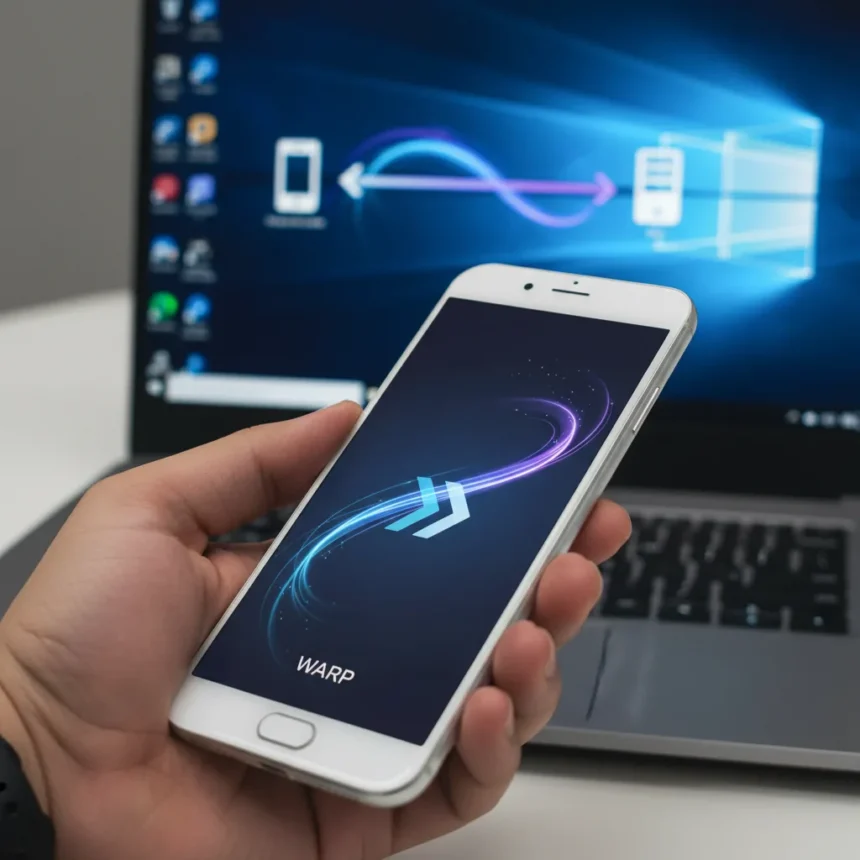
Nothing’s Warp app, the company’s answer to Apple’s AirDrop, has returned after a temporary absence. The app enables seamless file sharing between Nothing Android phones—including the Phone (2), Phone (2a), and Phone (3a) series—and Windows PCs via Wi-Fi Direct or local network connectivity. Warp was briefly removed but has made a comeback following community feedback and user demand for better cross-device sharing within Nothing’s ecosystem.
Key Takeaways
- Warp mirrors AirDrop functionality but only works between Nothing phones and Windows PCs, not macOS or Linux.
- Requires Nothing OS 2.5.5 or later on compatible devices; PC app is free via Microsoft Store or Nothing’s website.
- Supports photos, videos, documents, and contacts with authentication via QR code or PIN.
- Transfers complete in seconds over direct connection, eliminating the need for cables or cloud uploads.
- Ecosystem lock-in is the critical trade-off—cross-brand Android phones cannot use Warp, limiting its appeal.
How Nothing’s Warp App Works
Warp operates through a straightforward setup process. On the Nothing phone, users open the Warp app, enable sharing, and select the files or contacts they want to transfer. The app displays a list of nearby Windows PCs on the same Wi-Fi network. Once a device is selected, the transfer initiates—sometimes requiring QR code or PIN authentication for security. On the PC side, users download the Warp companion app from the Microsoft Store or Nothing’s website, install it, and ensure both devices are on the same network. Transfers complete in seconds without requiring cloud storage intermediaries.
The app supports a broad range of content types: photos, videos, documents, and contact information. This versatility makes it genuinely useful for everyday workflows—quickly moving a batch of photos from a phone to a laptop for editing, or syncing a contact list without opening email. The direct connection approach avoids the friction of cloud uploads and the privacy implications of routing personal files through third-party servers.
The Ecosystem Lock-In Problem
Here is where Nothing’s Warp app reveals its fundamental limitation: it only works between Nothing phones and Windows PCs. There is no macOS support, no Linux compatibility, and crucially, no cross-brand Android support. If you own a Samsung Galaxy, Google Pixel, or any other Android phone, Warp is irrelevant to you—even if you have a Nothing friend with a Phone (2a). This ecosystem lock-in is far more restrictive than Apple’s AirDrop, which at least works across all iOS and macOS devices within Apple’s walled garden. Google’s Nearby Share, by contrast, now interoperates with AirDrop and works across most Android phones, offering significantly broader reach. Samsung’s Quick Share operates similarly within its own ecosystem but has made moves toward broader Android compatibility.


For a company trying to compete against Samsung and Google, this is a strategic vulnerability. Nothing is betting that users will stay loyal to its phones specifically because of features like Warp. But if you switch to a different Android phone for any reason—better camera, longer battery life, lower price—you lose access to this convenience feature. That is not a selling point; it is a liability.
Why Nothing’s Warp Returned Now
The timing of Warp’s return aligns with Nothing’s broader push to establish itself as a serious Android alternative. The company has been building momentum around its Phone (3) series and ecosystem integration. By restoring Warp, Nothing is addressing a genuine user complaint: the lack of seamless file-sharing options between phones and PCs within its ecosystem. The return suggests the technical bugs or issues that prompted the initial removal have been resolved, though Nothing has not publicly detailed what went wrong the first time.



This move also reflects competitive pressure. Samsung and Google have invested heavily in cross-device functionality. Nothing needs comparable features to justify its premium positioning. Warp fills a gap, even if that gap is artificially narrow because of the ecosystem restriction.
Warp vs. Other Sharing Solutions
Nothing’s Warp occupies an awkward middle ground between specialized and general-purpose file sharing. Apple’s AirDrop remains the gold standard for peer-to-peer speed and reliability within its ecosystem, though it lacks Android support entirely. Google’s Nearby Share and Samsung’s Quick Share offer broader Android compatibility but are less polished for PC integration. Open-source alternatives like KDE Connect and Snapdrop provide multi-platform support but require more technical setup and lack the seamless experience that Warp aims for.
The real competitor to Warp is not another app—it is the humble USB cable and cloud storage. Many users simply plug their phone into a PC via USB, or they upload files to Google Drive or OneDrive and sync them down on the other device. Warp is faster and more convenient, but only if you own both a Nothing phone and a Windows PC. That conditional requirement is the app’s Achilles heel.
What’s Required to Use Warp
Warp requires Nothing OS 2.5.5 or later, which means older Nothing phones may not support it depending on their update status. The PC app is free and available via the Microsoft Store or directly from Nothing’s website. Both devices must be on the same Wi-Fi network or connected via Wi-Fi Direct. For most users with modern home networks, this is not a constraint. The authentication methods—QR code or PIN—add security without introducing significant friction.



Should You Care About Warp’s Return?
If you own a Nothing phone and regularly transfer files to a Windows PC, Warp’s return is genuinely useful. It eliminates the need for cables, cloud uploads, or email-to-yourself workarounds. The speed and simplicity are real advantages. But if you use macOS, if you plan to switch Android phones in the future, or if you want cross-brand sharing, Warp offers nothing you cannot get elsewhere. Nothing’s ecosystem lock-in strategy is understandable—it encourages loyalty and differentiates the brand—but it also limits the app’s relevance in a fragmented Android market.
Can I use Warp with my Mac?
No. Warp only supports Windows PCs. There is no macOS version available, and Nothing has not announced plans to develop one. If you use a Mac, you will need to rely on USB transfer, cloud storage, or third-party solutions like KDE Connect.
Does Warp work with other Android phones?
No. Warp is exclusive to Nothing phones. Other Android devices, including Samsung, Google Pixel, and OnePlus phones, cannot use Warp—even to transfer files to a Nothing phone. This ecosystem lock-in is the app’s most significant limitation.
Is Warp faster than USB file transfer?
Warp transfers complete in seconds over a direct Wi-Fi connection, which is competitive with USB 3.0 speeds for typical file sizes. The real advantage is convenience—no cables, no file explorer dialogs, just select and send. For very large files or bulk transfers, USB may still be marginally faster, but Warp eliminates the friction of physically connecting devices.
Nothing’s Warp app fills a genuine need for Nothing phone users who work across Android and Windows devices. But the ecosystem lock-in—no macOS, no cross-brand Android support—reveals the limits of Nothing’s strategy. In a market where Android users constantly switch brands, tying a convenience feature exclusively to Nothing phones is a gamble. The app works well for what it does, but what it does is inherently narrow. For most Android users, Google’s Nearby Share or a simple cloud sync remains the more practical choice.
Where to Buy
Nothing Phone (4a) Pro | No price information
Edited by the All Things Geek team.
Source: T3




