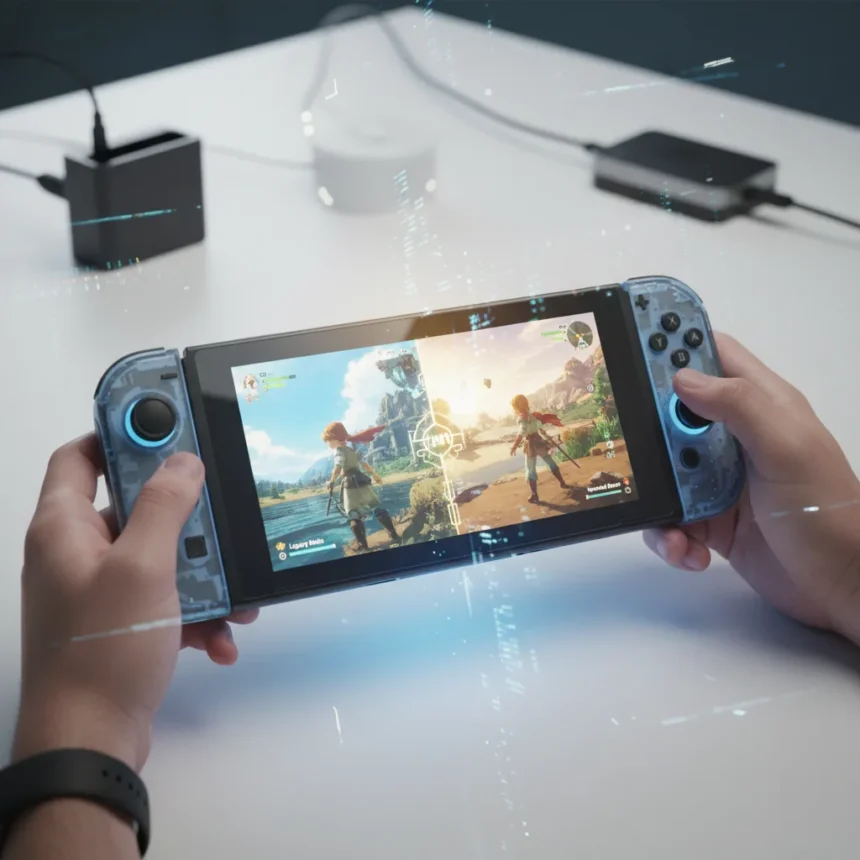
Nintendo Switch 2 Handheld Boost is a free system feature that renders original Nintendo Switch games at their docked performance and visual quality while playing in handheld or tabletop mode on the Switch 2. Introduced via system update 22.0.0 early in the Switch 2’s lifecycle, the feature addresses one of the most requested improvements from portable gamers: the ability to play legacy titles with the sharpness and frame rates originally designed for TV mode, without waiting for individual game updates or paying for remasters.
Key Takeaways
- Nintendo Switch 2 Handheld Boost renders docked-mode visuals and performance for original Switch games in handheld mode.
- The 1080p handheld screen displays sharper pixels than the original Switch’s 720p, filling the screen with higher-resolution output.
- Frame rates improve significantly in many games; one test showed nearly double the FPS compared to original Switch docked play.
- Battery life drops by approximately 25% when Handheld Boost is enabled.
- The feature is free, available now, and disabled by default—users must enable it manually in System Settings.
How Handheld Boost transforms original Switch games
The Nintendo Switch 2 Handheld Boost works by applying the same rendering pipeline used for TV mode to the console’s portable display. When enabled, games that originally capped at 720p resolution and lower frame rates in handheld mode now output at the full 1080p resolution of the Switch 2’s 7.9-inch screen. This creates a visual jump that is immediately noticeable, especially in games with detailed environments or sharp UI elements. Pixel art titles can look unbalanced without perfect scaling, but modern games with anti-aliasing benefit enormously from the higher pixel density.
In practical testing, the improvement spans both resolution and frame rate. One comparison showed a game running at 26-28 FPS on the original Switch docked mode achieving noticeably higher frame rates on Switch 2 with Handheld Boost enabled. This means games that felt sluggish in portable play—or were never truly playable on the go—now deliver a docked experience wherever you play. For titles like Bayonetta 3 and Luigi’s Mansion 3, the sharper edges and smoother motion make a tangible difference in how the game feels to control.
What makes this feature particularly valuable is that it requires no developer intervention. Games unlikely to receive Switch 2 optimizations—including Smash and hundreds of other titles—instantly gain the visual upgrade without needing paid ports or developer patches. Nintendo essentially gave the entire original Switch library a free performance boost on day one of the new hardware.


The battery life trade-off
The downside is power consumption. Enabling Nintendo Switch 2 Handheld Boost increases battery drain by around 25%, meaning extended play sessions require more frequent charging. This is the mechanical cost of pushing the console’s GPU to deliver docked-level performance in portable mode. For casual players or those playing at home, this trade-off is negligible—you can dock the console to charge while playing. For travelers or commuters who rely on all-day battery life, the decision becomes strategic: enable Handheld Boost for specific games and disable it for others, or accept shorter play windows.
The feature is not enabled by default, which suggests Nintendo anticipated this battery concern and wanted users to opt in consciously. This design choice respects player autonomy—those willing to sacrifice battery life gain the visual upgrade, while others preserve portability.



How to enable Nintendo Switch 2 Handheld Boost
Turning on the Nintendo Switch 2 Handheld Boost feature takes seconds. From the HOME Menu, select System Settings, scroll to System, then select Nintendo Switch Software Handling. Toggle Handheld Mode Boost on or off. The change applies immediately to all original Switch games; native Switch 2 titles are unaffected by this feature.
According to Nintendo’s official description, when enabled, Handheld Mode Boost causes original Switch software to run at TV mode performance while undocked. Some users have reported minor quirks—certain games may display incorrect in-game instructions, touchscreen input can be disabled, or Joy-Con controllers may be treated as Pro Controllers. These are edge cases rather than widespread issues, but they highlight that the feature is still being optimized across the library.
Does Handheld Boost live up to the hype?
The feature delivers on its promise. Visuals are noticeably sharper, frame rates climb significantly in most games, and the experience feels like playing docked games on a high-resolution portable screen. However, results vary by title. Games that already ran well in handheld mode see modest gains, while games that struggled with frame pacing or resolution in portable play see dramatic improvements. Bright Memory, Bayonetta 3, and Luigi’s Mansion 3 all show compelling visual upgrades in side-by-side comparisons.
The feature is not a universal significant shift—some games remain unaffected or poorly optimized due to GPU clocking bottlenecks. But for the majority of the Switch 1 library, Handheld Boost transforms the portable experience without requiring players to buy new versions or wait for developer updates. In Nintendo’s typical fashion, they delivered a highly requested feature early in the console’s lifecycle without fanfare.


Does Handheld Boost affect native Switch 2 games?
No. The Nintendo Switch 2 Handheld Boost feature applies only to original Nintendo Switch software. Native Switch 2 games are unaffected because they are already optimized for the new hardware and do not need the docked-to-handheld performance translation.
Can I enable Handheld Boost selectively for certain games?
Yes. You can toggle Handheld Mode Boost on or off at any time in System Settings, and the change applies immediately. This allows you to enable it for demanding games and disable it for lighter titles to preserve battery life, or keep it off entirely if you prioritize portability over visual quality.
How much sharper do games look with Handheld Boost?
The improvement depends on the game’s original resolution and art style. The Switch 2’s 1080p handheld screen versus the original Switch’s 720p screen creates a significant pixel density increase. Games with detailed textures and sharp UI elements appear noticeably crisper; pixel art can look unbalanced without perfect scaling. In side-by-side testing, the difference is immediate and striking, especially in games designed for TV play that now fill the entire portable screen.
Nintendo Switch 2 Handheld Boost is a rare example of a console feature that improves an entire library without requiring developers to lift a finger. If you own a Switch 2 and play original Switch games in portable mode, enabling it is worth the battery trade-off—unless you spend most of your time away from power outlets. For everyone else, docked-quality gaming on the go is now free and available with a single toggle.
Where to Buy
$59.99 | 81 Amazon customer reviews | $126 | $61.12 | $56.91
Edited by the All Things Geek team.
Source: TechRadar