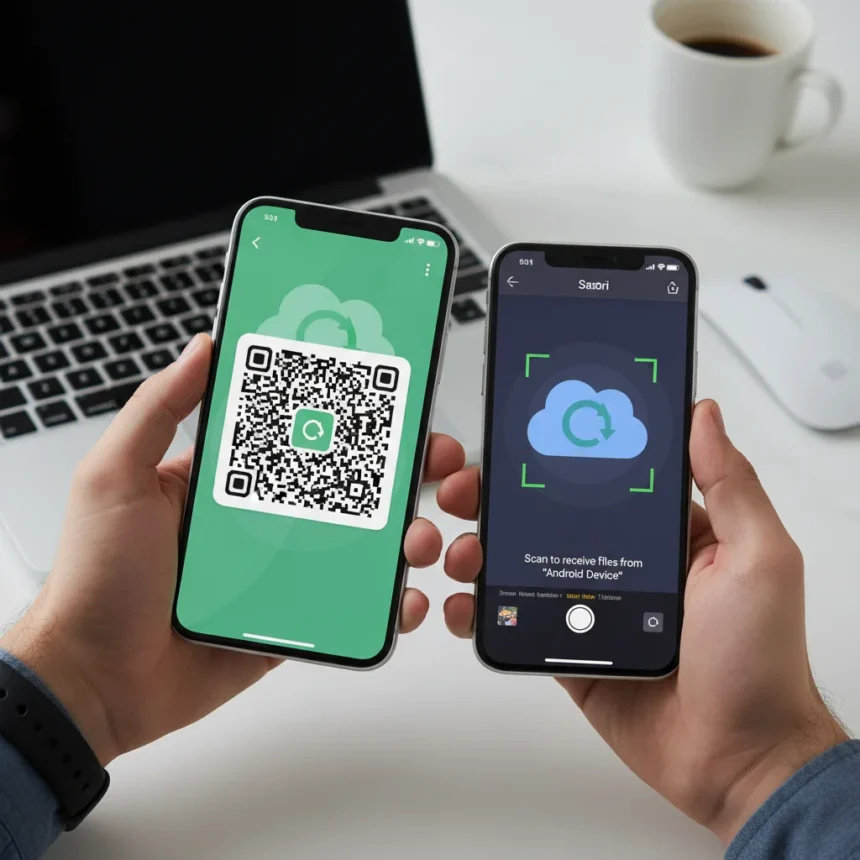
Android Quick Share QR code sharing is rolling out to all Android phones, finally offering a practical way to send files to iPhone users without friction. Google announced the feature starts rolling out immediately and will be fully available within the next month, marking a significant step toward seamless cross-platform file transfer.
Key Takeaways
- Android Quick Share now generates QR codes for iPhone-compatible cloud-based file sharing.
- The QR code can be scanned directly or copied and sent via email or text.
- This feature works when nearby device-to-device sharing is not available or compatible.
- Google says the rollout begins today and reaches all Android phones within a month.
- Android Quick Share bridges the traditional gap between Android and iPhone file transfer.
How Android Quick Share QR Code Sharing Works
Android Quick Share QR code sharing operates as a fallback when direct device-to-device transfer fails. Open the app containing your file—Photos for images, Chrome for web pages—select the file, tap Share, then tap Quick Share. Your Android phone scans for nearby compatible devices. If the intended recipient’s device appears in the list, tap it to transfer instantly. If it does not appear, or if the recipient uses an iPhone, tap “QR code or link” instead. The system generates a QR code that the recipient can scan immediately to download the file via the cloud, or you can copy the link and send it by email, text, or any other method.
Google explained the reasoning behind this approach: “If you don’t have a compatible device, you can use Quick Share on any Android phone to generate a QR code, which will let you instantly share with iOS devices via the cloud.” This cloud-based mechanism sidesteps the need for both phones to support the same local wireless protocol, making cross-platform sharing viable for the first time at scale on Android.
Why This Matters for Android and iPhone Users
For years, iPhone users have enjoyed AirDrop’s seamless file sharing, while Android users faced friction when sending files to Apple devices. Quick Share with QR codes does not replicate AirDrop’s elegance—direct device-to-device transfer is faster and requires no scanning—but it solves a real problem. When a nearby Android device is not available or compatible, or when sharing with an iPhone, the QR code method eliminates the need to fall back on email, messaging apps, or third-party services. The feature expands Quick Share beyond local Android-to-Android, Android-to-Chromebook, and Android-to-Windows transfers into genuine cross-platform territory.


The rollout timing is significant. Google’s statement that the feature “starts rolling out to all Android phones today and will be fully available within the next month” means most users should see the option soon, though exact availability may vary by device, region, and software version. Early adopters will gain the ability to share with iPhone contacts immediately, while the broader Android user base catches up over the coming weeks.
Android Quick Share QR Code Sharing vs. AirDrop
AirDrop remains simpler when both devices are compatible—no scanning required, no cloud intermediary, just tap and transfer. But AirDrop’s ecosystem lock means Android users cannot initiate transfers to iPhone at all without workarounds. Android Quick Share QR code sharing sacrifices the speed and simplicity of direct transfer for the flexibility of cloud-assisted cross-platform sharing. The QR code can also be copied and sent asynchronously, meaning the recipient does not need to be physically nearby. This flexibility comes at the cost of an extra step: scanning or copying a link. For users who regularly share with iPhone contacts, the trade-off is worthwhile.



Frequently Asked Questions
Can I use Android Quick Share QR code sharing with any file type?
The research brief does not specify file-type restrictions for QR code sharing, so assume the feature works with the same file types supported by Quick Share’s direct device-to-device transfer. Test with your intended file type to confirm compatibility on your specific device.
Does the QR code method work offline?
No. Android Quick Share QR code sharing uses the cloud, so both the sender and recipient need an active internet connection. Direct device-to-device Quick Share transfers work over local wireless without requiring cloud connectivity, but the QR code method does.
Will my iPhone-using friends automatically get the update?
iPhone users do not need a special app or update to receive files via Android Quick Share QR codes. They simply scan the QR code with their camera or a QR code reader app, and the link opens in their browser to download the file. No setup required on their end.
Android Quick Share QR code sharing represents a genuine improvement in cross-platform usability. It does not match AirDrop’s elegance, but it finally gives Android users a legitimate answer to the question “How do I send this to my iPhone friend?” For anyone frustrated by the traditional friction between Android and iPhone ecosystems, this feature is worth enabling as soon as it reaches your device.



Edited by the All Things Geek team.
Source: Tom's Guide